
Last updated on December 26, 2025
AWS Artifact Cheat Sheet
-
AWS Artifact is a legally binding, self-service portal that provides on-demand access to AWS’ compliance reports and select online agreements. It serves as your central repository for audit artifacts, allowing you to demonstrate to auditors or regulators that your AWS infrastructure meets specific security and compliance standards.
Overview & Key Capabilities
-
Central Compliance Repository: A single location to download audit artifacts and manage agreements.
-
Audit Artifacts: Evidence (reports, certifications) that validates AWS security controls are effective and compliant.
-
Legal Agreements: Review, accept, and manage contracts like the Business Associate Addendum (BAA) for HIPAA.
-
Third-Party Visibility: Access security documents for Independent Software Vendors (ISVs) via AWS Marketplace.
-
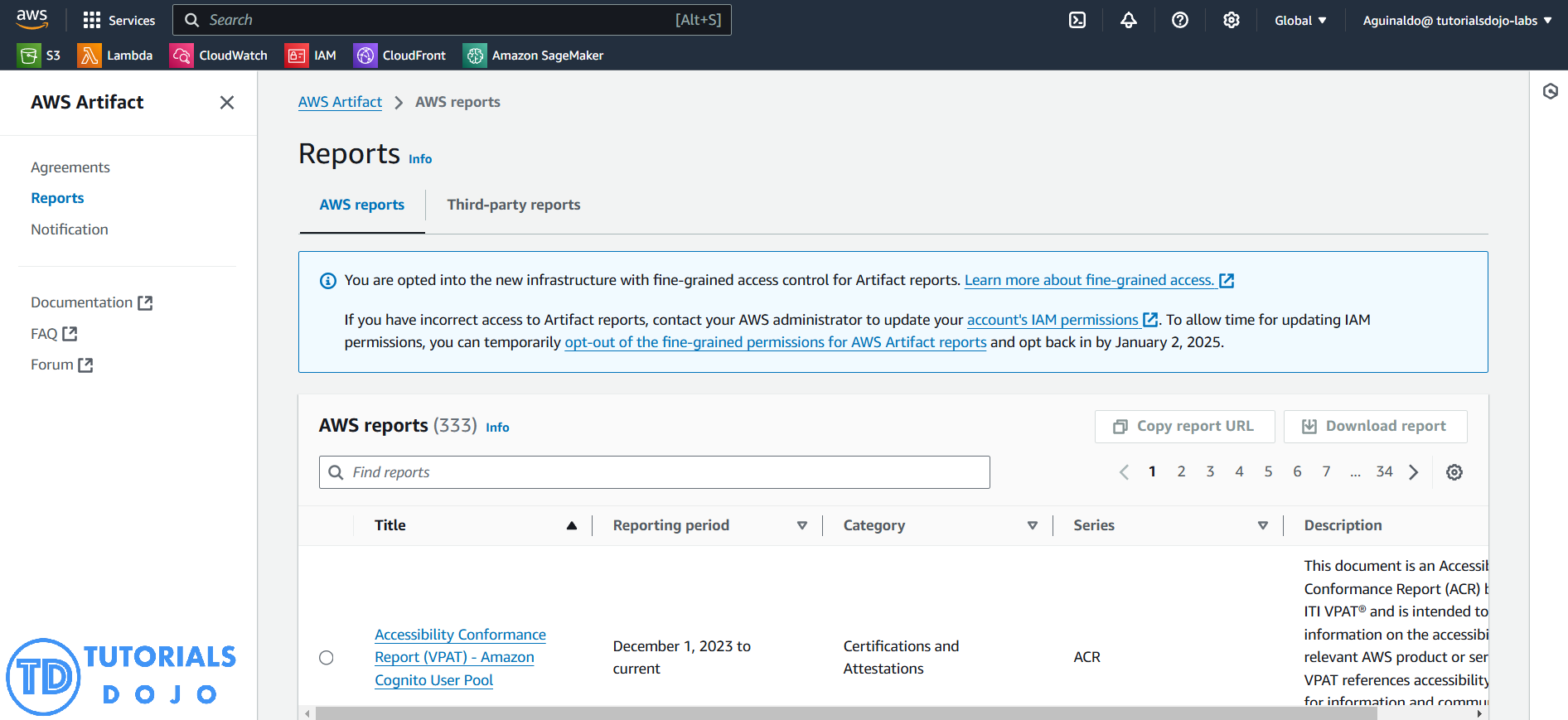
Features
- Central Compliance Repository: Single location to access audit artifacts and manage agreements.
- Audit Artifacts: Download reports and certifications that validate AWS security and compliance controls.
- Legal Agreements: Review, accept, and manage agreements like HIPAA BAA, NDAs, and regional agreements.
- Third-Party Reports: Access compliance reports for Independent Software Vendors (ISVs) via AWS Marketplace.
- Fine-Grained IAM Control: Use managed policies (AWSArtifactReportsReadOnlyAccess, AWSArtifactAgreementsFullAccess) for scoped access.
- Organization-Level Agreements: Enable agreements for all member accounts via the Management Account.
- Delegated Administration & Permissions: Support explicit IAM permissions for non-admin users to access/download artifacts.
- ListReportVersions Support: Retrieve and download specific versions of reports via API.
- Service-Linked Role Integration: Simplifies access and centralizes management within AWS Organizations.
- Notifications & Logging: Supports EventBridge notifications and CloudTrail logging for artifact actions.
- Unique Watermarking: Every downloaded report is traceable to your account for security and audit purposes.
- AWS GovCloud Support: Fine-grained permissions and policies applicable for GovCloud (US) regions.
AWS Artifact Agreements & Access Control
1. Access & Permissions
-
Default Access: Root users and IAM Administrators have automatic access to download artifacts and accept agreements.
-
IAM Users: Non-admin users must be granted explicit IAM permissions (e.g.,
artifact:DownloadAgreement) to view or download documents. -
Prerequisite: To use Organization-level agreements, your AWS Organization must be enabled for “All Features” (not just Consolidated Billing).

2. Key Agreement Types
-
Nondisclosure Agreement (NDA): Often required before you can view confidential AWS audit reports.
-
Business Associate Addendum (BAA):
-
Required for companies subject to HIPAA handling Protected Health Information (PHI).
-
Accepting this instantly designates your account(s) as a HIPAA Account.
-
-
Regional Agreements: Covers local regulations, such as the Australian Notifiable Data Breach (ANDB) Addendum.
Pro Tip: Do not confuse AWS Artifact Agreements (Compliance/Legal) with the AWS Marketplace Agreements service (Commercial/Pricing contracts for software).
Understanding the hierarchy between an individual account and an AWS Organization is a frequent exam topic
| Scope | Description |
| Account Agreement | Applies only to the specific account used to sign in. |
| Organization Agreement | Accepted by the Management Account only. Applies to all accounts (Management & Member) within the Organization. |
| Precedence | If both an Account Agreement and an Organization Agreement are active, the Organization Agreement takes precedence. |
Lifecycle & Termination Logic
- Simultaneous Agreements: An account can have both an individual agreement and be covered by an organization agreement at the same time.
- Leaving an Organization: If a member account leaves the Organization (or is removed), all Organization Agreements accepted on its behalf immediately cease to apply. The account reverts to its individual status.
- Termination:
- Terminating an Organization Agreement removes coverage for all member accounts (unless they have their own Account Agreement).
- Terminating an Organization Agreement does not automatically terminate a specific Account Agreement (and vice versa).
Limits & Restrictions
-
Unique Watermarking: Every downloaded report contains a unique, traceable watermark specific to your account.
-
Sharing Restrictions: You generally cannot share these documents publicly (e.g., on your website). They are confidential and intended only for you and your auditors/regulators.
-
Role Requirements:
-
Root Users and Admin IAM users have automatic access.
-
Non-Admin IAM Users require explicit IAM permissions to access Artifact (e.g.,
artifact:Get,artifact:DownloadAgreement).
-
Pricing
- Cost: Free.
- There is no charge to access AWS Artifact, download reports, or accept agreements.
Note: If you are studying for the AWS Certified Security Specialty exam, we highly recommend that you take our AWS Certified Security – Specialty Practice Exams and read our Security Specialty exam study guide.

AWS Artifact Cheat Sheet References:
https://aws.amazon.com/artifact/
https://docs.aws.amazon.com/artifact/latest/ug/what-is-aws-artifact.html
https://aws.amazon.com/artifact/faq/
🌸 25% OFF All Reviewers on our International Women’s Month Sale Extension! Save 10% OFF All Subscription Plans & 5% OFF Store Credits/Gift Cards!

Learn AWS with our PlayCloud Hands-On Labs

$2.99 AWS and Azure Exam Study Guide eBooks

New AWS Generative AI Developer Professional Course AIP-C01

Learn GCP By Doing! Try Our GCP PlayCloud

Learn Azure with our Azure PlayCloud

FREE AI and AWS Digital Courses

FREE AWS, Azure, GCP Practice Test Samplers


Subscribe to our YouTube Channel

Follow Us On Linkedin


Written by: Jon Bonso




