
Vertex AI Studio is a Google Cloud console tool for rapidly prototyping and testing generative AI models. It helps you streamline foundation model workflows by letting you test, tune, and deploy enterprise-ready generative AI. Google’s Vertex AI Studio offers an efficient experience for discovering and refining models, settings, system instructions, and prompts through built-in experiences and a dedicated collaborative workspace environment. Gemini multimodal models – Access to the latest Gemini models from Google, including Gemini 3. Prompt and test Gemini using text, images, video, or code. Try sample prompts for extracting text from images, converting image text to JSON, and generating answers about uploaded images. Access to 200+ models – Choose from proprietary models, open models, and third-party models through Vertex AI’s Model Garden. Includes Google’s foundation models as APIs and Gemma, a family of lightweight open models. Vertex AI Studio supports certain third-party models offered as models as a service (MaaS), such as Anthropic Claude models and Meta’s Llama models. Prompt design – Adapt models to your use case through a familiar chat interface. Adjust response parameters like temperature to elicit more creative responses. Model tuning – Improve response quality by tuning foundation models with your own data. Access tuning options like adapter tuning, Reinforcement Learning from Human Feedback (RLHF), and style and subject tuning for image generation. Vertex AI Extensions – Connect models to proprietary data sources or third-party services. Create applications that deliver real-time information, incorporate company data, and take action on the user’s behalf. MLOps integration – Deploy generative capabilities with a few lines of code. Scale and manage models in production using Vertex AI’s end-to-end MLOps capabilities and fully managed AI infrastructure. Enterprise-grade data governance – Data is protected, secure, and private when customizing models. None of the customer’s data, model weights, or input prompts are used to tune the original foundation models. When enterprises tune a model with their own data, the original model remains unchanged, and the new model never leaves your company’s environment. Grounding – Ground responses using Google Search, Maps, or your own data. Thinking capabilities – Solve complex requests and show the model’s thought process behind its response using Gemini’s built-in reasoning capabilities. Live API – Provide end users with the experience of natural, human-like voice conversations. Image and video generation – Use Imagen for image generation and Veo for video generation from text or image prompts. Generative AI evaluation service – Evaluate any generative model or application and benchmark results against your own judgment using your own evaluation criteria. Build with Gemini – Use Vertex AI Studio to access Gemini’s multimodal models. Prompt and test using natural language, text, code, or an image. Test, tune, and deploy enterprise-ready models. Design and test prompts – Learn basic concepts for designing well-structured prompts. Generate text, embeddings, code, images, videos, music, and more. Use the AI-powered prompting tool, browse the prompt gallery, and review prompting strategies. Tune foundation models from your data – Fine-tune large language models with your own data to achieve superior performance on specific tasks. Benefits include more accurate results, increased model robustness, reduced latency, and lower cost due to shorter prompts. Resources include tuning Gemini models, text tuning, and image tuning. Evaluate and optimize performance – Use the Gen AI evaluation service to evaluate any generative model or application. View and interpret evaluation results, prepare your evaluation dataset, and run evaluations. Generate a solution – Describe your problem (e.g., “I want to build a web app”) and receive a step-by-step guide, reference architecture, and available pre-built solutions. Note: You must be 18 or older to use this. Do not enter sensitive, confidential, or personal information. Create a Google Cloud account (get $300 in free credits) Select or create a Google Cloud project Enable billing Enable the Vertex AI API Required IAM roles: Summarization text prompt: Go to the Prompt gallery page from the Vertex AI section in the Google Cloud console In the Tasks drop-down menu, select Summarize Open the Audio summarization card Review the prompt and audio file (model is set to Gemini-2.0-flash-001 by default) Click Submit to generate a summary in a bulleted list To view the API code, click Build with code > Get code and select your preferred language Code generation prompt: Go to the Prompt gallery page from the Vertex AI section in the Google Cloud console In the Tasks drop-down menu, select Code Open the Generate code from comments card Review the system instruction and incomplete Java methods with Click Submit to generate the missing code To view the API code, click Build with code > Get code and select your preferred language Generative AI on Vertex AI overview Quickstart: Send text prompts to Gemini using Vertex AI Studio
Vertex AI Studio
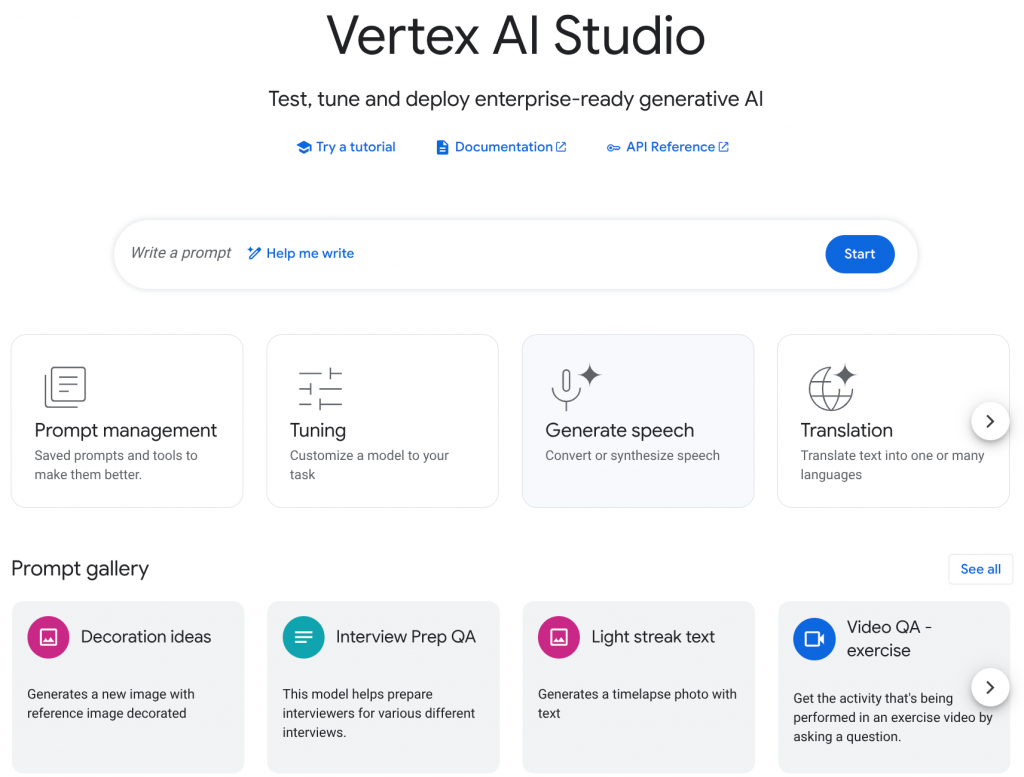
Vertex AI Key Features

Vertex AI Roles
Role
Description
Administrator
Responsible for Google Cloud setup that interacts with agents using technical language to connect Vertex AI with the Google Cloud ecosystem.
Builder
Includes ML developers and App developers who use developer tools. Agents use developer-specific language with a scope limited to Vertex AI.
Onboarding and Administrative Features
Feature
Description
Access to API key
Quickly access your API key.
Left navigation redesign
Left menu includes a Floating Action Button (FAB) that lets you open different playgrounds, view recent sessions, and access other options.
Getting started menu
Menu for new users with steps to properly activate accounts, including trying a prompt, adding a collaborator, and getting an API key.
New experience opt-in
Dialog that prompts existing users to try the latest UI with option to revert in settings.
Settings menu
Options to switch between previous and latest UI, change appearance (light/dark), generate and access API keys, and manage billing.
Studio Discovery and Development Features
Feature
Description
Interactive canvas view
Canvas that illustrates the artifact to be retrieved for development, includes preview and code view.
Minimap
Summarized history of prompt and response headers that can be turned off.
Slash commands
Keyboard shortcuts:
/ask (get Google Cloud help), /clear (clear conversation), /compare (see how changes impact response), /model (manage model selection), /prompt (manage and modify prompts).
Side-by-side comparison
Compare multiple prompts and responses simultaneously for models, system instructions, and prompts.
Upload large files
Upload local or Cloud Storage files up to 20 MB.
Generate code files
Generate application code files accessible in the canvas pane.
Download code files
Download generated code files as a zip file.
Undo or Redo
Available for actions like model settings and prompt changes.
In-App help tool
Accessible through
/ask command or the prompt field.
Prompt gallery
Updated prompt gallery with app samples.
Built-in Tools and Capabilities
Feature
Description
Natural language refinement
For prompt refinement, describe how you want to change your prompt using natural language, and the system automatically optimizes the prompt for you.
Optimize system instruction
One-click feature that asks Gemini to automatically optimize a system instruction based on the prompt.
Refine prompt response
Use the
/prompt command to provide feedback and create a well-formatted revised prompt.
Help-me-write tool
Use the
/prompt command and a described intent to create a well-formatted prompt, system instruction, and to recommend a model.
Vertex AI Common Uses
Getting Started in Vertex AI
Prerequisites
serviceusage.serviceUsageAdmin (to enable the Vertex AI API if not already enabled)roles/aiplatform.user (to run prompts in Vertex AI Studio)Test Gemini Using Sample Prompts

<WRITE CODE HERE> placeholdersReferences
🤖 $3.74 ONLY for Claude eBooks and Get 25% OFF All Claude Reviewers

Turn Your Team Into Cloud-Ready Professionals Today

Learn AWS with our PlayCloud Hands-On Labs

$2.99 AWS and Azure Exam Study Guide eBooks

Learn GCP By Doing! Try Our GCP PlayCloud

Learn Azure with our Azure PlayCloud

FREE AI and AWS Digital Courses

FREE AWS, Azure, GCP Practice Test Samplers


Subscribe to our YouTube Channel

Follow Us On Linkedin


Written by: Joshua Emmanuel Santiago




