
Claude Code Cheat Sheet
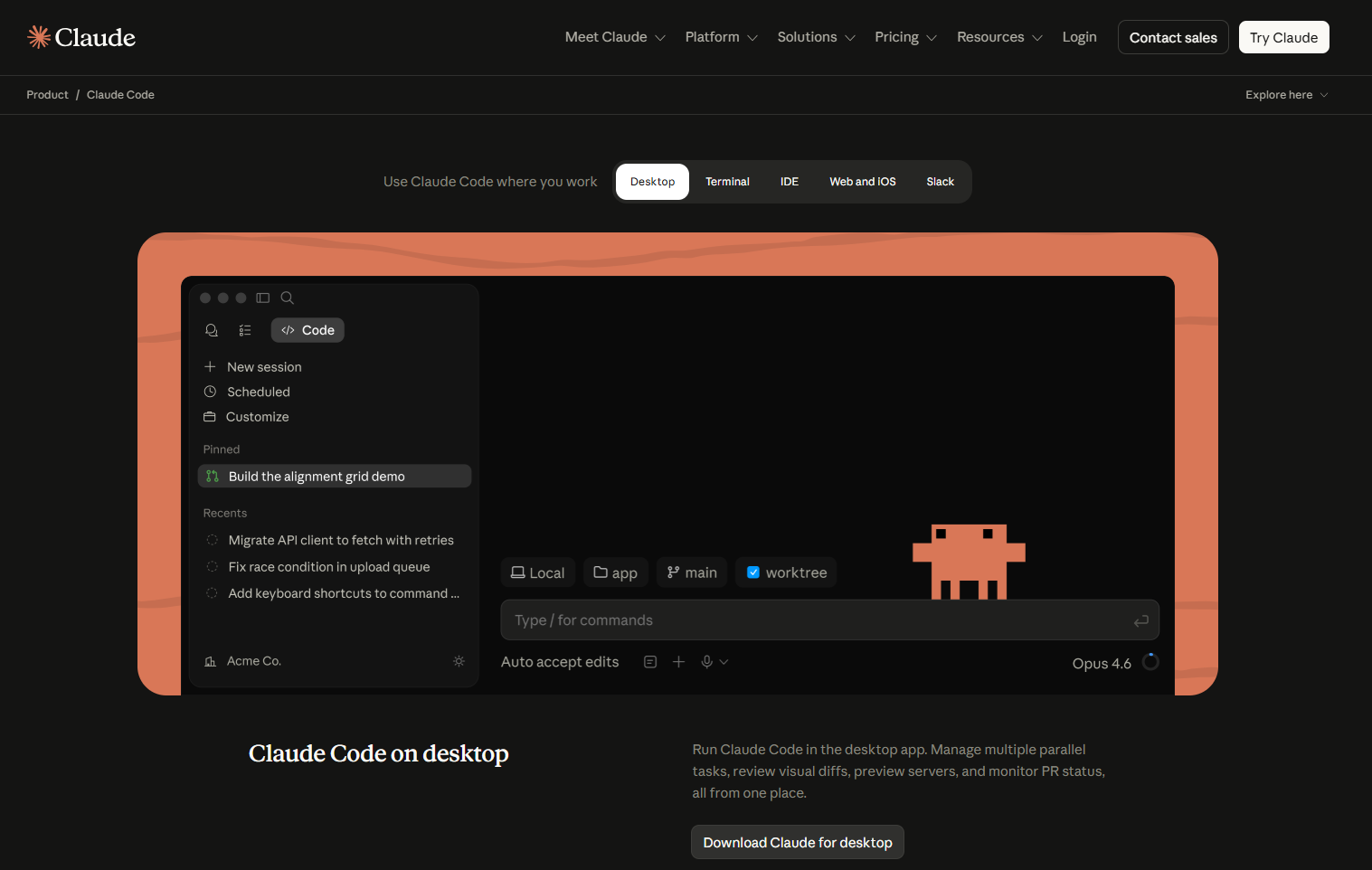
Claude Code is an AI coding agent that operates in your terminal, IDE, desktop app, web browser, or CI. It reads your project, edits files, executes commands, and connects with your current development tools. The same engine powers the CLI, VS Code and JetBrains plugins, the Desktop app, and claude.ai/code. Your CLAUDE.md, settings, and MCP servers move with you across all of these platform
Claude Code Key Features
What you can actually do with Claude Code:
- Build features from a description – Say what you want in plain language; Claude plans the approach, edits across multiple files, and verifies the result.
- Fix bugs end-to-end – Paste an error or describe a symptom; Claude traces it through the codebase, patches the root cause, and re-runs tests to confirm.
- Refactor across the codebase – Rename APIs, restructure modules, update every call site, and run the test suite to check nothing broke.
- Write and run tests – Generate tests for untested code, execute them, and fix the failures it surfaces.
- Drive git workflows –Stage changes, write commit messages, create branches, open pull requests, and draft release notes.
- Codebase Q&A – Ask “how does the billing module work?” and Claude reads the relevant files and explains in your terms.
- Connect external tools via MCP – Read Google Drive design docs, update Jira tickets, query a database, post to Slack, or drive a browser.
- Custom workflows – Reusable slash commands via skills (e.g.
/deploy-staging,/review-pr); hooks for auto-formatting and linting. - Parallel agents – Spawn subagents for isolated tasks, agent teams that message each other, or background sessions you check on later.
- CI/CD automation – GitHub Actions, GitLab CI/CD, and scheduled cloud routines that run even when your laptop is off.
- Multi-surface access – Terminal, VS Code, JetBrains IDEs, Desktop app, web at
claude.ai/code, iOS app, and Slack, same engine, same config. - Composable CLI – Pipe
stdinin, emitjsonorstream-jsonout, and cap runs with--max-turnsand--max-budget-usd. - Voice and vision – Push-to-talk dictation (
/voice), paste-in screenshots, and computer use on macOS for GUI-only apps. - Built-in safety nets – Per-edit file checkpoints (
Esc Escto rewind), permission modes, sandboxed bash, and read-only plan mode. - Web access – Search the web and fetch documentation in the middle of a session, without leaving the loop.
Claude Code Key Components
The architectural pieces that make Claude Code work:
- Model – The Claude LLM doing the reasoning typically Sonnet 4.6 or Opus 4.6/4.7; Haiku 4.5 for cheaper, lighter tasks.
- Agentic harness – The Claude Code runtime that wraps the model: dispatches tool calls, manages context, and stores sessions.
- Built-in tools – File operations (
Read,Edit,Write), search (glob and grep), execution (Bash), web (search and fetch), and optional code-intelligence plugins. - Sessions – Locally-stored conversations scoped to a directory, with resume, fork (
--fork-session), and checkpoint support. - Context window – Holds conversation history, file reads, command output,
CLAUDE.md, auto memory, loaded skills, and the system prompt. Inspect with/context. - Memory –
CLAUDE.mdfiles (rules you write) plus auto memory (notes Claude writes for itself as it learns your project). - Permissions system – Allow/ask/deny rules plus a mode cycle:
default,acceptEdits,plan,auto, andbypassPermissions. - Extension layer – Skills, subagents, agent teams, hooks, MCP servers, and plugins, five complementary ways to customize behavior.
- Interfaces – Terminal CLI, VS Code and JetBrains plugins, Desktop app, web at
claude.ai/code, mobile, and Slack. - Execution environments – Local machine (default), cloud VMs (web sessions), or local-driven-by-browser via Remote Control.
- Agent SDK – Build your own agents on the same primitives from Python, TypeScript, or the CLI.
.claude/directory – Where per-project settings, hooks, skills, commands, rules, subagent configs, and auto memory live.
How Claude Code works
The agentic loop
Claude Code doesn’t just answer your question and stop, it works on the task the way a developer would, in a repeating cycle of three steps:
- Look around (gather context) – Before doing anything, Claude figures out what it’s dealing with: it searches your files, reads the relevant code, checks your git status, and pulls in web docs if it needs them.
- Do something (take action) – Now it acts: edits a file, runs a command, calls an external service through MCP, or hands work off to a subagent.
- Check the result (verify) – Did it actually work? Claude runs the tests, reads the output, looks for errors, and decides what to do next.
Then it loops back to step 1 with what it just learned and goes again. Every cycle gives it new information that shapes the next one.
A quick example – You say “fix the failing login test.” Claude runs the test (look), reads the error (look), opens the file it points to (look), edits the bug (do), reruns the test (check), sees it now passes (check) – done. That’s six tool calls in one loop, all picked by Claude on the fly based on what each step revealed.
Not every task needs the full cycle – “What does this function do?” might be one pass of step 1 and a written answer. A small bug fix runs the cycle two or three times. A big refactor might run it dozens of times before Claude is satisfied.
You’re part of the loop – You don’t have to wait for Claude to finish. If you see it heading the wrong direction (wrong file, wrong approach, wrong assumption) just type and hit Enter. Claude stops, takes in what you said, and adjusts.
Models + tools = agency
Without tools, the model could only produce text. The built-in tools let it actually do things: read your repo, edit files, run commands, search the web, call MCP servers. Each tool result feeds back into the loop and informs the next decision. When the docs say “Claude decides X,” that’s the model reasoning over fresh tool output.
Sessions and context
- Sessions are saved locally and scoped to the directory you launched in. Resume with
claude -c/--resume, or branch with--fork-session. - The context window holds conversation + file reads + tool output +
CLAUDE.md+ auto memory + loaded skills + system prompt./contextshows what’s eating space. - As context fills, Claude auto-compacts: older tool outputs go first, then earlier conversation gets summarized. Details from way back in the conversation may be dropped — that’s why standing rules belong in
CLAUDE.md, not just in chat. - Subagents get their own fresh context window and only return a summary. They’re the right tool when a task involves heavy file reading or research that you don’t want bloating your main session.

Safety mechanisms
- Checkpoints – every file edit is snapshotted before it happens. Press
Esc Escto rewind, or use/rewindfor an interactive picker. Side effects on remote systems (databases, APIs, deployments) can’t be checkpointed, which is why Claude asks before running commands with external impact. - Permission modes –
Shift+Tabcycles through them. Plan mode is fully read-only; auto mode lets a classifier handle routine approvals while still gating risky calls;bypassPermissionsskips everything (use only in sandboxes or CI).
Execution environments
| Environment | Where code runs | Best for |
|---|---|---|
| Local | Your machine | The default — full access to your files and tools |
| Cloud | Anthropic-managed VMs (claude.ai/code) |
Long-running tasks, repos you don’t have cloned, parallel work |
| Remote Control | Your machine, driven from a browser | Use the web UI but keep all execution local |
Extend Claude Code
Five complementary extension points, pick the right one for the job.
a. Skills (/skills)
Reusable, packageable workflows that Claude loads on demand. Bundled ones include /simplify, /batch, /debug, and /loop. You can write your own to share team workflows like /review-pr or /deploy-staging.
b. Subagents (/agents)
Specialized agents with their own system prompt, tool whitelist, and (optionally) their own memory. Great for review, testing, or domain-specific work. Define inline with --agents '{"reviewer":{"description":"...","prompt":"..."}}' or as files.
c. Hooks
Shell commands that fire on tool-call lifecycle events (PreToolUse, PostToolUse, Setup, SessionStart, etc.). Use them to auto-format after edits, lint before commits, gate dangerous commands, or send notifications.
d. MCP (Model Context Protocol)
An open standard for plugging external tools and data into Claude. Connect Google Drive, Jira, Slack, internal APIs, browsers, etc.
claude mcp # interactive manager claude --mcp-config ./mcp.json # load servers from a file claude --strict-mcp-config --mcp-config ./mcp.json# only these servers
MCP prompts surface in the CLI as /mcp__<server>__<prompt>.
Claude Code Pricing
Claude Code is billed at the Claude subscription level, there is no standalone Claude Code price. It draws from the same usage budget as the rest of your Claude account (or you can pay per token through the Anthropic API instead).

Note: Pricing changes regularly. Numbers below reflect what’s published on the official Anthropic pages as of mid-May 2026. Always verify at https://claude.com/pricing before purchasing.
Subscription plans
| Plan | Price | What you get with Claude Code |
|---|---|---|
| Free | $0 | Chat only — Claude Code is not included |
| Pro | $17/mo on annual ($200 upfront) or $20/mo monthly | Claude Code included on terminal, web, and desktop; access to Sonnet and Opus; usage budget sized for an individual developer |
| Max 5x | from $100/mo | Roughly 5× the Pro usage budget; priority access to new features |
| Max 20x | $200/mo | Roughly 20× the Pro usage budget; for power users coding many hours a day |
| Team Standard | from ~$25/seat/mo (5-seat minimum) | Admin console, SSO, shared collaboration but Claude Code requires Premium seats |
| Team Premium | $100/seat/mo annual ($125/seat/mo monthly), 5-seat min | Team features plus Claude Code on each Premium seat. Standard and Premium can mix on one team. |
| Enterprise | Custom (contact sales) | Up to 500K context, HIPAA-readiness, SCIM, audit logs, dedicated security review, custom usage commitments |
Pay-as-you-go API (via Anthropic Console)
Separate from subscriptions. No monthly minimum. Published per-million-token rates as of mid-May 2026:
| Model | Input ($/MTok) | Output ($/MTok) |
|---|---|---|
| Haiku 4.5 | $1.00 | $5.00 |
| Sonnet 4.6 | $3.00 | $15.00 |
| Opus 4.6 / 4.7 | $5.00 | $25.00 |
- Prompt caching can cut input costs by up to ~90% on repeated context.
- Batch API runs jobs within 24h at a flat ~50% discount.
How to choose
- Solo dev, occasional coding → Pro
- Coding most of the day, every day → Max 5x or 20x
- Small team that wants shared admin and SSO → Team Premium (only Premium seats unlock Claude Code)
- Regulated industry, audit requirements, custom contracts → Enterprise
- Building automation, CI pipelines, or your own agents on top of Claude → API (often paired with a subscription for interactive work)
Cost-control tips
- Use
/costand/usagein-session, and--max-budget-usd/--max-turnsfor headless runs. - Bigger
CLAUDE.mdfiles burn tokens every single session, so keeping them under ~200 lines and push detail into skills or path-scoped rules. - Use Sonnet for routine work and reach for Opus when reasoning gets heavy.
/effortcontrols how hard the model thinks per turn. - Subagents help by isolating heavy reads from your main context window.
- Plan mode (
--permission-mode plan) is free thinking time – no edits, no shell – useful for exploration without burning execution cycles.
🔥 $1.99 eBooks and $4.99 Video Claude Reviewers

Turn Your Team Into Cloud-Ready Professionals Today

Learn AWS with our PlayCloud Hands-On Labs

$2.99 AWS and Azure Exam Study Guide eBooks

Learn GCP By Doing! Try Our GCP PlayCloud

Learn Azure with our Azure PlayCloud

FREE AI and AWS Digital Courses

FREE AWS, Azure, GCP Practice Test Samplers


Subscribe to our YouTube Channel

Follow Us On Linkedin


Written by: Nikee Tomas




