Ends in
00
days
00
hrs
00
mins
00
secs
ENROLL NOW

💪 25% OFF on ALL Reviewers to Start Your 2026 Strong with our New Year, New Skills Sale!

GitHub Repositories

Home » Others » GitHub Repositories

GitHub Repositories

GitHub Repositories Cheat Sheet

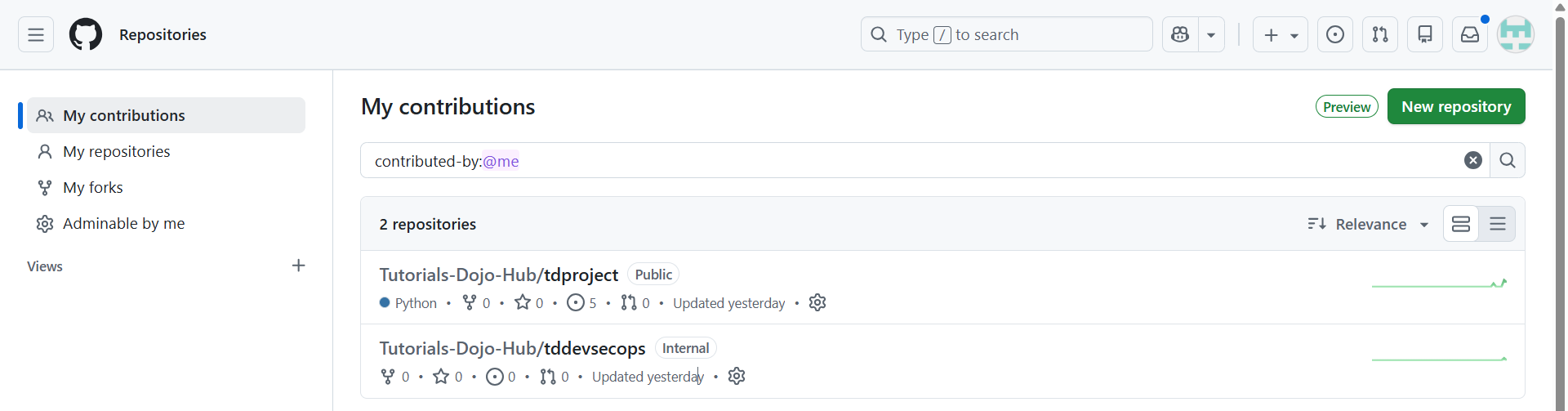
A GitHub repository is a container that stores:

  • Project source code

  • Configuration files

  • Documentation

  • Git revision history

A repository tracks every change using Git version control and enables collaboration, review, and automation.

Repositories exist:

  • Under personal accounts

  • Tutorials dojo strip
  • Under organizations

  • As public or private

TD_GitHub Repositories _07Jan25

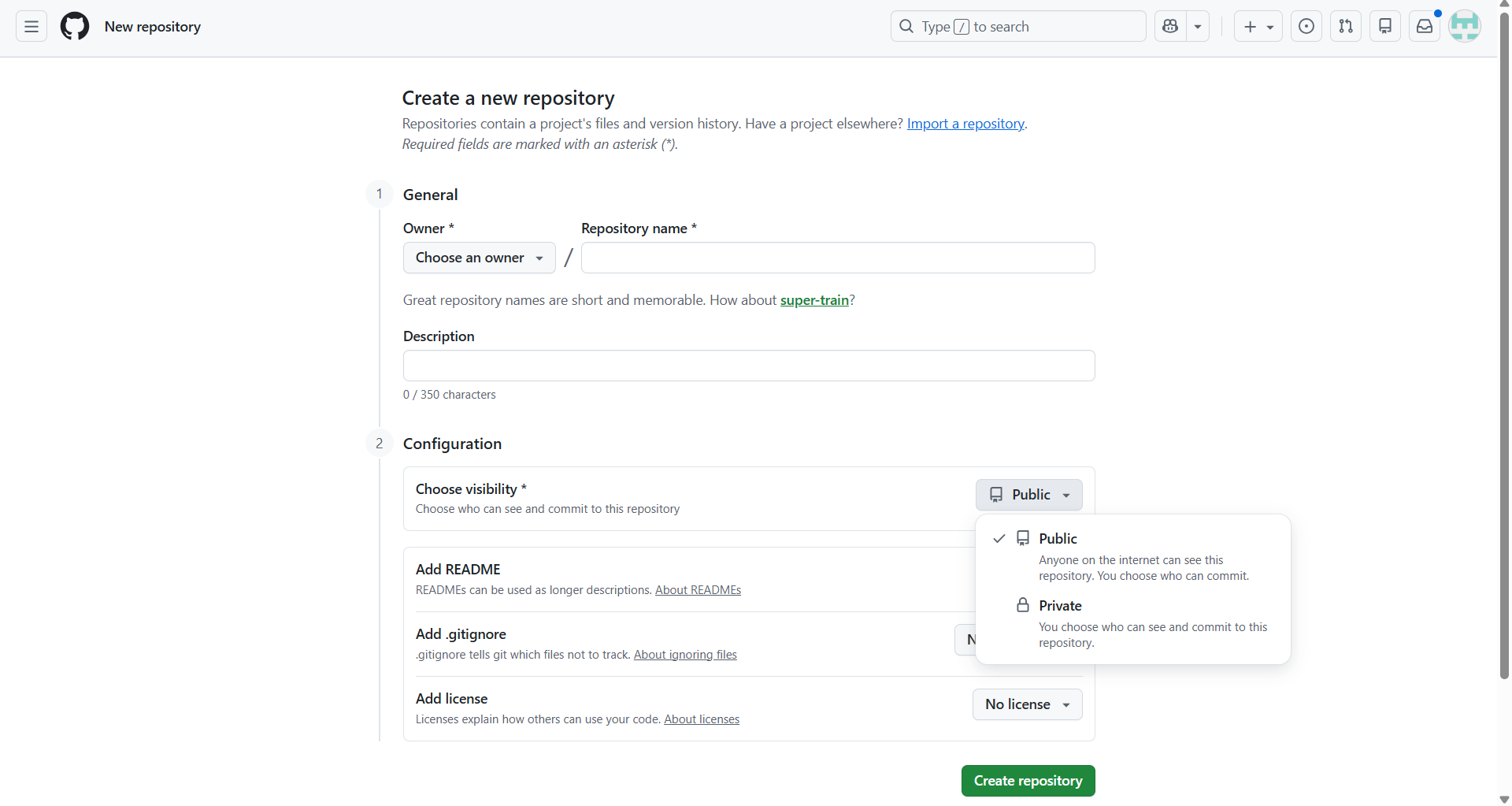
Repository Visibility

Public Repository

  • Anyone can view the code

  • Anyone can fork the repository

  • Common for open-source projects

Private Repository

  • Access restricted to invited users or teams

  • Used for proprietary or internal projects
TD_GitHub new Repositories _07Jan25

Repository Components

Component

Description

Key Characteristics

Source Code

Project files tracked by Git.

  • Version-controlled files

  • Each change recorded as a commit

Commit History

Complete record of all changes.

  • Immutable timeline

  • Includes author, timestamp, and commit message

    Enables rollback and auditing

Branches

Parallel lines of development.

  • Independent work streams

  • Default branch is usually main

  • Feature branches isolate changes

Tags

Markers for specific points in history.

  • Commonly used for releases (e.g., v1.0.0)

  • Frequently integrated into CI/CD pipelines

Repository Terminology

Understanding the following terms is essential before working with GitHub repositories:

Term

Description

Branch

An isolated line of development within a repository that allows changes without impacting the primary branch, typically main.

Clone

A full local copy of a repository downloaded from GitHub, including all files, folders, and complete version history.

Fork

A new repository created from an existing one under a different account, sharing the original codebase and visibility settings.

Merge

The act of integrating changes from one branch into another within a repository.

Pull Request

A formal request to merge changes between branches, enabling code review, discussion, and validation.

Remote

A repository hosted on GitHub that serves as a reference point for local repositories.

Upstream

The original repository or branch from which a fork or clone is created; the derived copy is considered the downstream.

Repository Initialization Options

When creating a repository, you can include:

  • README.md – project overview

  • .gitignore – files Git should ignore

  • LICENSE – legal usage terms

Essential Repository Files

File

Purpose

Key Contents/ Recommendations

README.md

Provides an overview of the project

  • Project description

  • Installation instructions

  • Usage examples

  • Contribution guidelines

  • License information

CONTRIBUTING.md

Defines how others should contribute

  • Contribution workflow

  • Branching rules

  • Commit message format

  • Pull request review process

CODE_OF_CONDUCT.md

Establishes community behavior standards

  • Acceptable behavior

  • Unacceptable behavior

  • Enforcement guidelines

  • Community expectations

SECURITY.md

Documents security reporting procedures

  • How to report vulnerabilities

  • Disclosure expectations

  • Security contact information


Conclusion

GitHub repositories are the foundation of collaboration and version control. Following best practices such as clear documentation, consistent terminology, structured branching, and proper security files ensures repositories remain maintainable, secure, and easy to collaborate on, whether for internal teams or open-source communities.
 

References

https://docs.github.com/en/repositories/creating-and-managing-repositories/about-repositories

https://docs.github.com/en/repositories/creating-and-managing-repositories/best-practices-for-repositories

https://docs.github.com/en/repositories/creating-and-managing-repositories/quickstart-for-repositories

💪 25% OFF on ALL Reviewers to Start Your 2026 Strong with our New Year, New Skills Sale!

Tutorials Dojo portal

Learn AWS with our PlayCloud Hands-On Labs

$2.99 AWS and Azure Exam Study Guide eBooks

tutorials dojo study guide eBook

New AWS Generative AI Developer Professional Course AIP-C01

AIP-C01 Exam Guide AIP-C01 examtopics AWS Certified Generative AI Developer Professional Exam Domains AIP-C01

Learn GCP By Doing! Try Our GCP PlayCloud

Learn Azure with our Azure PlayCloud

FREE AI and AWS Digital Courses

FREE AWS, Azure, GCP Practice Test Samplers


Subscribe to our YouTube Channel

Tutorials Dojo YouTube Channel

Follow Us On Linkedin

Written by: Ace Kenneth Batacandulo

Ace is AWS Certified, AWS Community Builder, and Cloud Consultant at Tutorials Dojo Pte. Ltd. He is also the Co-Lead Organizer of K8SUG Philippines and a member of the Content Committee for Google Developer Groups Cloud Manila. Ace actively contributes to the tech community through his volunteer work with AWS User Group PH, GDG Cloud Manila, K8SUG Philippines, and Devcon PH. He is deeply passionate about technology and is dedicated to exploring and advancing his expertise in the field.

AWS, Azure, and GCP Certifications are consistently among the top-paying IT certifications in the world, considering that most companies have now shifted to the cloud. Earn over $150,000 per year with an AWS, Azure, or GCP certification!

Follow us on LinkedIn, YouTube, Facebook, or join our Slack study group. More importantly, answer as many practice exams as you can to help increase your chances of passing your certification exams on your first try!

View Our AWS, Azure, and GCP Exam Reviewers Check out our FREE courses

Our Community

~98%
passing rate
Around 95-98% of our students pass the AWS Certification exams after training with our courses.
200k+
students
Over 200k enrollees choose Tutorials Dojo in preparing for their AWS Certification exams.
~4.8
ratings
Our courses are highly rated by our enrollees from all over the world.

What our students say about us?