
Last updated on December 28, 2025
AWS Elastic Disaster Recovery Cheat Sheet
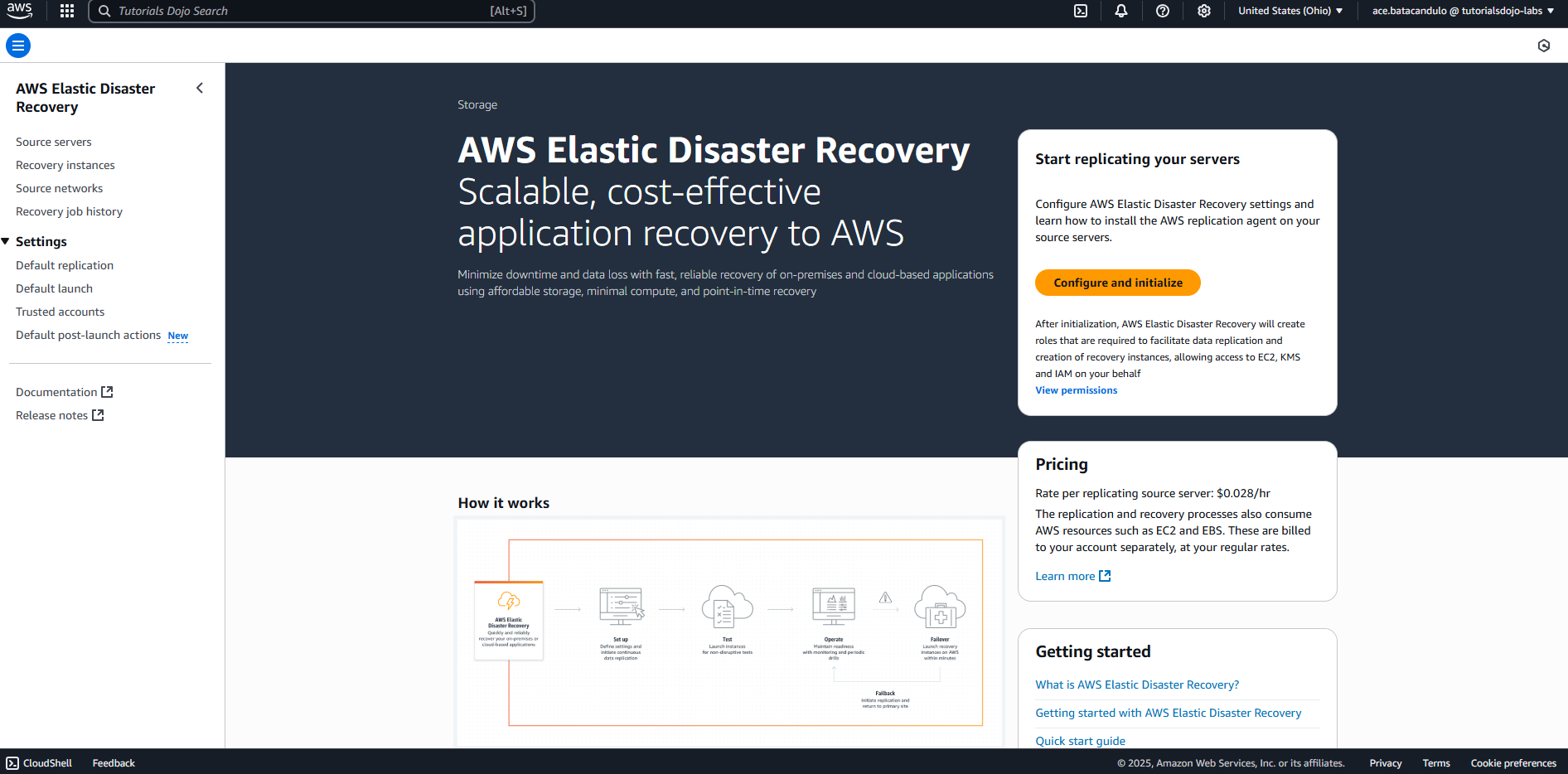
- AWS Elastic Disaster Recovery is a fully managed service providing fast, reliable, and cost-efficient disaster recovery for physical, virtual, and cloud-based Amazon Web Services (AWS) servers.
- It continuously replicates block-level data from the source environment, such as on-premises infrastructure or another cloud provider, to a staging area subnet in AWS. In the event of a disaster or during a drill, AWS DRS enables the rapid launch of fully operational recovery instances in AWS, ensuring minimal downtime and data loss.
Features
- Continuous Replication
- Block-level replication from on-premises or cloud to AWS.
- Automated Orchestration
- Automates failover, recovery, and failback operations.
- Non-disruptive Testing
- Run drills without affecting production environments.
- Point-in-Time Recovery
- Supports crash-consistent and point-in-time snapshots.
- Broad OS Support
- Works with Windows, Linux, and various distributions.
- Cross-Region and Cross-AZ Failover
- Enables regional and zonal disaster recovery within AWS.
- Agent-based Replication
- A Lightweight agent is installed on source machines.
- Flexible Instance Types
- You can now launch recovery instances using instance types that differ from your source servers, optimizing for cost or performance during drills and recovery.
- AWS Outposts Support
- Supports replication and recovery to AWS Outposts, allowing for low-latency disaster recovery on-premises.
- Integration with AWS Services
- Integrates with CloudWatch, CloudTrail, IAM, and AWS Systems Manager.
- Agent-based Replication: A lightweight agent is installed on source machines.
- Supported Sources:
- On-premises (VMware, Hyper-V, physical servers).
- AWS EC2 instances.
- AWS Outposts.
- Other cloud providers (via custom setup).

Use Cases
- Set up DR for physical or virtual data centers in AWS.
- Protect workloads hosted in other clouds (e.g., Azure, GCP) by replicating to AWS.
- Protect workloads within AWS by replicating EC2 instances to a different region.
- Lift and shift applications into AWS with near-zero downtime.
- Meet RTO/RPO targets for regulatory or business continuity requirements.
- Conduct failover tests without interrupting live workloads.
Best Practices
To ensure a robust disaster recovery posture using AWS DRS:
- Regular Drills:
- Schedule non-disruptive recovery drills periodically to validate RTO objectives and application functionality.
- Monitor Replication Health:
- Use Amazon CloudWatch to track replication lag and data transfer bytes. Alert on “Stalled” or “Lagging” states.
- Right-Size Staging Resources:
- Use the default lightweight staging instances to minimize costs, but ensure your recovery instance types match your performance needs.
- Secure the Staging Area:
- Apply strict Security Group rules to the staging subnet to prevent unauthorized access to the replication data.
- Validate Quotas:
- Ensure your target AWS Region has sufficient EC2 and EBS quotas to support the simultaneous launch of all recovery instances during a full disaster.
Elastic Disaster Recovery for Recovery and Failback
AWS DRS manages the lifecycle of recovery through specific workflows:
- Preparing for failover:
- Ensure your source servers are healthy and replicating (“Healthy” state).
- Perform a Recovery Drill to verify that your launch settings (instance types, security groups, subnets) are correctly configured without impacting the source.
- Performing a failover:
- Initiated when the source site is down or for a scheduled migration.
- Launches Recovery Instances in the target AWS Region based on a specific Point-in-Time snapshot.
- You can choose “Initiate recovery job” in the console to spin up these instances.
- Performing a failback:
- Once the primary site is restored, you can replicate data back from AWS to the original source (on-premises or another region).
- Requires the Failback Client to reverse the replication direction.
- Ensures zero data loss during the transition back to the primary site.
- Cross Availability Zone recovery:
- Protects against AZ failures by replicating EC2 instances to a different Availability Zone within the same Region.
- Ideal for applications requiring high availability and low-latency recovery without leaving the Region.
Security
- Encryption in Transit and at Rest:
- Data is encrypted using TLS during transit and optionally with EBS encryption at rest.
- IAM Role-based Access Control:
- Restrict DRS access using IAM policies and roles.
- VPC Isolation:
- Replicated instances can be launched into isolated VPCs.
- CloudTrail Logging:
- All DRS activities are recorded for audit.
- Support for PrivateLink:
- Use AWS PrivateLink to avoid exposing data to the public internet.
Pricing
- Replication Charge:
- $0.028 per hour per source server (approx. $20/month).
- Staging Resources:
- EBS Snapshots: Charged per GB/month.
- Staging Area EC2: Based on instance type and storage.
- Drill/Recovery Costs:
- EC2, EBS, and other services used during failover or drills are billed separately.
- No Charge for Failback: Data sent from AWS back to the source is not charged by DRS, but outbound data transfer fees apply.
💡 Tip: You can reduce costs by cleaning up recovery instances and EBS volumes post-drill.
AWS Elastic Disaster Recovery References
What is Elastic Disaster Recovery? – AWS Elastic Disaster Recovery
Disaster Recovery Pricing | AWS Elastic Disaster Recovery | Amazon Web Services
Getting started with AWS Elastic Disaster Recovery – AWS Elastic Disaster Recovery
🌸 25% OFF All Reviewers on our International Women’s Month Sale! Save 10% OFF All Subscriptions Plans & 5% OFF Store Credits/Gift Cards!

Learn AWS with our PlayCloud Hands-On Labs

$2.99 AWS and Azure Exam Study Guide eBooks

New AWS Generative AI Developer Professional Course AIP-C01

Learn GCP By Doing! Try Our GCP PlayCloud

Learn Azure with our Azure PlayCloud

FREE AI and AWS Digital Courses

FREE AWS, Azure, GCP Practice Test Samplers


Subscribe to our YouTube Channel

Follow Us On Linkedin


Written by: Ace Kenneth Batacandulo

Ace is AWS Certified, AWS Community Builder, and Cloud Consultant at Tutorials Dojo Pte. Ltd. He is also the Co-Lead Organizer of K8SUG Philippines and a member of the Content Committee for Google Developer Groups Cloud Manila. Ace actively contributes to the tech community through his volunteer work with AWS User Group PH, GDG Cloud Manila, K8SUG Philippines, and Devcon PH. He is deeply passionate about technology and is dedicated to exploring and advancing his expertise in the field.



