
Last updated on July 13, 2026
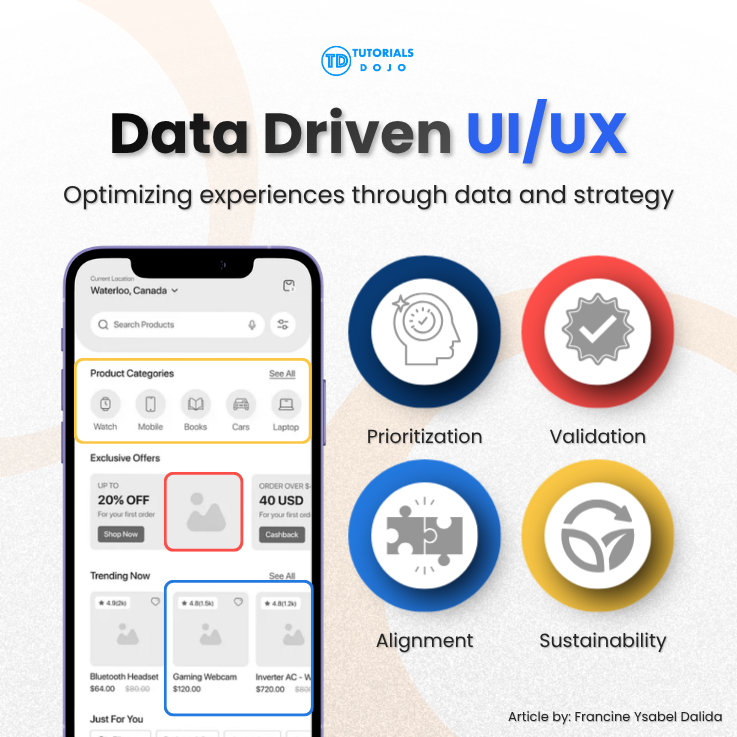
Ever designer eventually runs into the same challenge: balancing business goals with user needs in UI/UX. Users want fast, free, beautiful experiences with no friction anywhere, while the business wants high conversion rates, low hosting costs, and a fast time-to-market. These two wish lists are not always opposites, but they often pull in different directions, so “just build what users want” is rarely enough guidance on its own.
Bridging that gap is not purely a design skill or a business skill; it lies at the intersection of both. A developer who understands the business value behind a feature, or a designer who can speak the language of KPIs and adoption strategy, makes better trade-off decisions than someone who only knows their own corner of the project.
Stakeholder workshops and defining KPIs
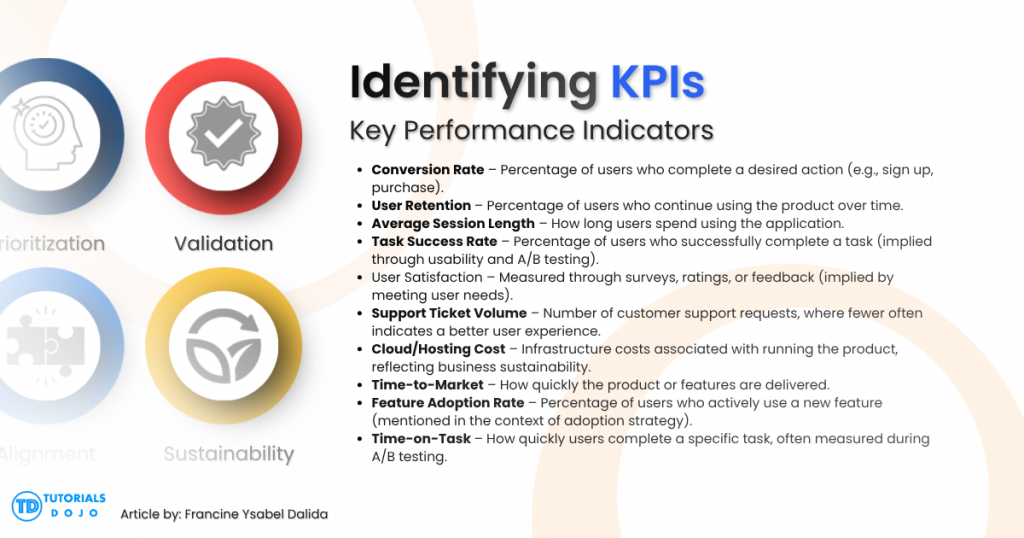
Before a single wireframe gets drawn, it helps to get the design team and the business side talking about the same numbers. A stakeholder workshop is a structured conversation where both groups agree on what “success” means for the project: user retention, conversion rate, average session length, support ticket volume, or something else. Without this step, designers tend to optimize for a smooth experience in the abstract, while the business quietly measures success by a different metric, and the mismatch only surfaces after launch, when it is already expensive to fix.
A good workshop produces a short, specific list of KPIs that both sides have actually agreed to, not just a vague mission statement. That list becomes the filter every later design decision gets run through, and it’s often the first concrete step toward reconciling what users want with what the business needs.
Prioritization frameworks
Once the KPIs are defined, the next challenge is deciding which features actually deserve a place in the first release. Two frameworks make this decision far less subjective.
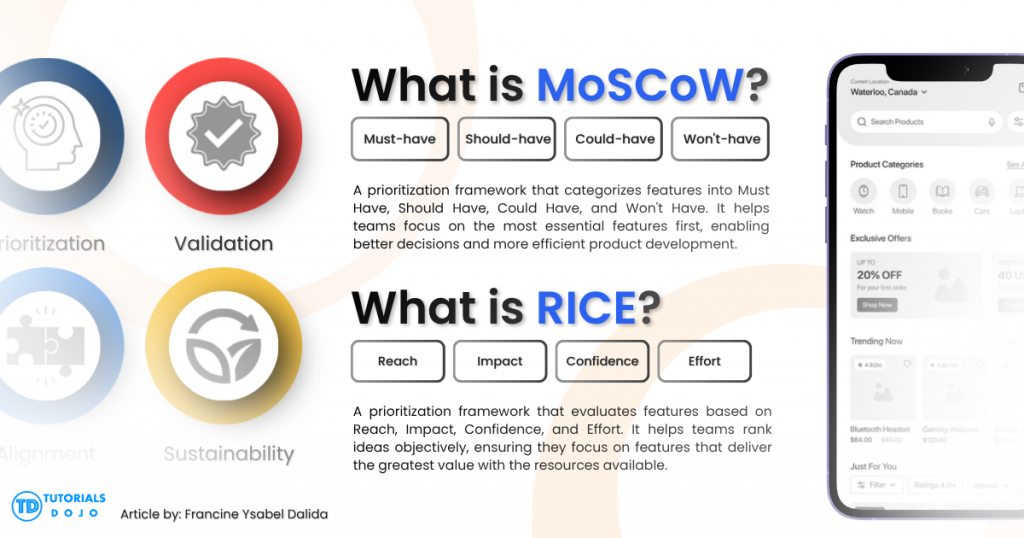
MoSCoW sorts every proposed feature into one of four buckets: Must-have, Should-have, Could-have, and Won’t-have (for this release). It’s deliberately simple, and it effectively forces a team to admit that not everything can be a “must,” which is often the hardest part of scoping a project honestly.
RICE scoring goes a step further by attaching numbers to the decision. Each feature is scored on Reach (how many users it affects), Impact (how much it moves the needle for those users), Confidence (how sure the team is about the first two estimates), and Effort (how much work it takes to build). Multiplying Reach, Impact, and Confidence and dividing by Effort produces a single comparable score for each feature, which turns “I feel like this matters more” into a number the whole team can actually argue about productively.
Neither framework replaces judgment, but both make the judgment visible and comparable instead of leaving it as an unspoken assumption that only surfaces once people disagree.
Validating decisions with data
Even with a prioritized backlog, some decisions are still genuinely close calls: should the call-to-action button be red or blue, should the signup form ask for an email first or a name first? These are exactly the kinds of debates that can burn hours of meeting time without ever reaching a real answer, because both sides are arguing from intuition.

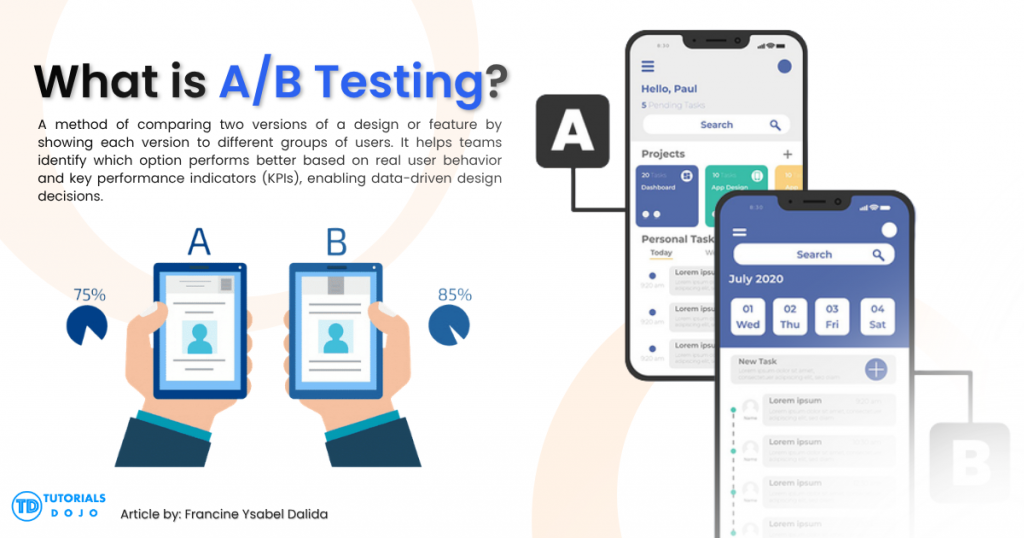
A/B testing settles this by routing a portion of real users to each version and measuring which one performs better against the KPI that actually matters: conversion, time-on-task, retention, or whatever was agreed on in the stakeholder workshop. The debate stops being about whose opinion is more persuasive and starts being about what users actually did. It will not resolve every disagreement, and it needs enough traffic to produce a statistically meaningful result, but for the disagreements it can settle, it tends to settle them quickly.
Aligning UI/UX with cloud architecture
Here is the part of this trade-off that designers most often miss: a feature-heavy UI might genuinely please users while quietly draining the business’s cloud budget. Auto-refreshing dashboards, large unoptimized media, real-time notifications, and heavy client-side animations all feel good from a user’s seat, but each one has a backend cost — more compute, more database reads, more bandwidth — that the business eventually pays for.
This is where design decisions and cloud architecture stop being separate conversations. Tutorials Dojo’s cheat sheet on the AWS Well-Architected Framework’s design principles is a useful reference here, since principles like favoring managed services over self-managed servers, removing single points of failure, and optimizing for cost are not just backend concerns. They directly shape what a UI can realistically support without quietly inflating hosting bills. A designer who understands these principles is in a much better position to propose a feature that delights users without surprising the finance team three months later.
AWS Prescriptive Guidance also offers practical resources on building enterprise-ready generative AI platforms, with an emphasis on aligning AI initiatives with business objectives, governance, security, scalability, and cost optimization rather than treating AI as a standalone feature. The same principle applies across UI/UX work generally: durable products come from balancing innovation against measurable business value and user needs, not from optimizing for either one alone.
Why balancing business goals with user needs in UI/UX matters
This balancing act is not a decision made once in a kickoff meeting. It runs through every phase of a project: the workshop where KPIs get defined, the prioritization framework that filters the backlog, the A/B test that settles a stalemate, and the architectural choices that determine whether a beloved feature is actually affordable to run. Designers and developers who can speak both languages, user experience and business impact, end up building things that are not just usable but sustainable. That dual fluency is worth building deliberately, whether through structured frameworks like MoSCoW and RICE or hands-on familiarity with cloud architecture principles.
References
AI Business & Strategy
- Tutorials Dojo. AB-730 AI Business Professional Practice Exams.
- Tutorials Dojo. AB-731 AI Transformation Leader Practice Exams.
- Amazon Web Services. Building an Enterprise-Ready Generative AI Platform on AWS (AWS Prescriptive Guidance).
Product Prioritization
Cloud Architecture & Design Principles

- Tutorials Dojo. AWS Well-Architected Framework – Design Principles.
🔔 20% OFF All Reviewers + 10% OFF PlayCloud’s First Billing Use Code: TDPLAYCLOUD-101326

Turn Your Team Into Cloud-Ready Professionals Today

Learn AWS with our PlayCloud Hands-On Labs

$2.99 AWS and Azure Exam Study Guide eBooks

Learn GCP By Doing! Try Our GCP PlayCloud

Learn Azure with our Azure PlayCloud

FREE AI and AWS Digital Courses

FREE AWS, Azure, GCP Practice Test Samplers


Subscribe to our YouTube Channel

Follow Us On Linkedin


Written by: Francine Ysabel B. Dalida




