
GitHub Codespaces Cheat Sheet
GitHub Codespaces is a fully managed, cloud-hosted development environment that lets developers work directly from a GitHub repository using a containerized setup.
A codespace is:
-
A Docker container running on a dedicated virtual machine.
-
Preconfigured with source code, runtime, libraries, tools, and editor settings
-
Accessible through:
-
Browser-based VS Code
-
Local VS Code connected remotely
-
Each codespace is isolated, secure, and linked to a specific repository, branch, or commit.
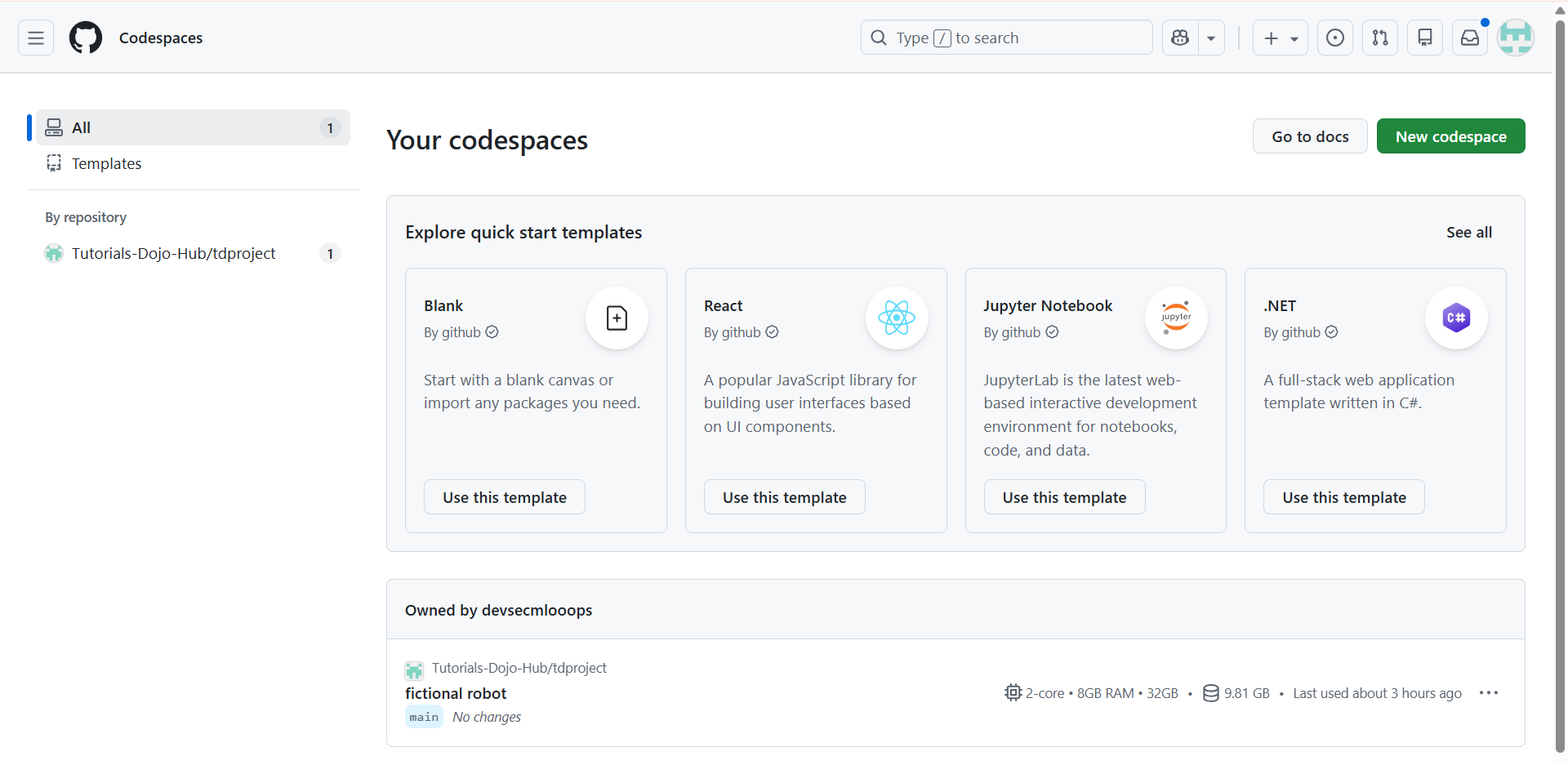
High-Level Architecture Components
|
Component |
Description |
|
Repository |
Source of truth containing code and configuration |
|
devcontainer.json |
Defines environment, tools, extensions, and settings |
|
Docker Image / Container |
Runtime environment for development |
|
Virtual Machine (VM) |
Provides CPU, memory, storage, and networking |
|
VS Code Interface |
Primary IDE (web or desktop) |
Dev Container Configuration (devcontainer.json)
Common Configuration Elements
-
Base Image
-
Defines OS and preinstalled software
-
-
Features
-
Prebuilt modular tooling (e.g., Node.js, Python, Docker)
-
-
Extensions
-
VS Code extensions auto-installed
-
-
Settings
-
Editor settings scoped to the environment
-
-
Post-create Commands
-
Scripts that run after the container is built
-
-
Forwarded Ports
-
Expose services (web apps, APIs)
-
Purpose
-
Ensures environmental consistency
-
Eliminates “works on my machine” issues
-
Enables team-wide reproducible development

GitHub Codespaces Features
Cloud-Based Development
-
Runs entirely on GitHub infrastructure
-
No dependency on local machine resources
-
Ideal for low-powered devices or locked-down corporate laptops
Fully Integrated IDE
-
VS Code Web:
-
Editor
-
Terminal
-
Debugger
-
Git integration
-
-
VS Code Desktop:
-
Same experience using Remote Development
-
Machine Types
|
Machine Type |
Use Case |
|
2-core
|
Lightweight development
|
|
4-core
|
Standard workloads
|
|
8+ core
|
Large builds, data processing
|
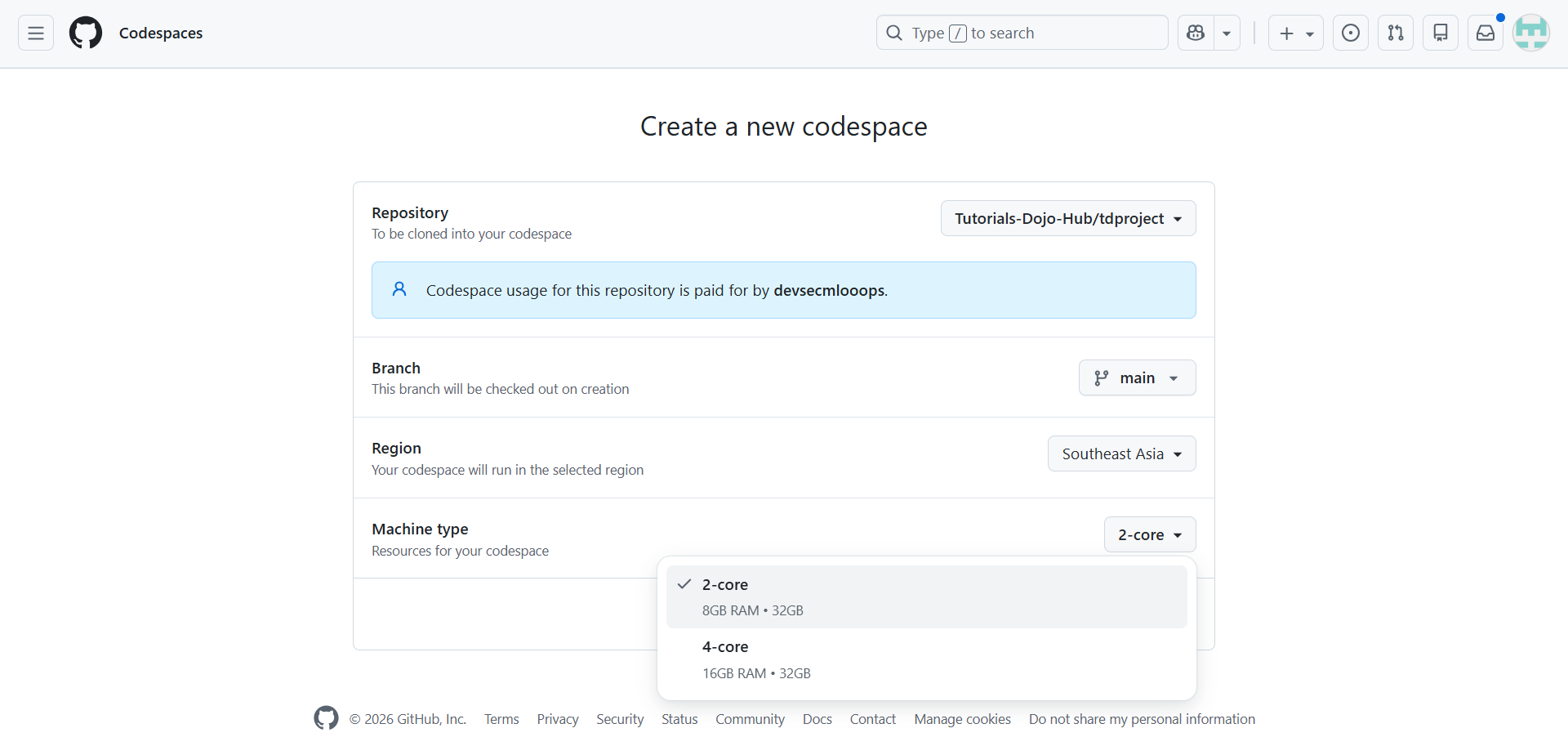
Machine types of impact:
-
Performance
-
Cost
-
Build times
Port Forwarding
-
Automatically detects listening ports
-
Allows:
-
Private ports (default)
-
Publicly accessible preview URLs
-
-
Used for:
-
Web apps
-
APIs
-
Microservices
-
Prebuilds
Prebuilds proactively create codespaces environments:
-
The environment is built before a developer opens it
-
Reduces startup time dramatically
-
Especially useful for large repositories
GitHub Integration
-
Native Git support
-
Authentication via GitHub identity
-
Pull requests, issues, and branches are fully supported
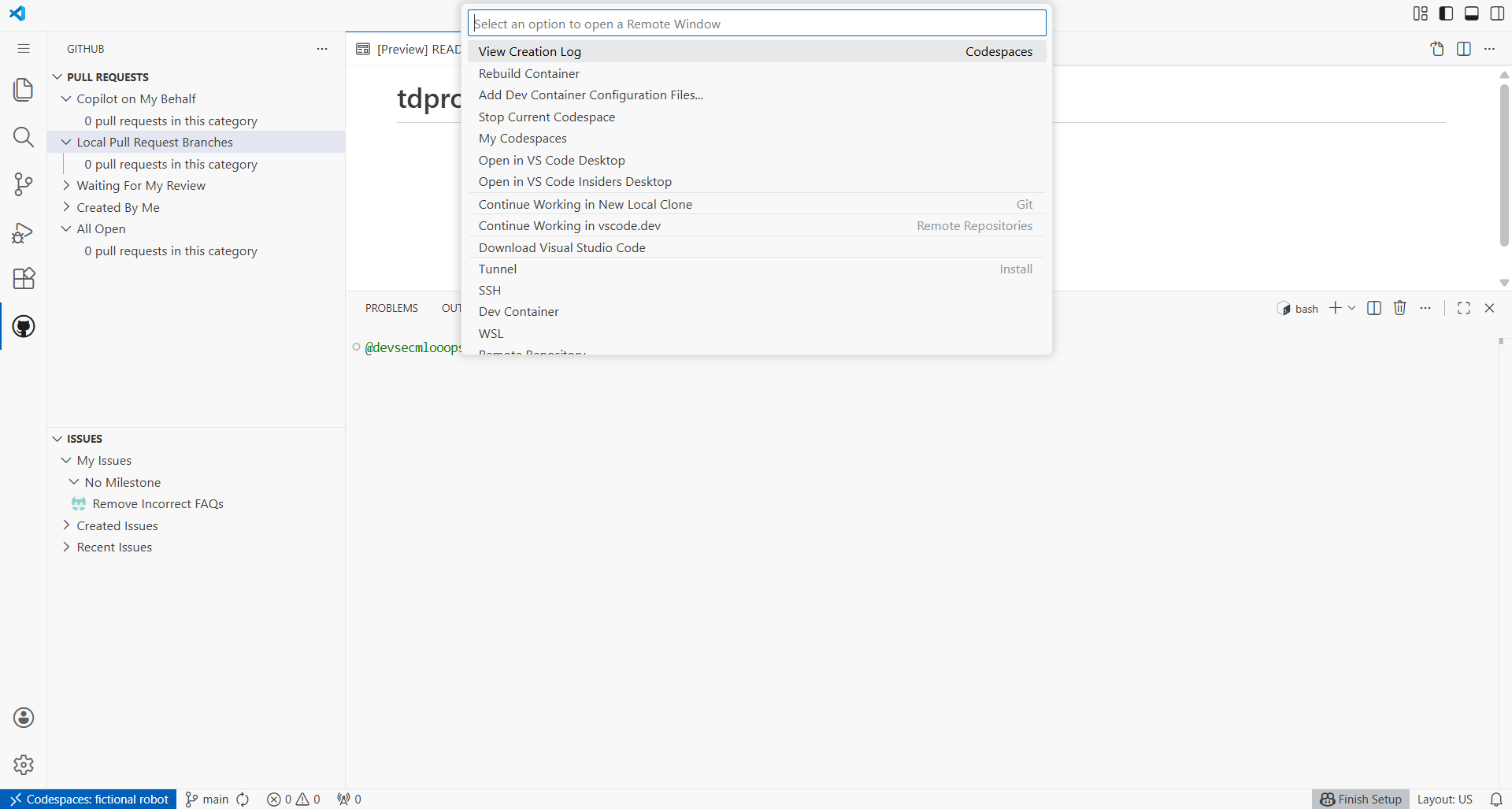
Secrets Management
Codespaces supports secrets at multiple levels:
|
Secret Type |
Description |
|
Repository secrets |
Repo-specific credentials |
|
Organization secrets |
Shared across repos |
|
User secrets |
Personal tokens |
Secrets are:
-
Injected securely
-
Never committed to source control
Collaboration
-
Live Share support
-
Share running applications via forwarded ports
-
Multiple codespaces can exist per user
GitHub Codespaces Lifecycle
|
Lifecycle Stage |
Description |
Key Characteristics |
|
Creation |
A new codespace is provisioned from a repository source. |
|
|
Running |
Codespace is active and ready for development. |
|
|
Stopped |
Codespace is paused due to inactivity or manual action. |
|
|
Restarting |
A stopped codespace is resumed. |
|
|
Deletion |
Codespace is permanently removed. |
|
Security Model
-
Each codespace runs in:
-
A dedicated VM
-
Isolated network namespace
-
-
Authentication uses GitHub identity
-
Repository permissions apply
-
No inbound access unless ports are forwarded
Cost & Billing Model
Billing is based on:
-
Compute Time
-
While codespace is running
-
-
Storage
-
Persisted disk usage
-
Cost depends on:
-
Machine size
-
Duration
-
Number of active codespaces
Conclusion
References
https://docs.github.com/en/codespaces/about-codespaces/what-are-codespaces
https://docs.github.com/en/codespaces/about-codespaces/codespaces-features
https://docs.github.com/en/codespaces/about-codespaces/understanding-the-codespace-lifecycle
🎉 PlayCloud Sale Extension – Get 10% OFF and Save Big on All PlayCloud Subscription Plans!

Learn AWS with our PlayCloud Hands-On Labs

$2.99 AWS and Azure Exam Study Guide eBooks

New AWS Generative AI Developer Professional Course AIP-C01

Learn GCP By Doing! Try Our GCP PlayCloud

Learn Azure with our Azure PlayCloud

FREE AI and AWS Digital Courses

FREE AWS, Azure, GCP Practice Test Samplers


Subscribe to our YouTube Channel

Follow Us On Linkedin


Written by: Ace Kenneth Batacandulo




