
GitHub Discussions Cheat Sheet
-
Answering questions
-
Sharing ideas or proposals
-
Announcing news or releases
-
Brainstorming and community feedback
-
Creating a community knowledge base
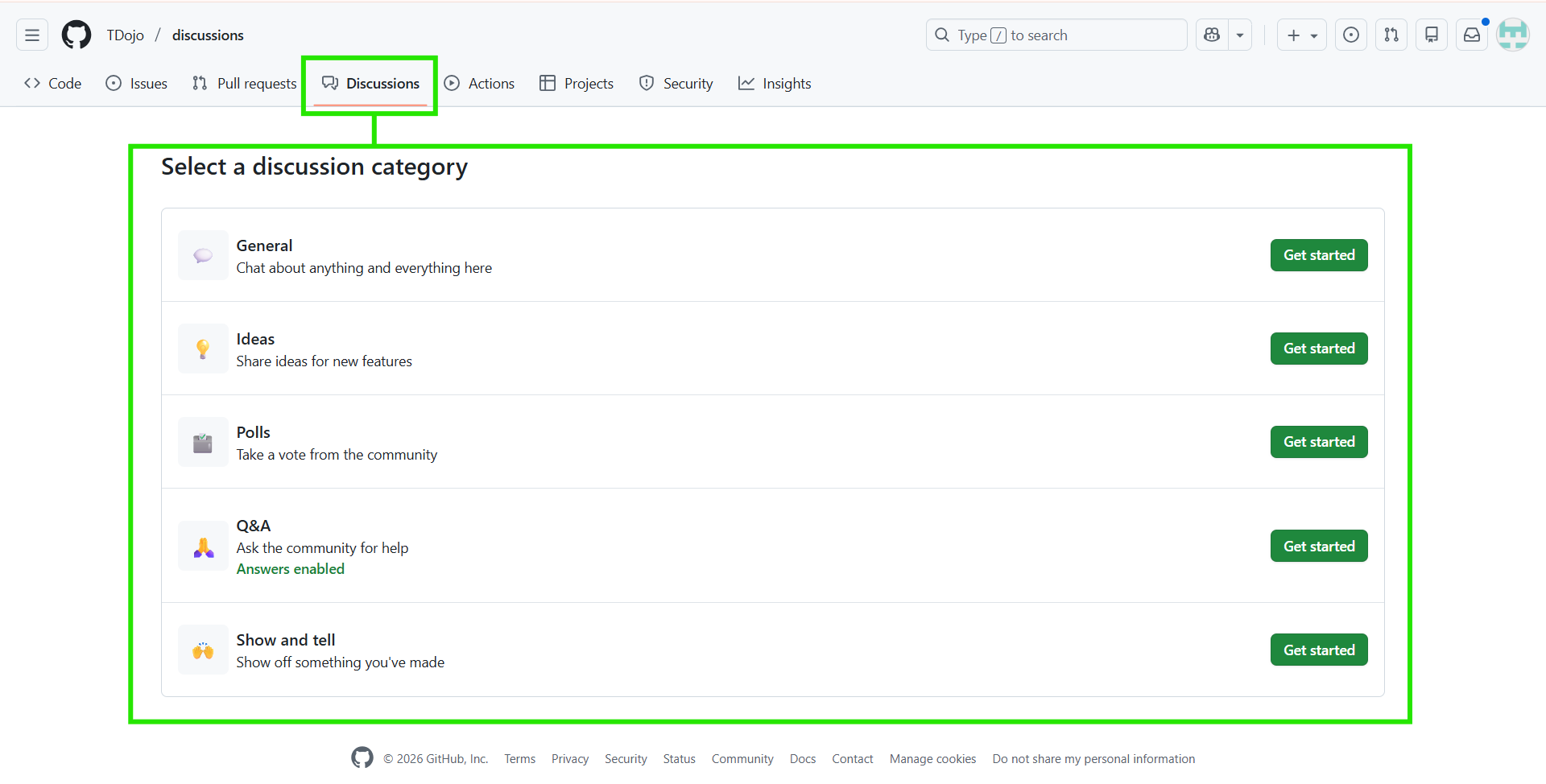
GitHub Discussions Categories
Discussions must be grouped into categories that define their purpose and format.
|
Category |
Purpose |
Format |
|
Announcements |
Latest updates and announcements from project maintainers.
|
Announcement |
|
General |
Everything relevant to the project. | Open-ended discussion |
|
Ideas |
Suggestions for project improvements.
|
Open-ended discussion |
|
Polls |
Polls with multiple options for community voting and discussion.
|
Polls |
|
Q&A |
Community-driven questions and answers.
|
Question and Answer |
|
Show and tell |
Project-related creations and experiments.
|
Open-ended discussion |
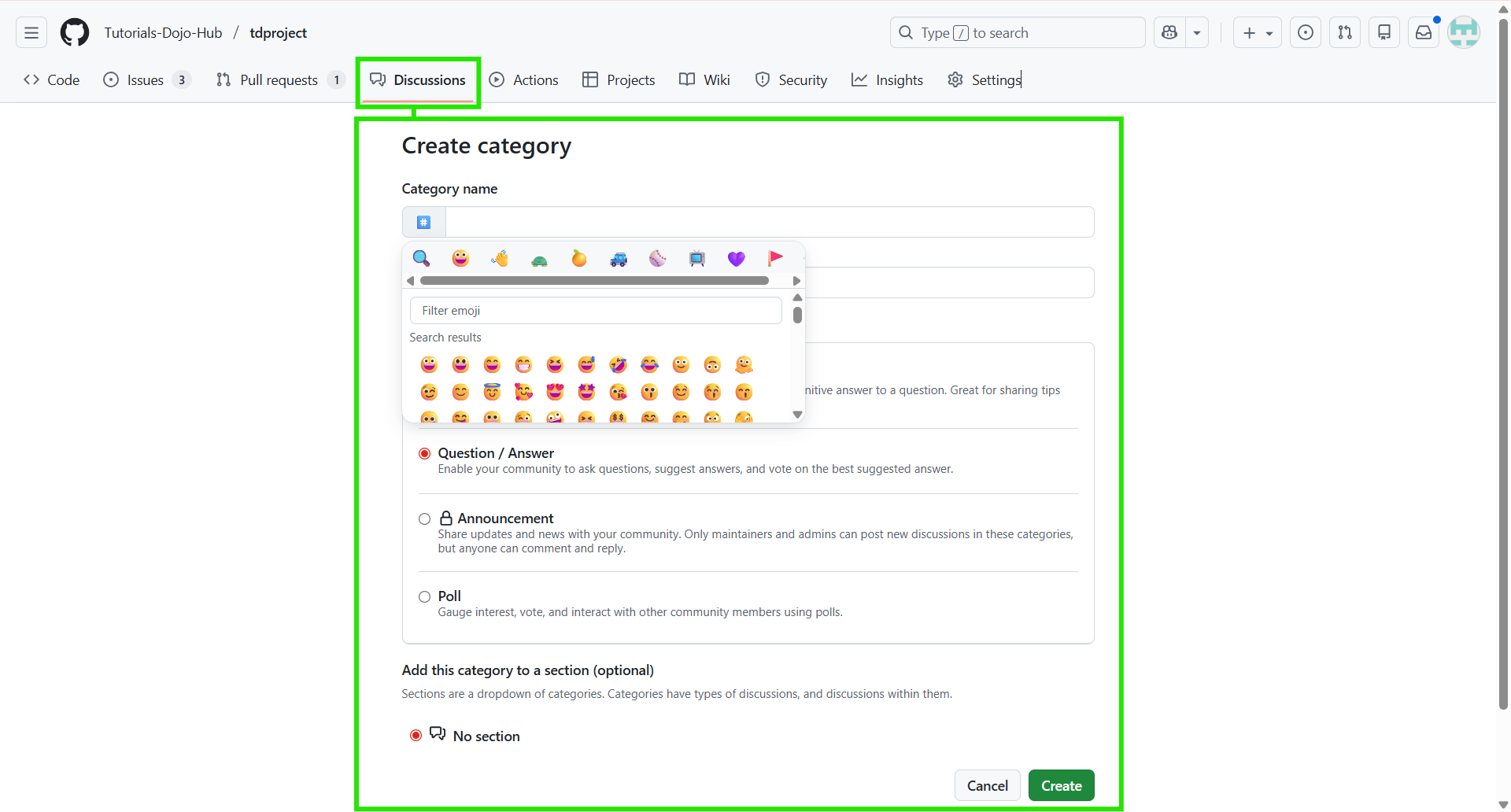
Create New Categories
-
Add a new category with an emoji, title, and description.
-
Choose its format (open, Q&A, announcement.)
-
Assign the category to a section for greater structure.
-
Rearrange or remove categories as the community grows.
Each category:
-
Has a format: open discussion, Q&A, or announcement
-
Can include an emoji and description
-
Helps organize conversations logically and consistently

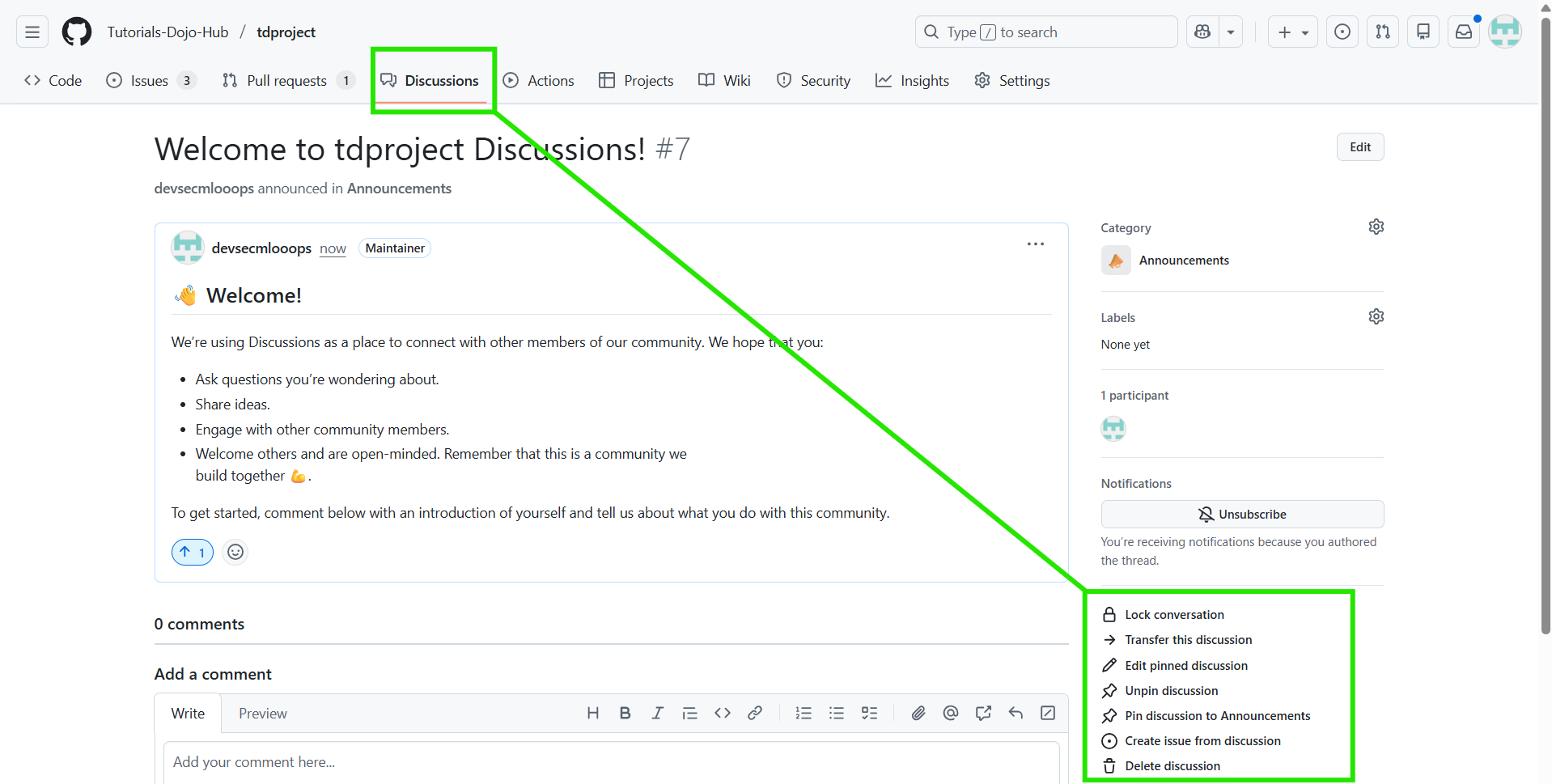
Managing GitHub Discussions
-
Change category assignment for discussions.
-
Pin important threads globally or within a specific category.
-
Unpin outdated pinned discussions.
-
Transfer discussions to a different repository.
-
Delete discussions no longer needed.
-
Close discussions when resolved or irrelevant.
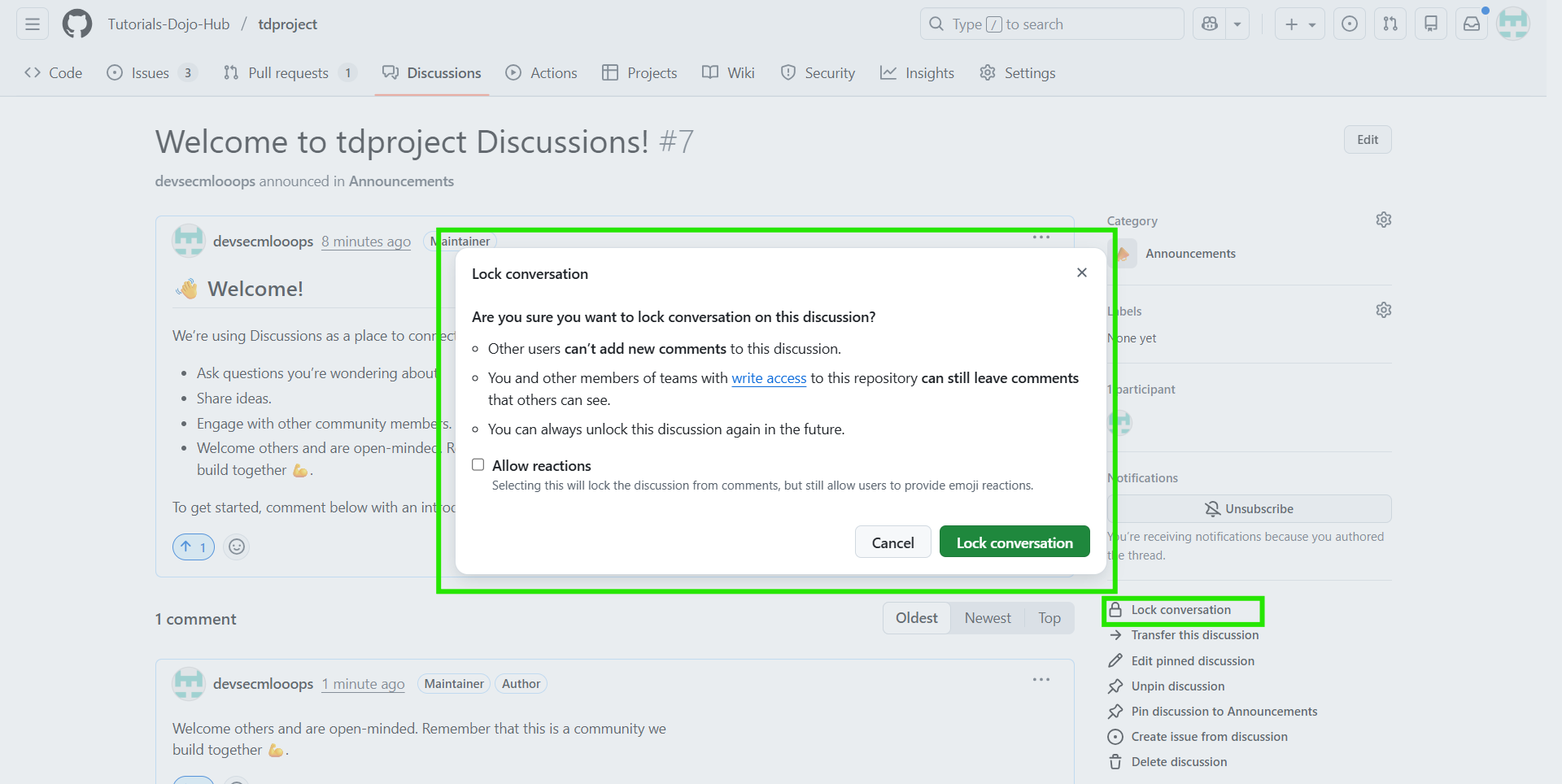
Moderation GitHub Discussions
-
Mark answers in the Q&A categories highlights the best response.
-
Lock/Unlock discussions prevent or resume further discussion.
-
Convert issues to discussions when a topic was mistakenly filed under an issue.
-
Edit or delete comments that conflict with guidelines.
-
Block users who violate workspace safety rules with the workspace safety tool.
GitHub Discussion Insights
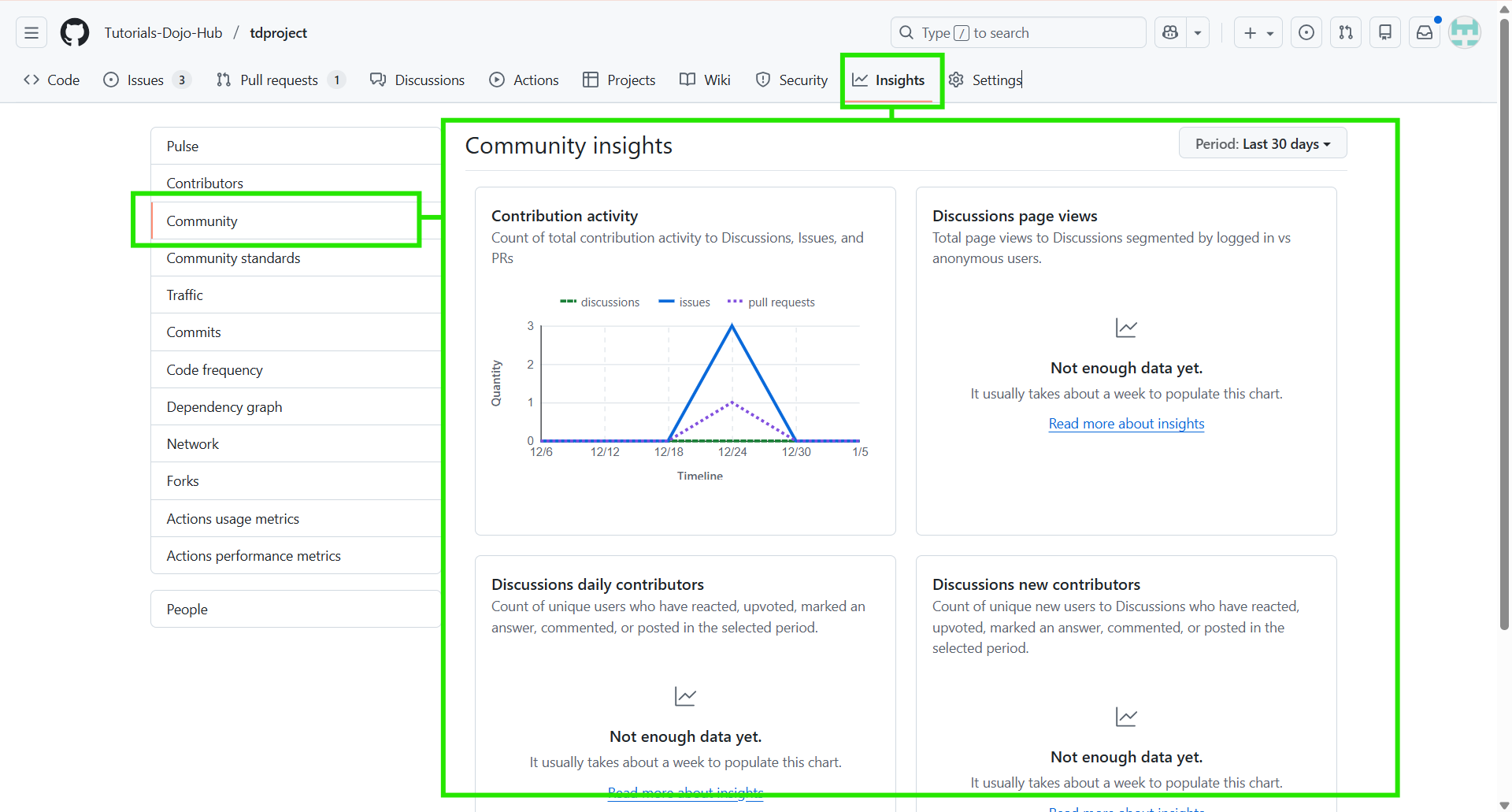
What Discussion Insights Show
Maintainers can view:
-
Total discussions created over time
-
Total comments across discussions
-
Top contributors based on activity
-
Most active categories
-
Engagement trends (increasing or declining participation)
Insights are available at both:
-
Repository level
-
Organization level (if enabled)
Discussion Category Forms
Discussion Category Forms allow maintainers to guide users through structured prompts when starting a discussion similar to issue forms.
These forms:
-
Reduce low-quality or incomplete discussions
-
Improve moderation efficiency
-
Ensure required information is always provided
Customization Options
-
Use a YAML form definition file inside /.github/DISCUSSION_TEMPLATE/
-
Include field prompts and required information to ensure consistent, high-quality threads.

Conclusion
GitHub Discussions provide a structured yet flexible space for building healthy, collaborative communities around a project. By separating open-ended conversations from actionable issues, teams reduce noise, improve focus, and encourage meaningful engagement across questions, ideas, announcements, and shared knowledge.
With well-defined categories, clear moderation practices, and the effective use of Discussion Category Forms, communities can scale without sacrificing quality. Structured templates ensure contributors provide relevant context from the beginning, while moderation tools help maintainers guide discussions, highlight valuable answers, and consistently enforce community standards.
When configured intentionally, GitHub Discussions become more than a forum. They evolve into a living knowledge base, a continuous feedback loop for innovation, and a central hub for project communication that grows alongside the community.
References
https://docs.github.com/en/discussions/quickstart
https://docs.github.com/en/discussions/managing-discussions-for-your-community/managing-discussions
🌸 25% OFF All Reviewers on our International Women’s Month Sale Extension! Save 10% OFF All Subscription Plans & 5% OFF Store Credits/Gift Cards!

Learn AWS with our PlayCloud Hands-On Labs

$2.99 AWS and Azure Exam Study Guide eBooks

New AWS Generative AI Developer Professional Course AIP-C01

Learn GCP By Doing! Try Our GCP PlayCloud

Learn Azure with our Azure PlayCloud

FREE AI and AWS Digital Courses

FREE AWS, Azure, GCP Practice Test Samplers


Subscribe to our YouTube Channel

Follow Us On Linkedin


Written by: Ace Kenneth Batacandulo




