
Last updated on January 7, 2026
GitHub Pull Requests Cheat Sheet
Pull requests are a structured way to propose and manage code changes within a project. As GitHub’s primary collaboration feature, it provides a dedicated space for reviewing modifications, holding discussions, and requesting improvements before integration. By introducing review checkpoints and shared visibility, pull requests help teams collaborate efficiently, detect problems early, and uphold long-term code quality and project stability.

Branches
-
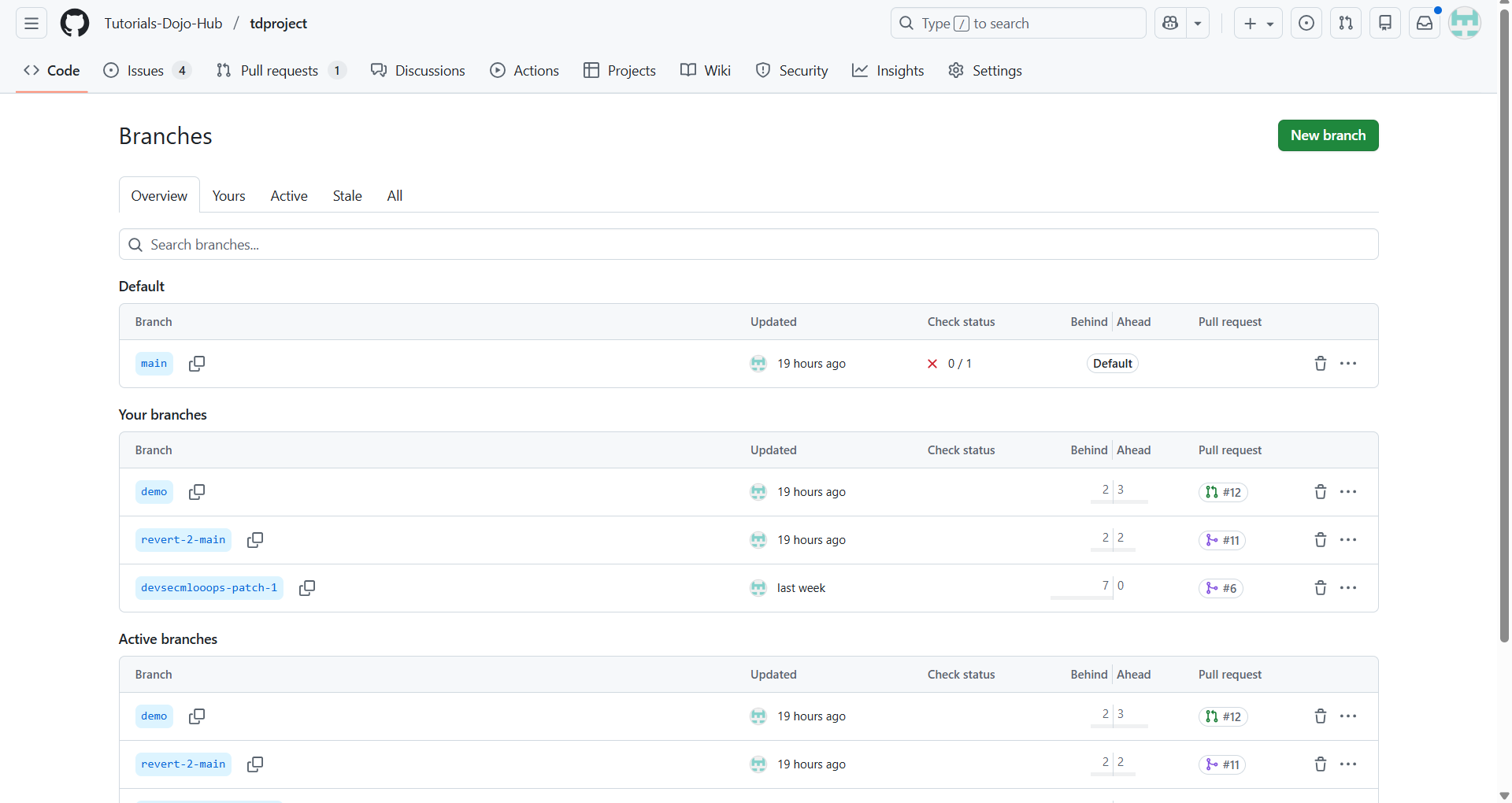
When a repository is created on GitHub with initial content, it is initialized with a single branch.
-
This first branch is known as the default branch.
-
The default branch is the branch displayed when someone visits the repository on GitHub.
-
It is also the branch that Git checks out automatically when the repository is cloned.
-
Unless another branch is specified, the default branch serves as the base branch for new commits and pull requests.
-
In new repositories, GitHub names the default branch main.

Creating a Pull Request
-
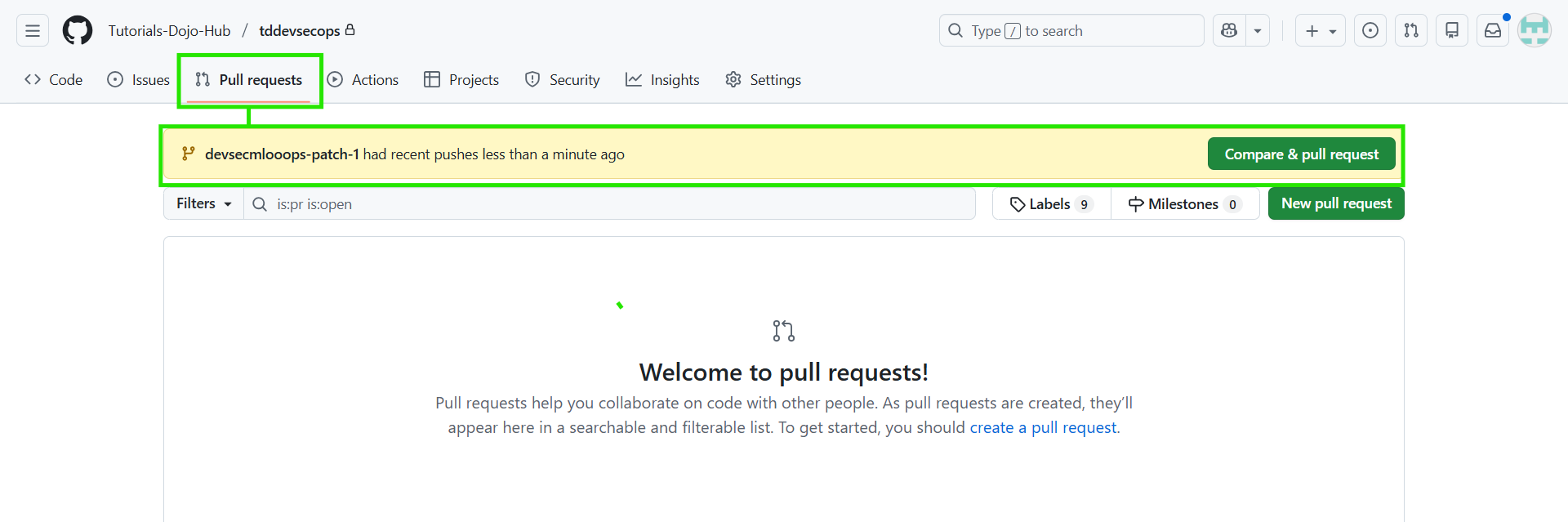
Navigate to the repository and select your working branch (head).
-
Click Compare & pull request.

-
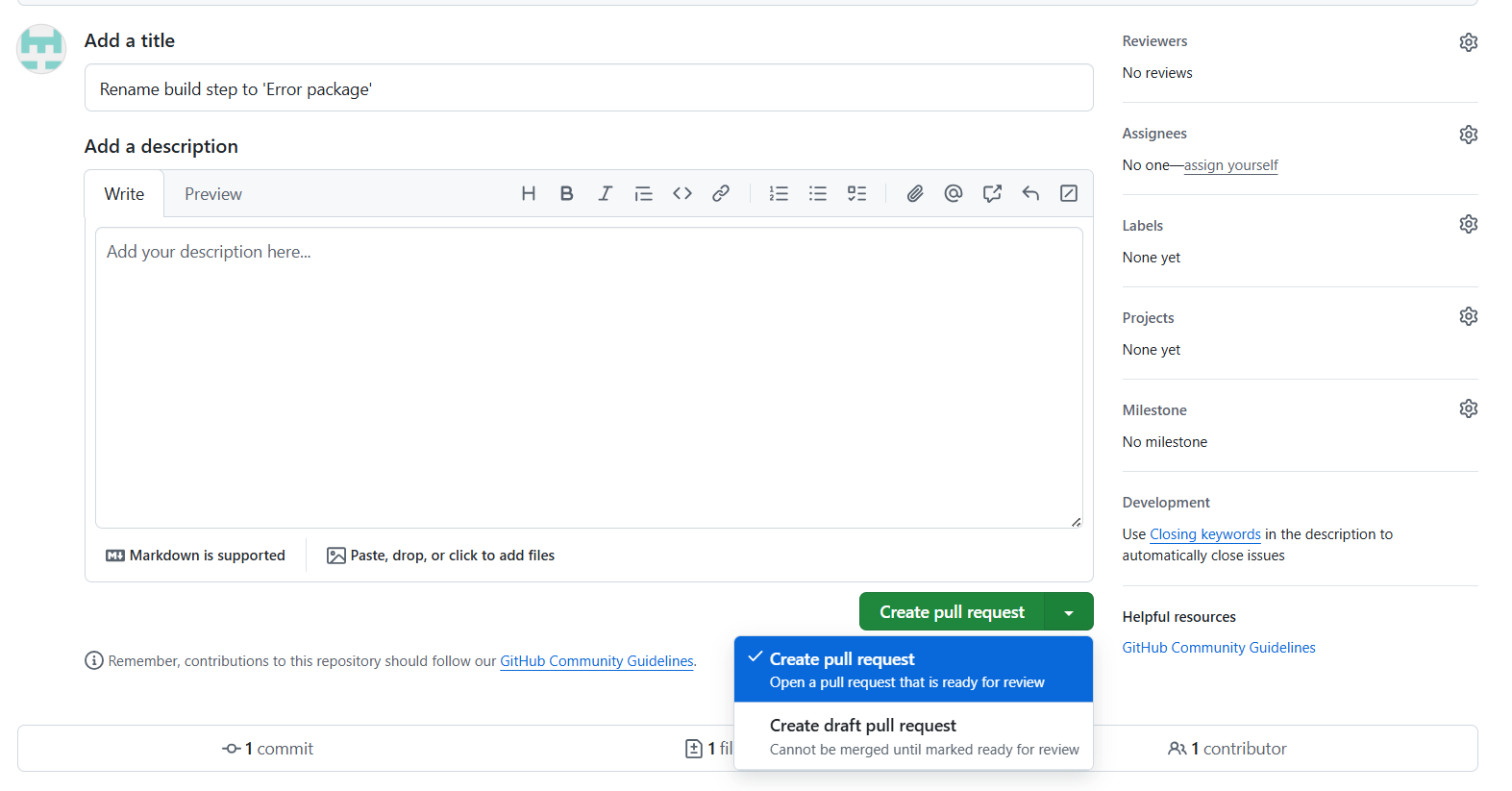
Choose the base branch to merge into.

-
Enter a title and description for the PR.
-
Click Create Pull Request (or Draft PR if not ready for review).


Notes:
-
Anyone with read access can create a PR.
-
PRs must be between different branches.
-
From local tools (CLI, Desktop), commands like gh pr create help open PRs too.
Reviewing & Commenting
-
Conversation comments: general feedback or questions on the PR’s discussion tab.
-
Code comments: inline comments tied to specific lines in changed files.
-
Suggested changes: reviewers can propose exact change blocks via comments.
-
Resolving conversations: mark a discussion thread as complete when addressed.
-
You can batch comments by starting a review, then submitting them together.
-
Email replies to PR comments are added to the conversation, not as review comments.
-
GitHub supports mentions (@username), reactions, and formatting in comments.
Pull Request Tabs You’ll See
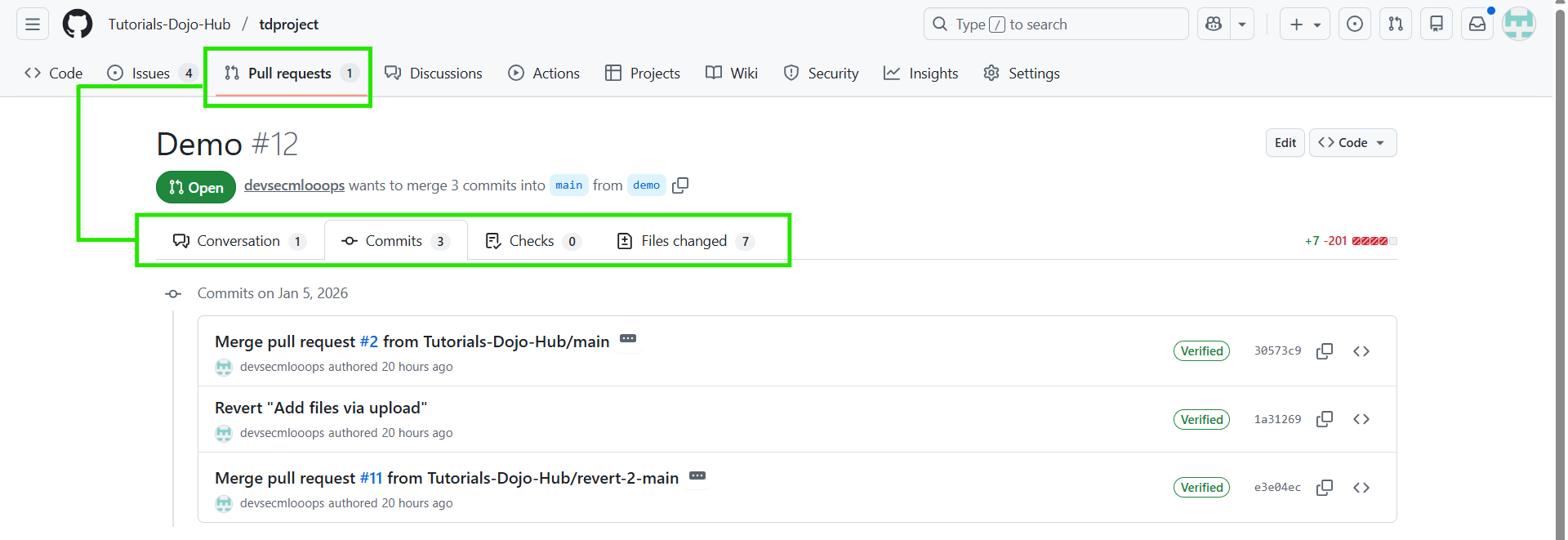
Each PR includes these key views:
|
Conversation |
Timeline of comments, reviews, and discussion |
|
Commits |
List of commits part of the pull request |
|
Files changed |
Diff view of exact changes proposed |
|
Checks |
Status of CI tests & automated workflows |
Conclusion
Pull requests are a foundational part of modern GitHub workflows, providing a structured and transparent way to propose, review, and integrate code changes. By separating work into branches and requiring reviews before merging, pull requests help teams collaborate effectively while minimizing risk to the main codebase. Features such as inline code comments, suggested changes, automated checks, and clear discussion timelines ensure that feedback is actionable and traceable. When used consistently, pull requests not only improve code quality but also strengthen team communication, accountability, and long-term project maintainability.
References
https://docs.github.com/en/issues/tracking-your-work-with-issues/administering-issues
🌸 25% OFF All Reviewers on our International Women’s Month Sale Extension! Save 10% OFF All Subscription Plans & 5% OFF Store Credits/Gift Cards!

Learn AWS with our PlayCloud Hands-On Labs

$2.99 AWS and Azure Exam Study Guide eBooks

New AWS Generative AI Developer Professional Course AIP-C01

Learn GCP By Doing! Try Our GCP PlayCloud

Learn Azure with our Azure PlayCloud

FREE AI and AWS Digital Courses

FREE AWS, Azure, GCP Practice Test Samplers


Subscribe to our YouTube Channel

Follow Us On Linkedin


Written by: Ace Kenneth Batacandulo




