
Microsoft SharePoint Cheat Sheet
- A web-based collaboration and content management platform in Microsoft 365 that enables organizations to store, organize, share, and access information securely from any device.
- Designed to power teamwork through intelligent content management, intranet portals, document collaboration, and workflow automation.
- Integrates deeply with Microsoft 365 apps and services to deliver secure, scalable, and enterprise-ready collaboration.
- Built with enterprise-grade security, compliance, and governance controls through Microsoft 365 and Azure foundations.
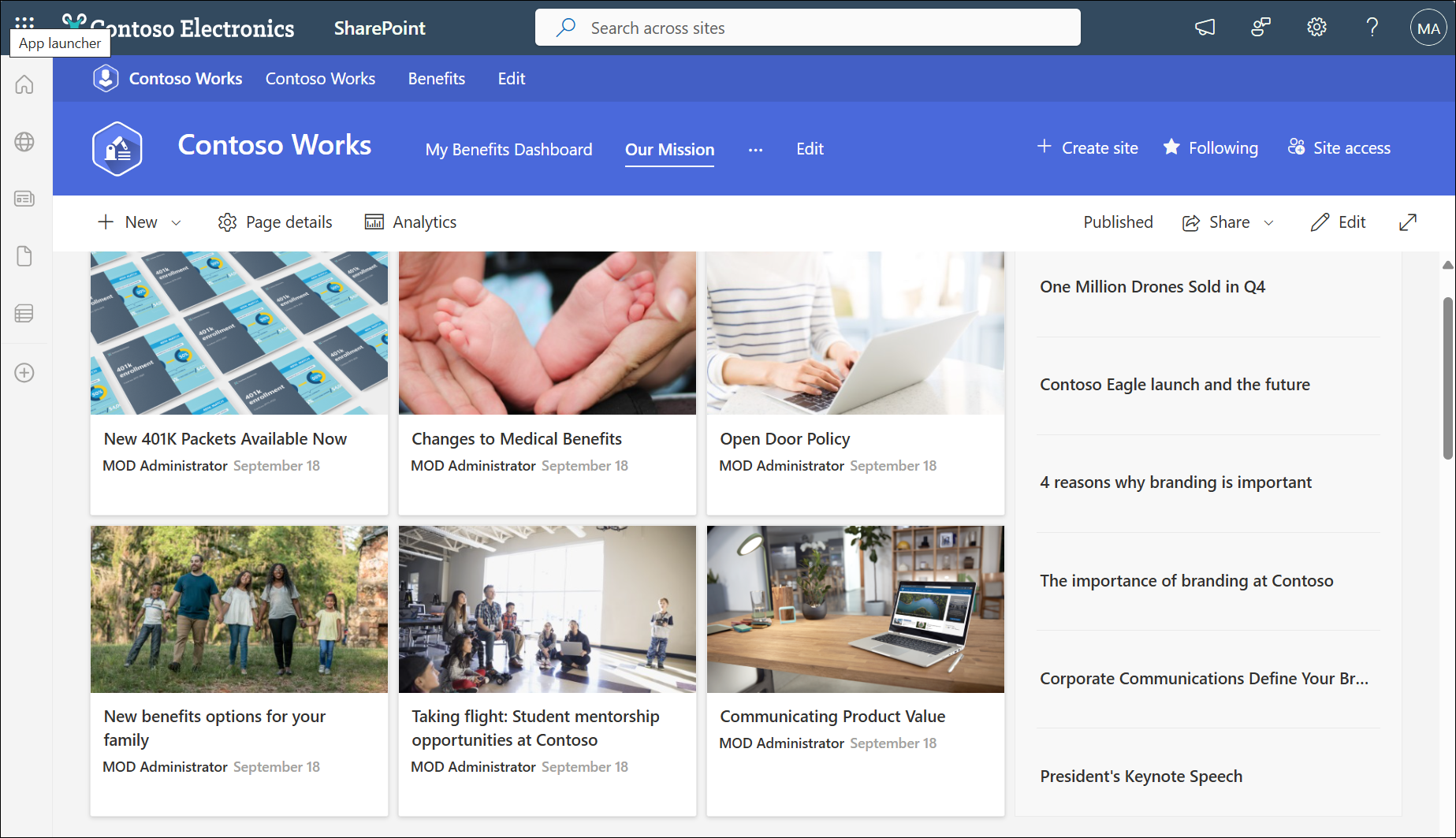
Core Capabilities
Collaboration
SharePoint provides rich file collaboration capabilities that allow users to work together on shared content in real time, manage versions, share securely inside and outside the organization, and easily discover relevant files across Microsoft 365.
- Files stored in SharePoint and OneDrive can be co-authored in real time using Office for the web or desktop apps, showing other users’ edits as they happen.
- Version history is enabled by default, so teams can view and restore earlier versions of documents as needed.
- Secure sharing lets users control who inside or outside the organization can access and edit files using shareable links
- Integrated experiences across OneDrive, Teams, and Outlook help users access, sync, and collaborate on files from multiple entry points.
Sites
Modern SharePoint is built around sites, which are collaborative spaces for teams and communication.
- Team Sites provide collaborative workspaces connected to Microsoft 365 Groups where members can share files, manage lists, coordinate tasks, and integrate directly with Microsoft Teams channels.
- Communication Sites are designed for organization-wide broadcasting of information such as announcements, policies, leadership updates, and curated content using rich layouts and web parts.
- Sites can be organized using hub sites to create consistent navigation, branding, and logical grouping across related departments or business functions.
Document Libraries
Document Libraries are secure cloud-based repositories that store and manage files with built-in versioning, metadata, and access controls. They serve as the primary content storage location in SharePoint and support structured document lifecycle management.
- Version history allows users to track changes and restore previous document versions when needed.
- Real-time co-authoring enables multiple users to edit files simultaneously in Word, Excel, or PowerPoint.
- Metadata columns help classify documents to improve search accuracy and governance enforcement.
- Permission controls restrict access at the library, folder, or file level based on defined roles.

Integrated with:
- Microsoft Word
- Microsoft Excel
- Microsoft PowerPoint
- Microsoft OneDrive
Lists
SharePoint Lists provide structured data storage that allows teams to track business information in a centralized and collaborative environment. They function like lightweight database tables with customizable columns and built-in automation support.
- Custom columns and validation rules enforce structured and accurate data entry.
- Multiple views allow users to filter, sort, and group information based on operational needs.
- List updates can trigger automated workflows to streamline approvals and notifications.
- Lists can be extended into custom solutions using Power Platform tools.
SharePoint Admin Center
The SharePoint Admin Center is the centralized management interface used by administrators to configure settings, manage sites, enforce policies, and monitor usage across the tenant. It provides governance controls that ensure consistent administration at scale.
- Users assigned the SharePoint Administrator role can manage SharePoint settings, sites, sharing policies, and storage without needing Global Administrator access.
- Site lifecycle management, including site creation, deletion, and restoration, can be managed centrally.
- Administrative roles are assigned through Microsoft 365 role-based access control integrated with Microsoft Entra ID.
SharePoint Advanced Management (SAM)
SharePoint Advanced Management provides enhanced governance, security, and operational insights to help organizations manage content risks and maintain compliance. It extends native SharePoint controls with deeper visibility and proactive policy enforcement.
- Reduce content sprawl by identifying inactive or ownerless sites and applying automated lifecycle policies to maintain a structured environment.
- Gain intelligent insights through advanced reporting that highlights usage trends, permission risks, and governance improvement opportunities.
- Track changes and administrative activity using detailed site history and action logs to improve oversight and accountability.
- Strengthen access control with advanced policies such as restricting downloads, monitoring external sharing exposure, and identifying overly permissive access configurations.
Search (Microsoft Graph-Powered)
SharePoint delivers enterprise-wide intelligent search that enables users to quickly discover relevant content across sites, files, and people. It improves knowledge discovery through contextual ranking and secure indexing.
- Search relevance is enhanced using signals from Microsoft Graph.
- Results are security-trimmed to respect user permissions.
- Filters and refiners allow users to narrow search results efficiently.
- Search spans integrated Microsoft 365 services for unified discovery.
Permissions & Security
SharePoint includes a granular security model that protects organizational content while enabling secure collaboration. Access controls align with identity and compliance policies to enforce governance standards.
- Permissions can be assigned at the site, library, folder, or file level.
- Site-level permissions — Apply to the entire site and control access to all content unless inheritance is broken.
- Library-level permissions — Allow unique access control for a specific document library separate from the parent site.
- Folder-level permissions — Enable administrators to break inheritance and define access rules for a particular folder within a library.
- File-level permissions — Provide the most granular control by allowing unique access settings for an individual document or list item.
- External sharing settings can be centrally managed.
- Security trimming ensures visibility only to authorized users.
- Identity management is integrated with Microsoft Entra ID.

Sample Use Cases
- Create a department team site to centralize project documents, meeting notes, and task trackers, enabling members to co-author files in Microsoft Word and Microsoft Excel while maintaining version history.
- Build a company intranet using communication sites to publish HR announcements, IT advisories, onboarding guides, and leadership updates with audience-targeted news posts.
- Manage an IT service request process using SharePoint Lists to track ticket status, assign owners, apply validation rules, and trigger approval workflows through Microsoft Power Automate.
- Control sensitive financial or legal documents by applying library-level permissions, restricting external sharing, and monitoring access through the SharePoint Admin Center.
- Enable secure external collaboration with vendors by sharing specific folders or files using controlled access links while preventing the download of confidential documents.
- Identify inactive project sites using SharePoint Advanced Management and apply lifecycle policies to archive or delete unused sites to reduce content sprawl.
- Integrate SharePoint document libraries into Microsoft Teams channels so project teams can collaborate on files directly within conversations without switching applications.
Integrations with other Azure services
| Azure Service | Integration Capabilities |
| Microsoft Entra ID | Handles authentication, access control, and Conditional Access policies for secure site access. |
| Microsoft Teams | Connects SharePoint libraries to Teams channels for shared file collaboration. |
| Microsoft OneDrive | Uses SharePoint as its storage foundation for personal and shared files. |
| Microsoft Power Automate | Automates approvals, notifications, and document workflows using SharePoint content. |
| Microsoft Purview | Applies compliance features such as DLP, retention, auditing, and eDiscovery. |
Other Important Terminologies
- Site Collection: A top-level site and all its subsites that share common settings, permissions, and navigation.
- Web Part: Modular components added to pages to display content, apps, or dynamic information.
- Page: A web-based canvas within a site to present content, web parts, and multimedia.
- Hub Site: A site that connects and organizes related sites under shared navigation and branding.
- Permission Trimming: Security model ensuring users only see content they are authorized to access.
- Metadata: Descriptive information assigned to files or list items to improve organization, search, and filtering.
- Content Type: Reusable collection of metadata and settings for documents or list items.
- Retention Policy: Governance control that preserves or deletes content based on rules.
- Version History: A record of changes made to a document, allowing review and restoration of previous versions.
- Search Refiners: Filters used to narrow down search results based on metadata, content type, or other attributes.
Licensing & Access
- Prerequisites
- Users must have a Microsoft 365 or SharePoint Online license to access SharePoint sites, libraries, and lists.
- Advanced compliance and governance features may require higher-tier plans or add-ons.
- Access
- Accessible via web browsers, SharePoint mobile app (iOS/Android), and Microsoft Teams integration.
- Users sign in with their Microsoft 365 work or school accounts.
- Administration
- Managed through the SharePoint Admin Center within Microsoft 365 Admin Center.
- SharePoint Administrators can manage sites, storage, and sharing policies without needing Global Admin privileges.
- Advanced governance and reporting are available via SharePoint Advanced Management and compliance tools like Microsoft Purview.
Microsoft SharePoint Cheat Sheet References:
https://www.microsoft.com/en-us/microsoft-365/sharepoint/collaboration
https://learn.microsoft.com/en-us/sharepoint/introduction
https://learn.microsoft.com/en-us/sharepoint/sharepoint-admin-role
https://www.microsoft.com/en-us/microsoft-365/sharepoint/compare-sharepoint-plans
https://learn.microsoft.com/en-us/sharepoint/advanced-management
🌸 25% OFF All Reviewers on our International Women’s Month Sale! Save 10% OFF All Subscriptions Plans & 5% OFF Store Credits/Gift Cards!

Learn AWS with our PlayCloud Hands-On Labs

$2.99 AWS and Azure Exam Study Guide eBooks

New AWS Generative AI Developer Professional Course AIP-C01

Learn GCP By Doing! Try Our GCP PlayCloud

Learn Azure with our Azure PlayCloud

FREE AI and AWS Digital Courses

FREE AWS, Azure, GCP Practice Test Samplers


Subscribe to our YouTube Channel

Follow Us On Linkedin


Written by: Lois Angelo Dar Juan




