Amazon Q is often introduced as AWS’s generative AI assistant, but that description doesn’t really explain why it exists or how it behaves once you start using it. If you treat Amazon Q like a general chatbot, it can feel restrictive or underwhelming. If you treat it as an AWS-native system designed around identity, permissions, and retrieval, it becomes much easier to understand. And much more useful.
I’ve spent a lot of time working with Amazon Q while creating video content for Tutorials Dojo courses, and most of what I’ll share here comes from that hands-on experience. My goal is to walk through how Amazon Q actually works in practice, what’s changed recently in Amazon Q Business and Amazon Q Developer, and how these tools behave when real users interact with real data and real code.
Amazon Q Business and Amazon Q Developer: A Quick Overview
Before we go deeper, let’s clarify what we’re working with. Amazon Q comes in two main flavors, and they serve very different purposes.
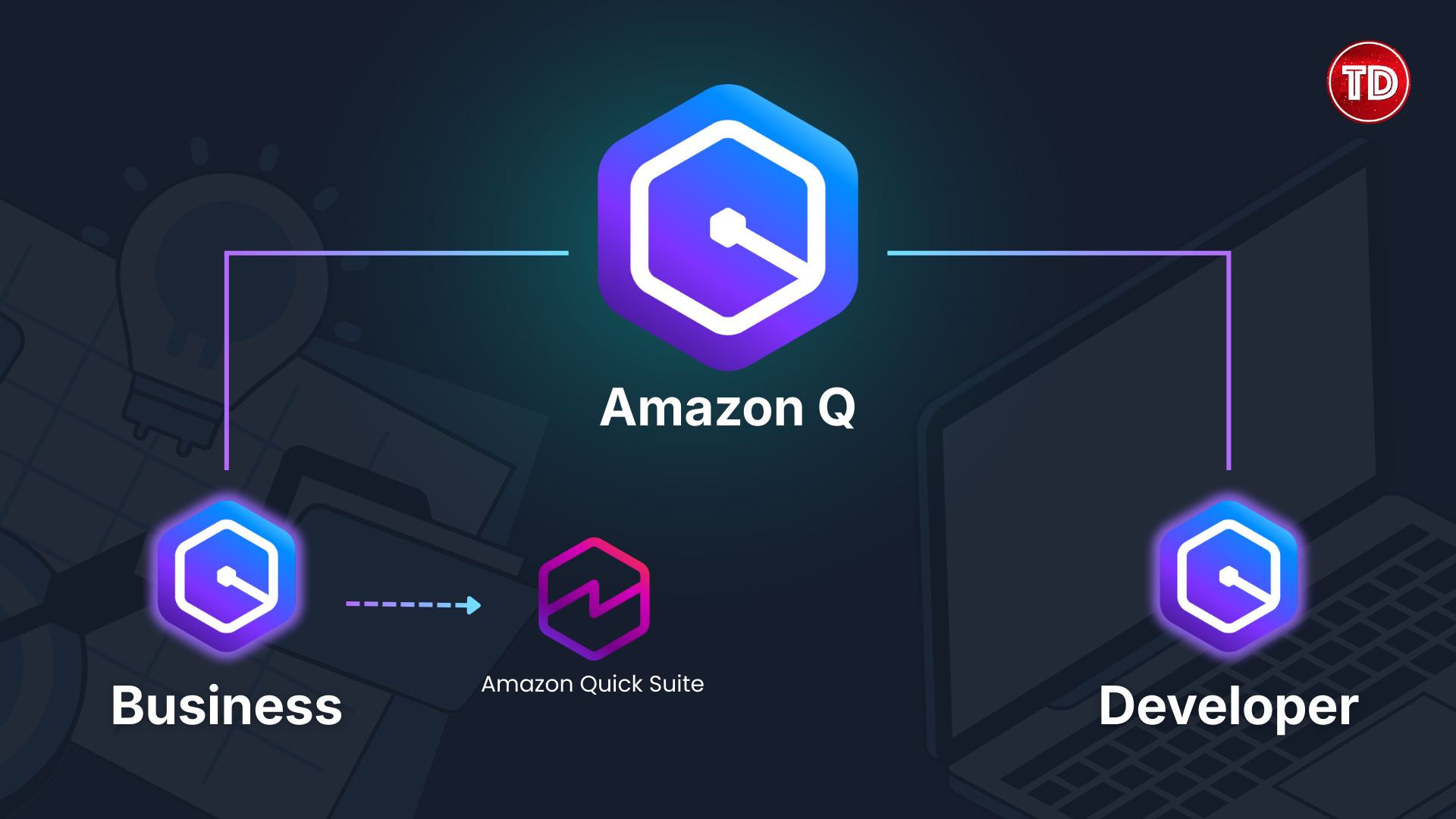
Amazon Q Business is built for knowledge workers. It connects to your company’s data sources like SharePoint, Confluence, S3, and Slack, then lets employees ask questions and get answers based on that internal information. Think of it as a smart assistant that actually knows your organization’s documents and policies.
Amazon Q Developer is built for builders. It lives inside your IDE and helps you write, debug, refactor, and understand code. It’s especially powerful for AWS-related work because it understands AWS services, IAM policies, and SDK patterns at a deeper level than general-purpose coding assistants.
Both tools share the same foundation: they’re built on retrieval-augmented generation, and they respect permissions. But they’re designed for different users solving different problems.
From assistants to agents, and now Amazon Quick Suite
In October 2025, AWS launched Amazon Quick Suite, which they describe as the next evolution of Amazon Q Business. Quick Suite doesn’t just retrieve information, it takes actions. Users can create Jira tickets, send Slack messages, trigger workflows, and automate complex multi-department processes, all from natural language requests.
Quick Suite combines several capabilities into one platform: Quick Index for unified data access, Quick Research for deep research across enterprise and external sources, Quick Sight for business intelligence, Quick Flows for routine task automation, and Quick Automate for complex multi-agent workflows. I think the naming is fitting because the whole point is saving time by being quick on these tasks.
Amazon Q Developer remains separate and continues to evolve for builders, but for knowledge workers, Quick Suite is now the path forward.
Why Amazon Q behaves differently from other AI tools
One of the first things people notice when using Amazon Q is that it feels more locked down than consumer AI tools. That’s intentional. Amazon Q is built for situations where access control is just as important as accuracy.
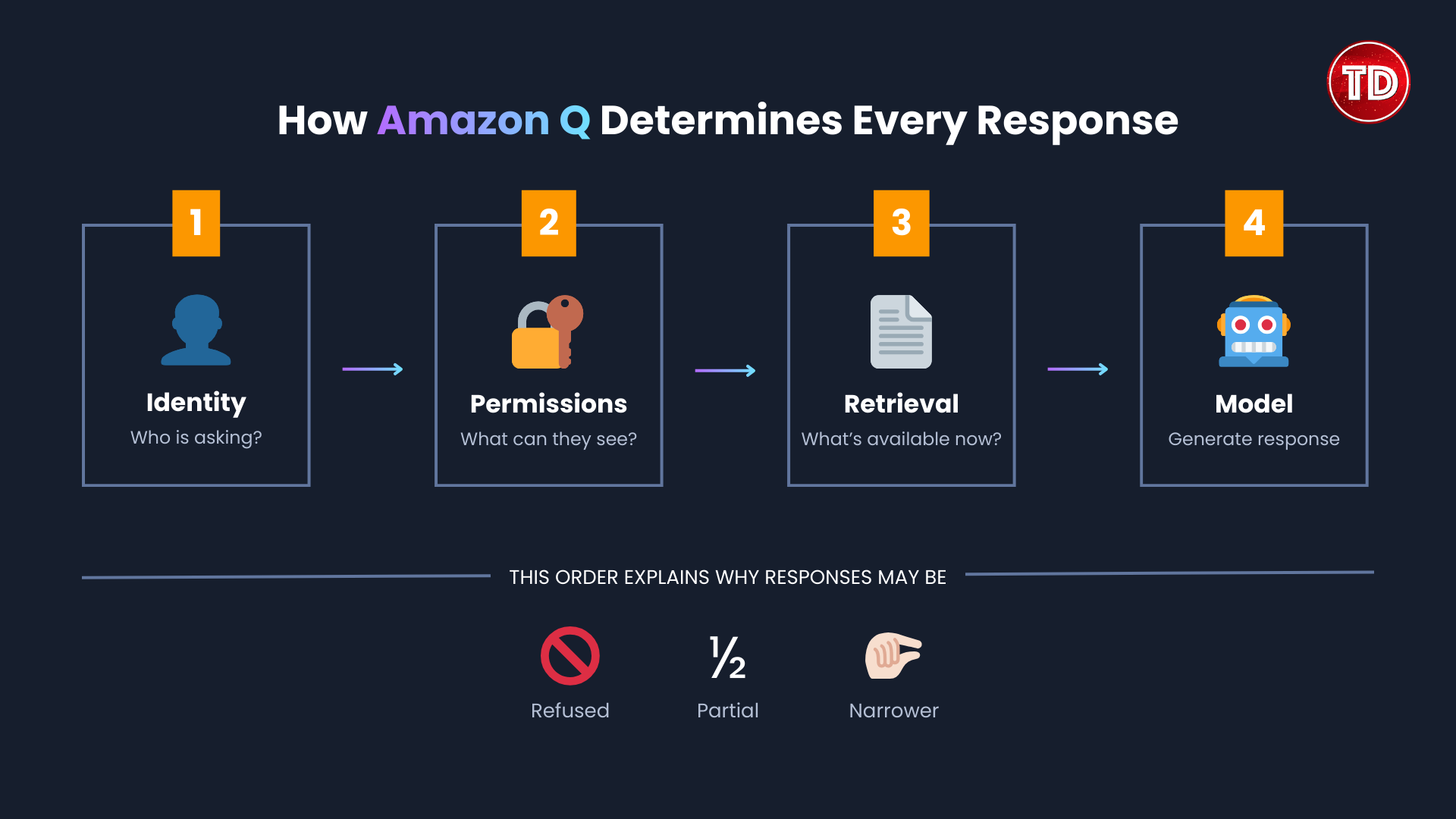
Every answer Amazon Q produces is determined by three things: who the user is, what that user is allowed to see, and what information can be retrieved at the moment the question is asked. The model itself comes later in the process. This order is important because it explains why Amazon Q sometimes refuses to answer a question, gives a partial response, or produces an answer that feels narrower than expected.
In practice, Amazon Q is less about generating new information and more about surfacing the right existing information safely. Once you understand that, the rest of the system starts to make sense.
What actually happens when you ask a question
When a user types a question into Amazon Q, the system does not immediately send that prompt to an AI model. Instead, it first focuses on identity and access. Here’s the actual sequence:
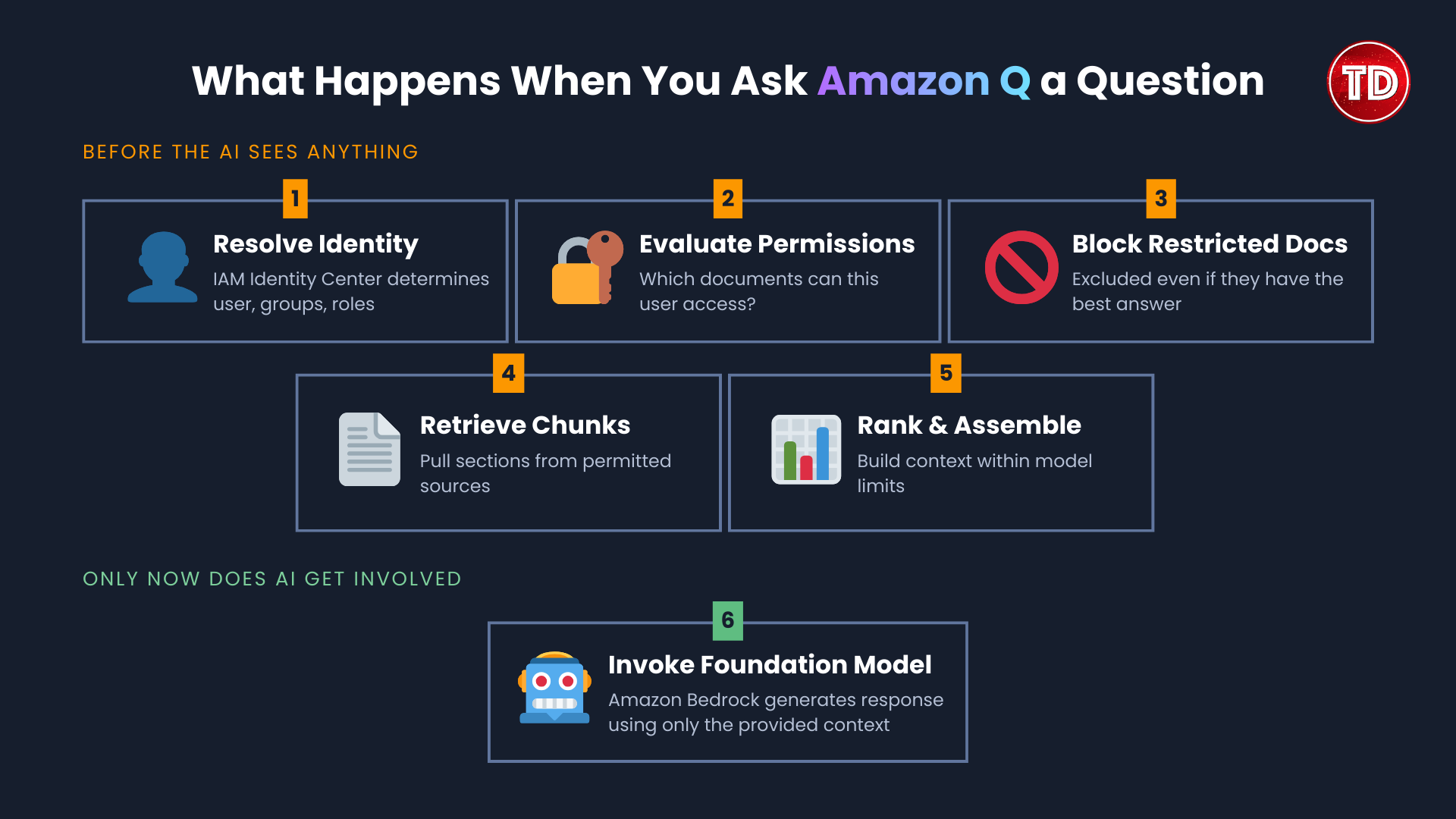
- Amazon Q resolves the user through IAM Identity Center. This step determines which user, groups, and roles apply.
- From there, Amazon Q evaluates which indexed documents the user is allowed to access.
- This filtering happens before any AI inference occurs. If a document is not accessible to the user, it will not be retrieved or summarized, even if it contains the ‘best’ answer.
- Once permissions are evaluated, Amazon Q retrieves relevant document chunks from connected data sources.
- These chunks are ranked and assembled into a context window that fits within the model’s limits.
- Only after this context is constructed does Amazon Q invoke a foundation model through Amazon Bedrock.
The model creates a response using only the provided context. If key information isn’t included in that context window, the model can’t make up for it.
That’s why most problems with Amazon Q come from retrieval, not the model itself. In my experience, fixing document structure and permissions improves answer quality much more than changing how you write prompts.
Amazon Q Business
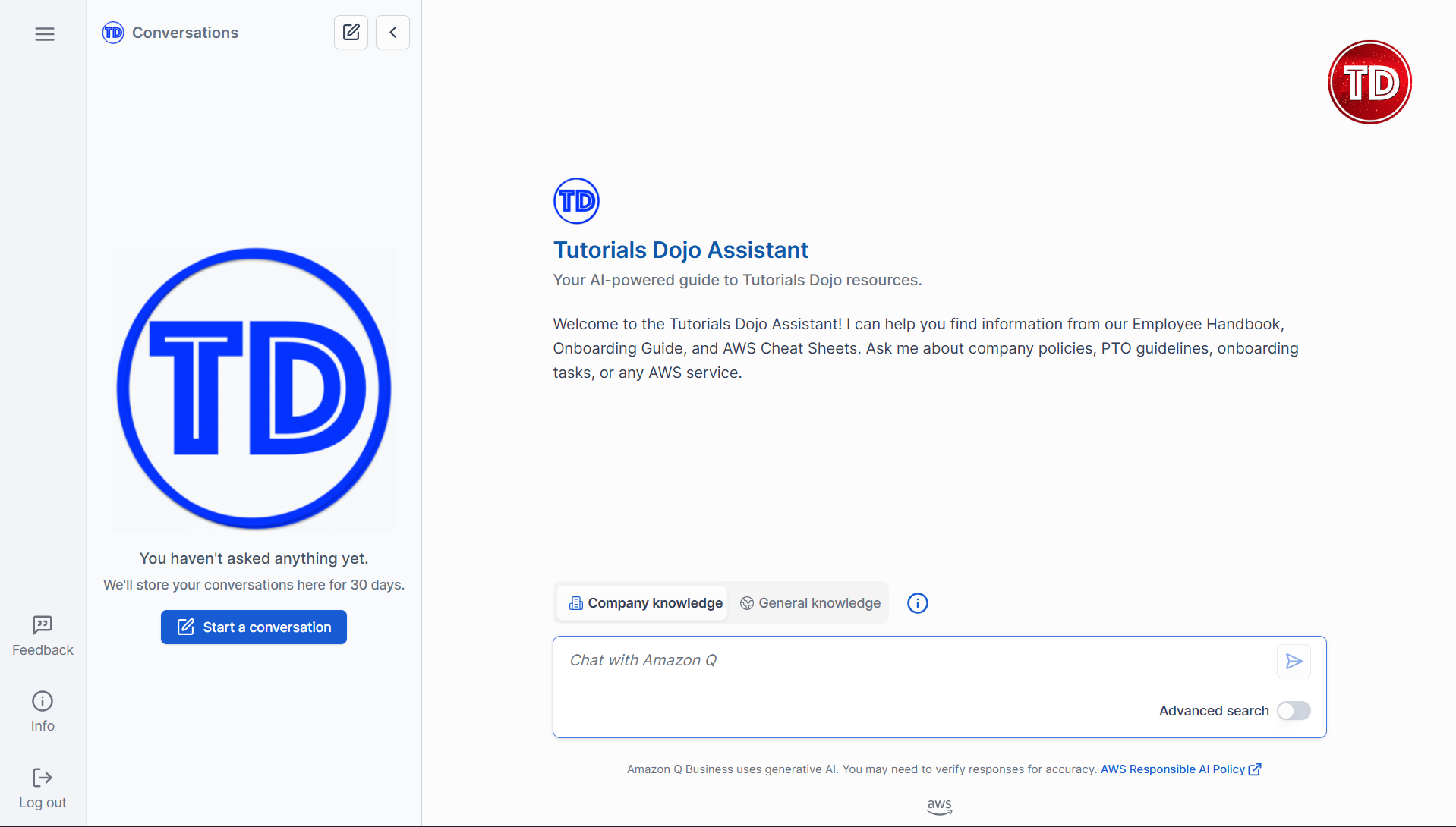
How Amazon Q Business actually handles company data
Amazon Q Business is only as good as the data it can retrieve. Connecting a data source does not guarantee useful answers, and this is where many first-time users get confused.
When a data source such as SharePoint, Amazon S3, or Confluence is connected, Amazon Q indexes the content by breaking documents into smaller chunks and attaching metadata. That metadata includes where the content came from, when it was last updated, and who is allowed to access it. These details strongly influence which chunks are retrieved later.

For example, imagine a company with an HR policy in SharePoint, a recent update in Slack, and an old PDF in S3. If someone asks about the remote work policy, Amazon Q doesn’t treat all three documents the same. It retrieves chunks based on relevance, structure, how recent they are, and access permissions.
If the Slack clarification is newer but less formal, it might still appear in the context. If the S3 PDF is outdated or poorly structured, it may be ignored entirely. Amazon Q then generates a response based only on the retrieved chunks, even if that means leaving out information that technically exists elsewhere.
This behavior explains why answers sometimes feel ‘almost correct.’ In practice, teams often improve Amazon Q Business results by:
- Removing outdated documents completely
- Combining scattered policies into one reliable source
- Making sure access rules are consistent across all repositories
- Organizing documents with clear headings and sections
These changes matter far more than rephrasing how users ask questions.
How Amazon Q Apps improve response consistency
Before Amazon Q Apps, many people used Amazon Q like a smarter search bar, asking similar questions over and over with small changes. This worked, but it often led to inconsistent results.
Amazon Q Apps remembers your settings. You only need to set up the app once by choosing the inputs, logic, and output format. After that, the app uses these settings each time it runs.
Retrieval filtering vs output filtering
One thing that often gets overlooked in Amazon Q Business discussions is the distinction between retrieval filtering and output filtering. They sound similar, but they happen at different stages and serve different purposes.
Retrieval filtering happens before the model ever sees the data. If a user does not have permission to access a document, that document never enters the context. The model cannot hallucinate information from it because it was never there.
- Responses that might accidentally mix information from different sources and reveal sensitive patterns
- Answers that go too far beyond the provided context
- Content that breaks business policies or compliance rules
Still, guardrails aren’t magic. If your data is messy or permissions are set up wrong, guardrails can’t fix those problems. They’re a safety net, not a replacement for good data practices.
Where Amazon Q Business falls short
I want to be clear about where Amazon Q Business has challenges, because knowing these limits helps set realistic expectations.
Indexing lag is real. When you update a document in SharePoint or add a new file to S3, that change does not appear in Amazon Q’s index immediately. Depending on your configuration, there can be a delay of hours. This means employees asking about ‘the latest policy’ might get an answer based on yesterday’s version. For fast-moving organizations, this matters.
Incomplete context leads to confident-sounding wrong answers. If the retrieval system only pulls in part of the relevant information, the model will still generate a response. It will not say ‘I only found half the answer.’ This is a general limitation of RAG systems, but it is particularly important in enterprise contexts where partial answers can lead to bad decisions.
Document structure dramatically affects quality. A well-organized document with clear headings, consistent formatting, and logical sections will be chunked and retrieved far more effectively than a rambling PDF with no structure.
Amazon Q should support decisions, not make them. This is less a technical limitation and more a mindset issue. Amazon Q is good at surfacing relevant information and synthesizing it. It is not a replacement for human decision-making, especially for high-risk decisions. Organizations that treat it as ‘the answer machine’ rather than ‘a tool that helps you find answers’ tend to run into problems.
Amazon Q Developer
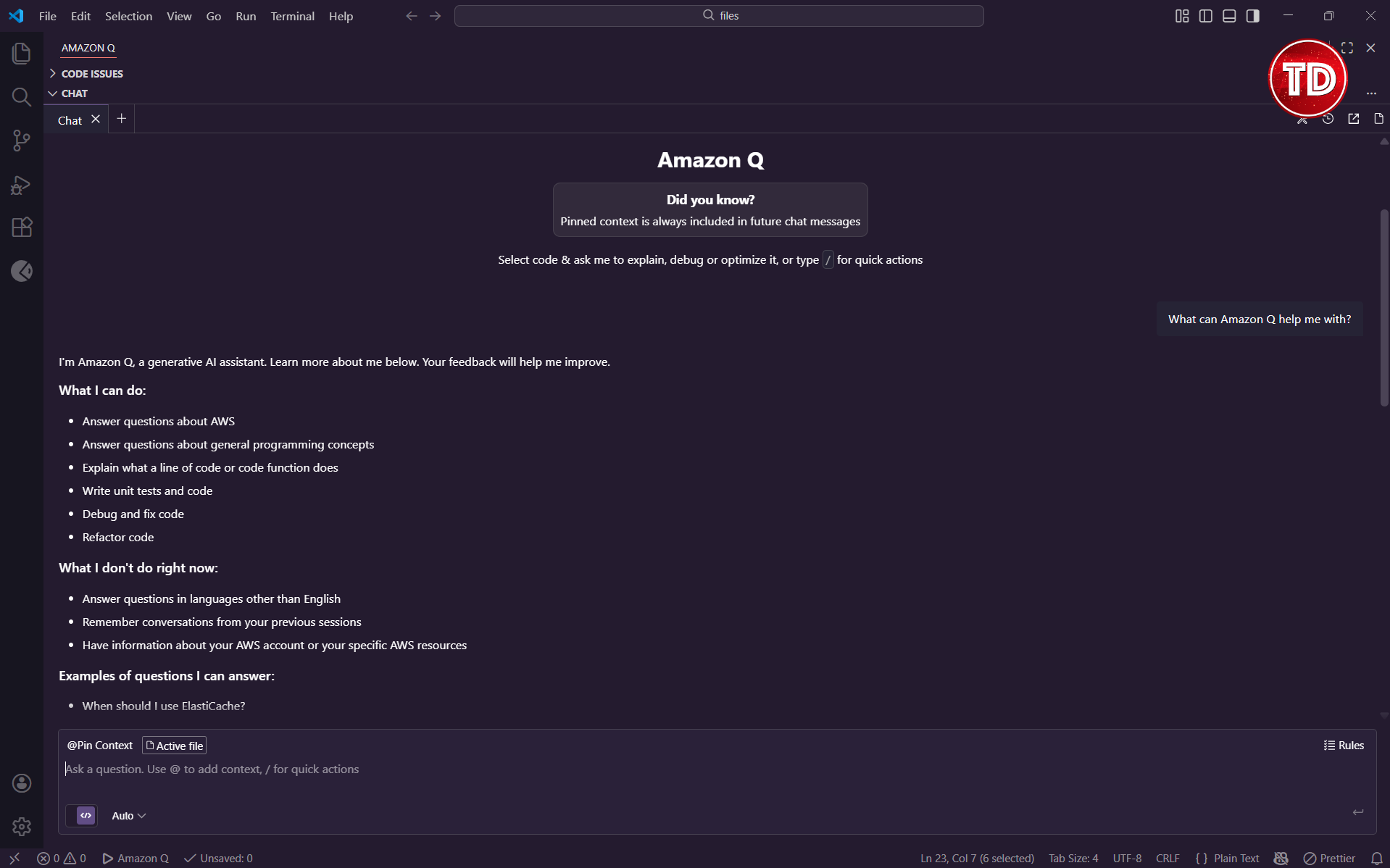
How Amazon Q Developer builds context from your IDE
Amazon Q Developer works differently from Amazon Q Business, but the main idea is the same: context is everything.
When you use Amazon Q Developer in your IDE, it doesn’t just look at the line where your cursor is. It builds context from several sources:
- Open files. What tabs do you have open? These are treated as likely relevant.
- Selected code. If you highlight a block of code before asking a question, that selection gets prioritized.
- Project structure. Import statements, file names, and directory organization all provide hints about what kind of codebase you are working in.
- Recent edits. What you have been changing recently influences what Q Developer thinks you are trying to accomplish.
This is why the same question can produce different answers depending on where you ask it. ‘How do I fix this error?’ with a Python file open will produce different suggestions than the same question with a TypeScript file open.
The more you work with Amazon Q Developer, the more you start to think about context as a tool. Opening the right files before asking a question is not a workaround. It is how you communicate intent.
Commands vs free-form prompts
Amazon Q Developer supports specific commands like /doc, /test, /review, and /dev. These are not just shortcuts. They produce fundamentally different behavior than typing the same request in plain English.
Here’s why: commands trigger specific actions. For example, when you type /test, Q Developer knows you want unit tests. It checks method signatures, figures out test cases, and formats the output for a testing framework. If you just type ‘write some tests for this,’ the model has to guess what you mean and how to format the answer.
The practical difference:
- /doc generates documentation comments. Infers parameter descriptions and return values from code structure.
- /test generates unit tests based on method signatures. Consistent output format. Works well for methods with clear inputs and outputs.
- /review scans your project or a specific file for security vulnerabilities, code quality issues, and potential bugs. It provides a list of findings you can drill into, and it can generate code fixes inline. I find this one especially useful before committing code.
- /dev handles multi-step development tasks. Can create files, modify multiple locations, and orchestrate larger changes.
- There’s also a Fix option you can access by highlighting code and right-clicking to open the context menu. This analyzes selected code for issues, distinguishes between syntactic problems (missing brackets, typos) and logical issues (off-by-one errors, null handling), and usually provides explanations alongside fixes. It’s not a slash command, but it’s worth knowing about.
I now use commands almost all the time. The consistent results make it worthwhile.
How Amazon Q Developer handles refactoring
Refactoring is where things get interesting. And where you need to understand scope boundaries.

Amazon Q Developer can refactor code, but it operates with awareness of how far its changes should reach. File-level refactors (renaming a variable within a file, extracting a method) are handled confidently. Project-level refactors (renaming a class used across dozens of files) require more caution.
The reason is context window limits. Amazon Q cannot hold your entire codebase in memory at once. For large refactors, it works incrementally, which means you need to verify changes across the affected files.
A practical example: say you have a 200-line method that does too many things. You ask Amazon Q Developer to break it into smaller functions. It will:
- Identify logical groupings within the method
- Extract those groupings into separate functions
- Update the original method to call the new functions
- Preserve variable scope and return values
What it will not automatically do is update other files that called the original method if the signature changed. You need to check that yourself.
This is not a flaw. It is appropriate caution. I would rather have a tool that asks me to verify cross-file changes than one that silently breaks things.
AWS-aware reasoning in Amazon Q Developer
This is, in my opinion, the most underrated capability of Amazon Q Developer.
Because Amazon Q is built by AWS, it has a deep understanding of AWS services, IAM policies, SDK usage patterns, and service limits. This is not just a documentation lookup. It is contextual reasoning about how AWS actually works.
I find myself using the built-in Amazon Q Developer in the AWS console all the time when preparing for my video course recordings, and it hasn’t ever failed me. Whether I’m troubleshooting IAM permission errors, figuring out why my Amazon Q Business web experience customization isn’t showing up, or just trying to understand how a service configuration works, it gives me accurate, context-aware answers every time.
Where Amazon Q Developer falls short
Just like with Amazon Q Business, I want to be clear about where Amazon Q Developer has gaps.
Hallucinated APIs exist. Amazon Q Developer can occasionally suggest API calls or SDK methods that do not exist, or that existed in an older version. This is rare, but it happens. Be sure to validate generated code against official documentation, especially for newer services.
Large repositories cause context loss. If your codebase is huge, Amazon Q Developer cannot hold all of it in context. It makes educated guesses about relevance, but those guesses are not always right. For massive monorepos, you may find that Q Developer’s suggestions miss important context from distant parts of the codebase.
Code review remains essential. Amazon Q Developer can write code, but it does not replace human review. Sometimes, it creates code that works but does not follow best practices. It might miss edge cases or introduce subtle bugs that pass tests but cause problems in production. We should review every line of AI-generated code just as carefully as we would code from a junior developer.
It does not understand your business logic. Q Developer can read your code’s structure, but it does not know that ‘customerType === premium’ has special meaning in your company. It focuses on technical accuracy, not on your specific business rules.
Incident response with Amazon Q Business and Developer
Let me walk through a more concrete example of how these tools might work together during an incident.
An API starts returning 500 errors at 3 AM.
Step 1: Context gathering with Q Business. The on-call engineer asks Q Business: ‘What do we know about API-Gateway-Prod health issues?’ Q Business searches indexed runbooks, previous incident reports, and internal documentation. It surfaces a similar incident from six months ago, including the root cause and resolution steps.
Step 2: Code investigation with Q Developer. The engineer opens the API handler code and asks Q Developer: ‘What could cause a 500 here?’ Q Developer analyzes the code, identifies potential null pointer issues and timeout scenarios, and suggests specific logging to add.
Step 3: Fix implementation. Using /fix, the engineer applies a null check. Using /test, they generate a test case for the edge condition. Q Developer handles the boilerplate.
Step 4: Documentation update. After the fix is deployed, the engineer uses Q Developer to generate a commit message and Q Business to find where the runbook should be updated.
Total time: Significantly less than if the engineer had to search through documentation manually and write all the code from scratch. The AI did not fix the problem. The engineer did. But it accelerated every step.
Conclusion
The main point I hope you take away from this article is that Amazon Q is better understood as infrastructure than as a product.
Yes, there is a chat interface. Yes, you can ask questions. But the real value is in the layers underneath: identity-aware retrieval, permission enforcement, context construction, and model abstraction. These layers are what make Amazon Q work in environments where data sensitivity matters.
Amazon Q is not perfect. It has limitations, and those limitations matter. But it is a serious tool built for serious use cases, and it rewards users who take the time to understand how it actually works.
References
- Amazon Web Services. (n.d.). What is Amazon Q Business? Amazon Q Business User Guide. https://docs.aws.amazon.com/amazonq/latest/qbusiness-ug/what-is.html
- Amazon Web Services. (n.d.). What is Amazon Q Developer? Amazon Q Developer User Guide. https://docs.aws.amazon.com/amazonq/latest/qdeveloper-ug/what-is.html
- Amazon Web Services. (2024, December 3). New Amazon Q Developer agent capabilities include generating documentation, code reviews, and unit tests. AWS News Blog. https://aws.amazon.com/blogs/aws/new-amazon-q-developer-agent-capabilities-include-generating-documentation-code-reviews-and-unit-tests/
- Amazon Web Services. (2025, October 9). Announcing Amazon Quick Suite: Your agentic teammate for answering questions and taking action. AWS News Blog. https://aws.amazon.com/blogs/aws/reimagine-the-way-you-work-with-ai-agents-in-amazon-quick-suite/
🚀 30% OFF All Azure Reviewers

Turn Your Team Into Cloud-Ready Professionals Today

Learn AWS with our PlayCloud Hands-On Labs

$2.99 AWS and Azure Exam Study Guide eBooks

Learn GCP By Doing! Try Our GCP PlayCloud

Learn Azure with our Azure PlayCloud

FREE AI and AWS Digital Courses

FREE AWS, Azure, GCP Practice Test Samplers


Subscribe to our YouTube Channel

Follow Us On Linkedin


Written by: Ostline Casao