Amp Up Your Game with AWS Amplify: Deploy and Authenticate Your First App
Home » AWS » Amp Up Your Game with AWS Amplify: Deploy and Authenticate Your First App
Amp Up Your Game with AWS Amplify: Deploy and Authenticate Your First App
As an active student volunteer in various organizations, specifically as a Logistics Member, I know firsthand how overwhelming the work can get. When tasks come pouring in, booking venues, buying supplies, and tracking receipts, it is easy to lose track of the details.
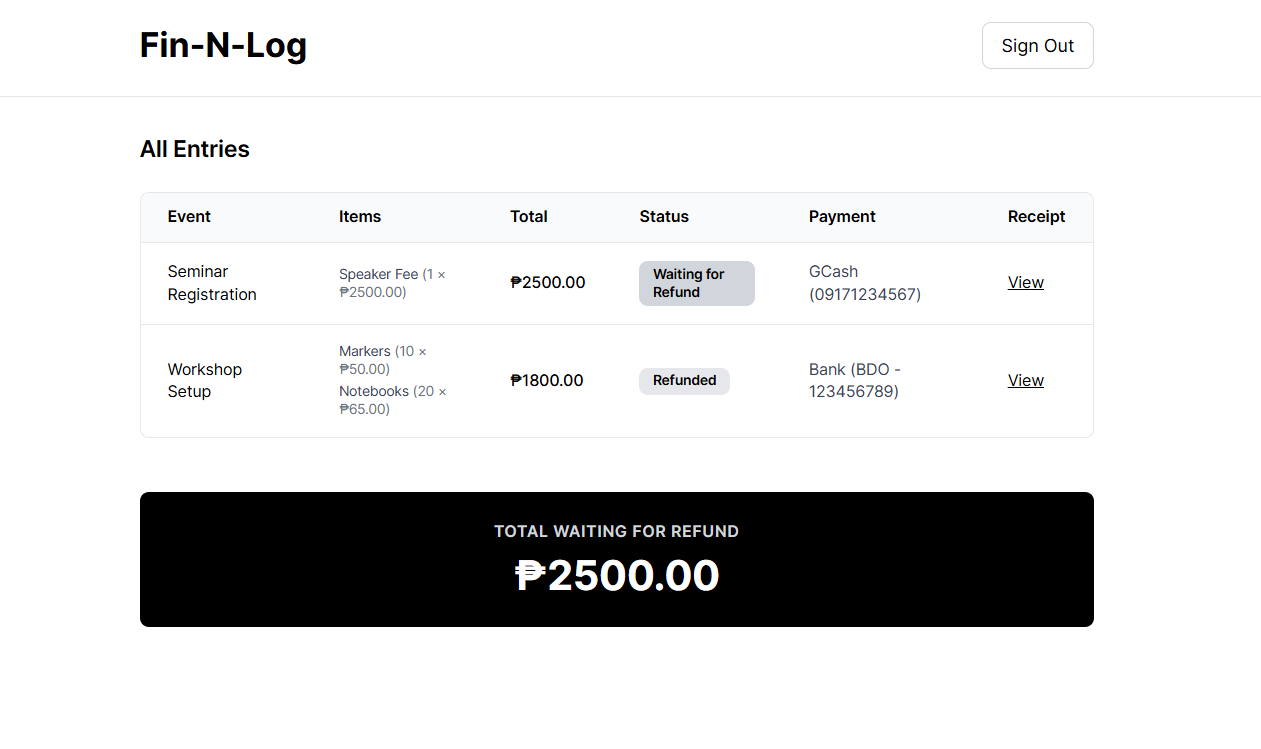
To solve this, I decided to build a solution. That’s how Fin-N-Log (short for Finance and Logistics) was born—a personal dashboard to track logistics expenses and to-do lists. My goal was simple: reduce stress and eliminate manual checking for student volunteers like me. In this guide, I’ll show you exactly how I built and deployed this tracker using AWS Amplify Gen 2. The best part? You don’t need to be a cloud expert to do it. In fact, if you can build a basic React app, you’re already halfway there.
Disclaimer: This project was created with the help of AI and is intended for tutorial and demonstration purposes only. This article presents one of many ways to build and deploy an application using AWS Amplify.
Why AWS Amplify?
Managing user accounts is hard. You usually have to implement a database schema, encrypt passwords, and manually handle email verification. With AWS Amplify and Amazon Cognito, all of that is handled for you. Users can easily create accounts, log in, and even reset their passwords without you writing a single line of complex backend security code. It just works!
Getting Started: Deploy Your Project
Here is the straightforward workflow I used to build the tracker.
1. Setting Up the Foundation
First, we started with a clean slate using an empty Vite template. This method gave us a fast, modern React environment.
I opened my terminal and ran these commands to create the project:
# Create the React projectnpm create vite@latest fin-n-log — –template react# Enter the foldercd fin-n-lognpm install# Initialize the AWS Amplify Backendnpm create amplify@latest
When asked to initialize Amplify, I simply selected “Yes” to the defaults. This created an amplify/ folder in my project where my backend logic lives.
2. App UI
For the frontend, I didn’t spend days pixel-pushing. I used AI to help generate the React components (vibe-coding) and then debugged and customized them to fit my needs.
I installed a few helper libraries for icons and styling: npm install lucide-react
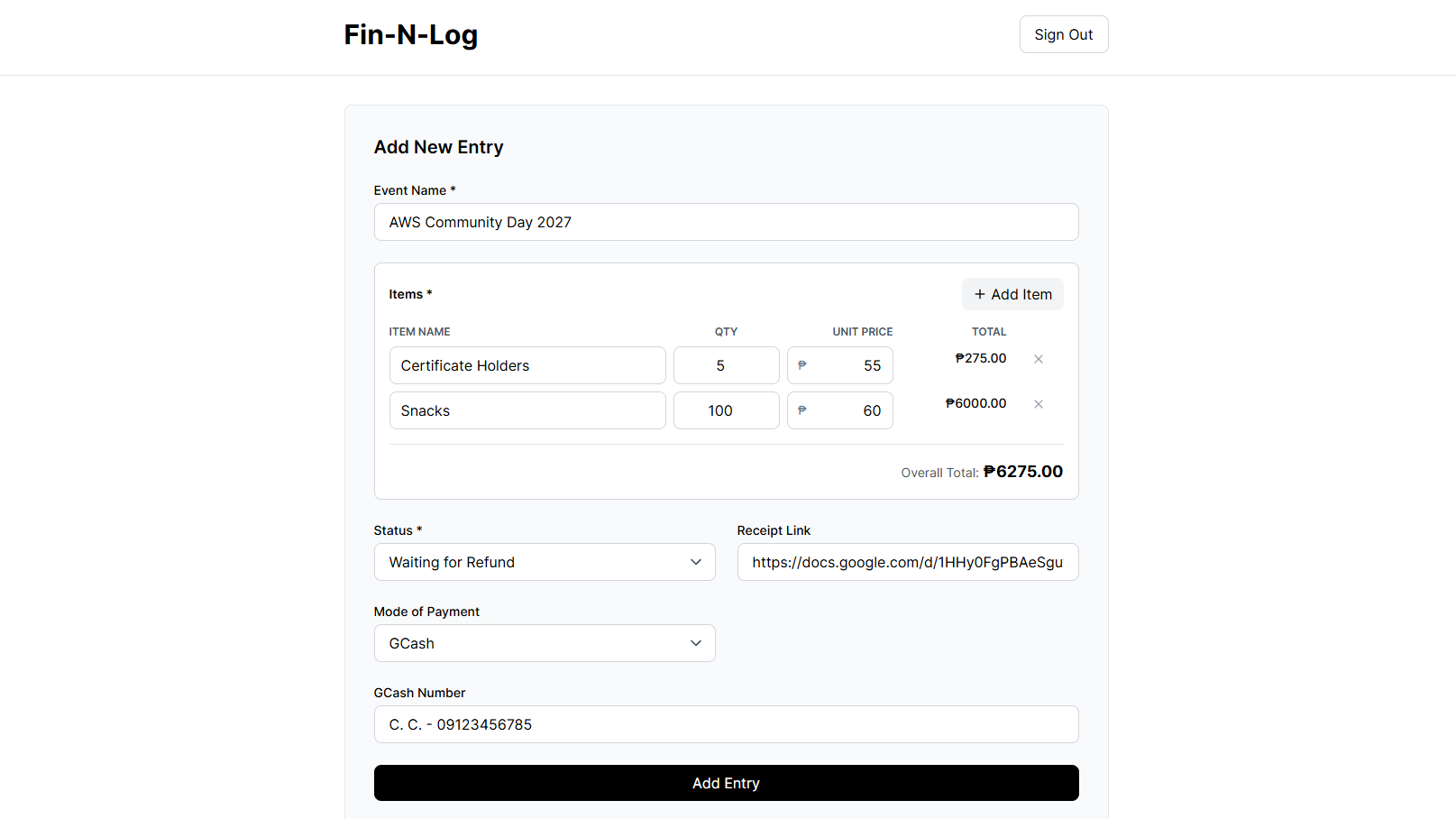
Then, I built a clean “Add Entry” form in src/App.jsx to log events, items purchased, and payment methods.
(Note: The full UI code is quite long, but it essentially uses standard React useState to handle the form inputs like this):
// Example snippet of the Form State const [formData, setFormData] = useState({
eventName: ”,
itemDescription: ”,
price: ”,
status: ‘Waiting for Refund’,
paymentMode: ‘GCash’,
});
3. Connecting to the Cloud
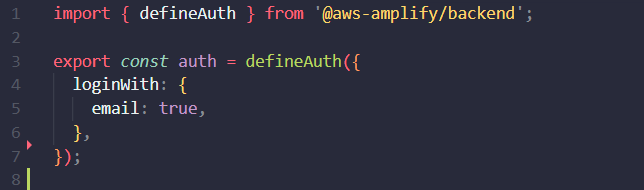
To make the app functional, I needed to define my Auth settings. I opened amplify/auth/resource.ts and ensured it was set to allow email logins:
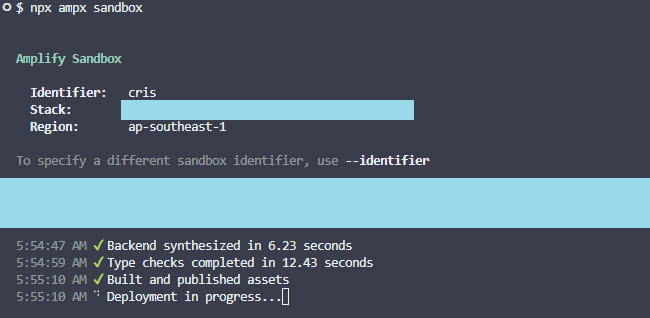
Then, I started the Amplify Sandbox. This is a game-changer because it creates a real, temporary backend in the cloud while you are still coding on your laptop.
npx ampx sandbox
Note: You may be asked to log in to AWS here. I used my IAM Secret Keys to authorize my computer.
4. Adding Authentication
Next, I installed the Amplify UI library to handle the login screen.
npm install @aws-amplify/ui-react aws-amplify
I connected my app to the backend by adding this to the src/main.jsx:
import { Amplify } from‘aws-amplify’; import outputs from‘../amplify_outputs.json’; // This file is generated by the sandbox
Amplify.configure(outputs);
Finally, I wrapped my entire App component inside the <Authenticator> in src/App.jsx. This one wrapper protects the whole app!
export default functionApp() { return (
<Authenticator>
{({ signOut, user }) => (
<main> {/* My Dashboard Code goes here */}
<h1>Welcome, {user?.signInDetails?.loginId}</h1>
<buttononClick={signOut}>Sign Out</button>
</main>
)}
</Authenticator>
);
}
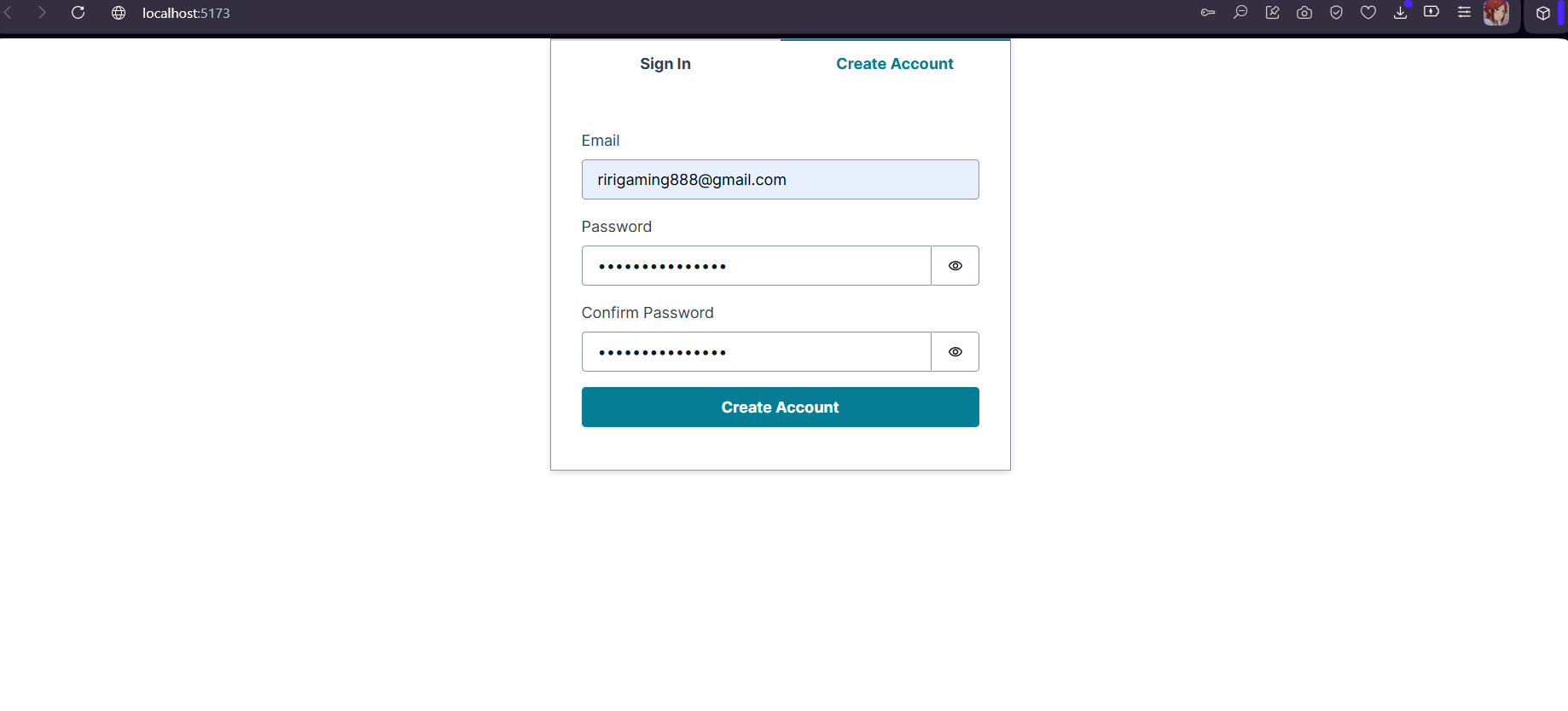
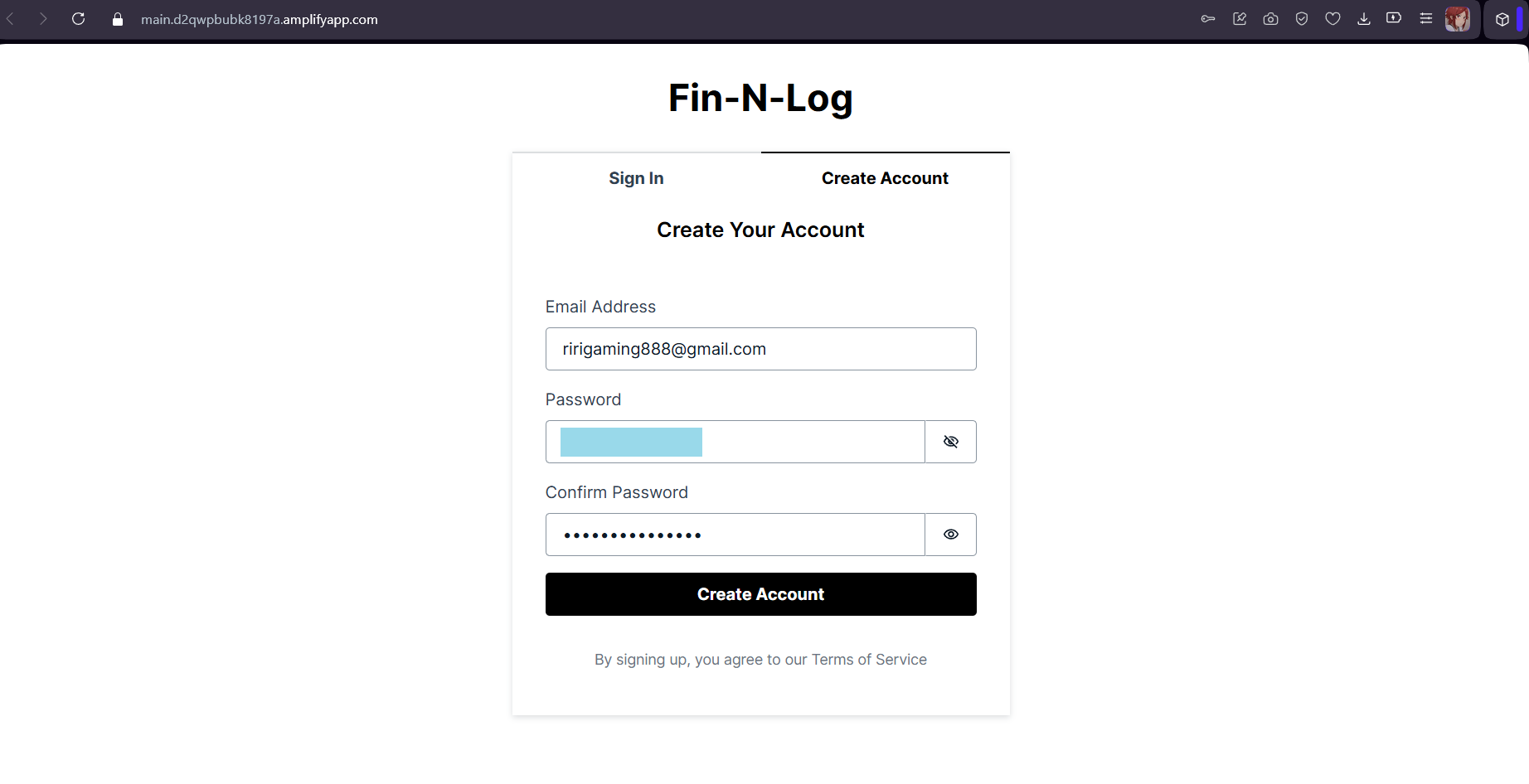
This method instantly created a secure Sign Up and Login page (which I further customized to match my branding).
Before (default):
After (customized):
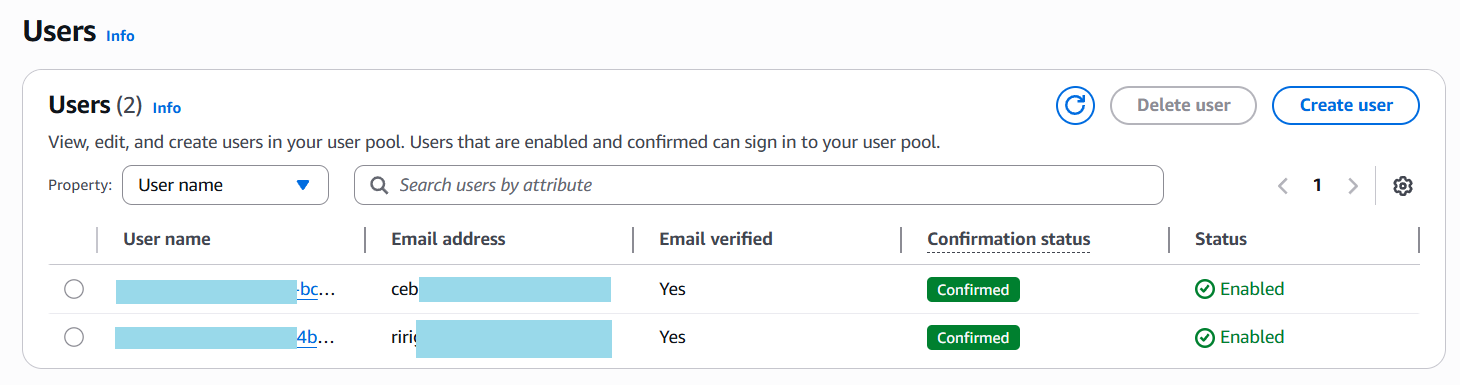
Since this is a personal project, I configured two types of access directly in the Cognito Console:
Users: Read-only access (can only view the list).
Admins (Me): Full access (can add, edit, and delete entries).
This setup gives me total control without writing complex role-based logic in the code.
5. Deployment via AWS Amplify
Once the app was working locally, it was time to share it with the world. I pushed my code to a private GitHub repository.
The commands I used:
git init git add . git commit -m "Ready for deployment" git branch -M main git remote add origin https://github.com/YOUR_USERNAME/app-name.git git push -u origin main
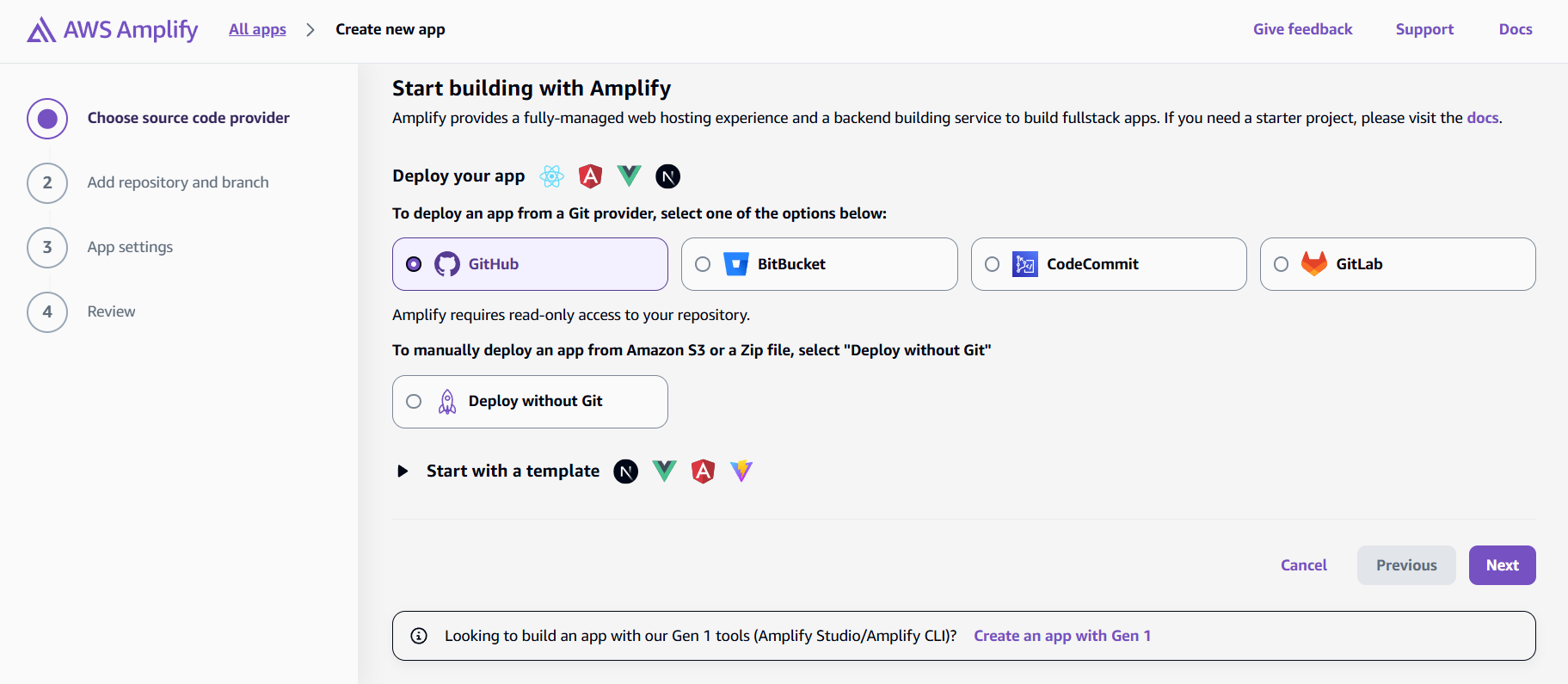
Then, I headed to the AWS Amplify Console to host it.
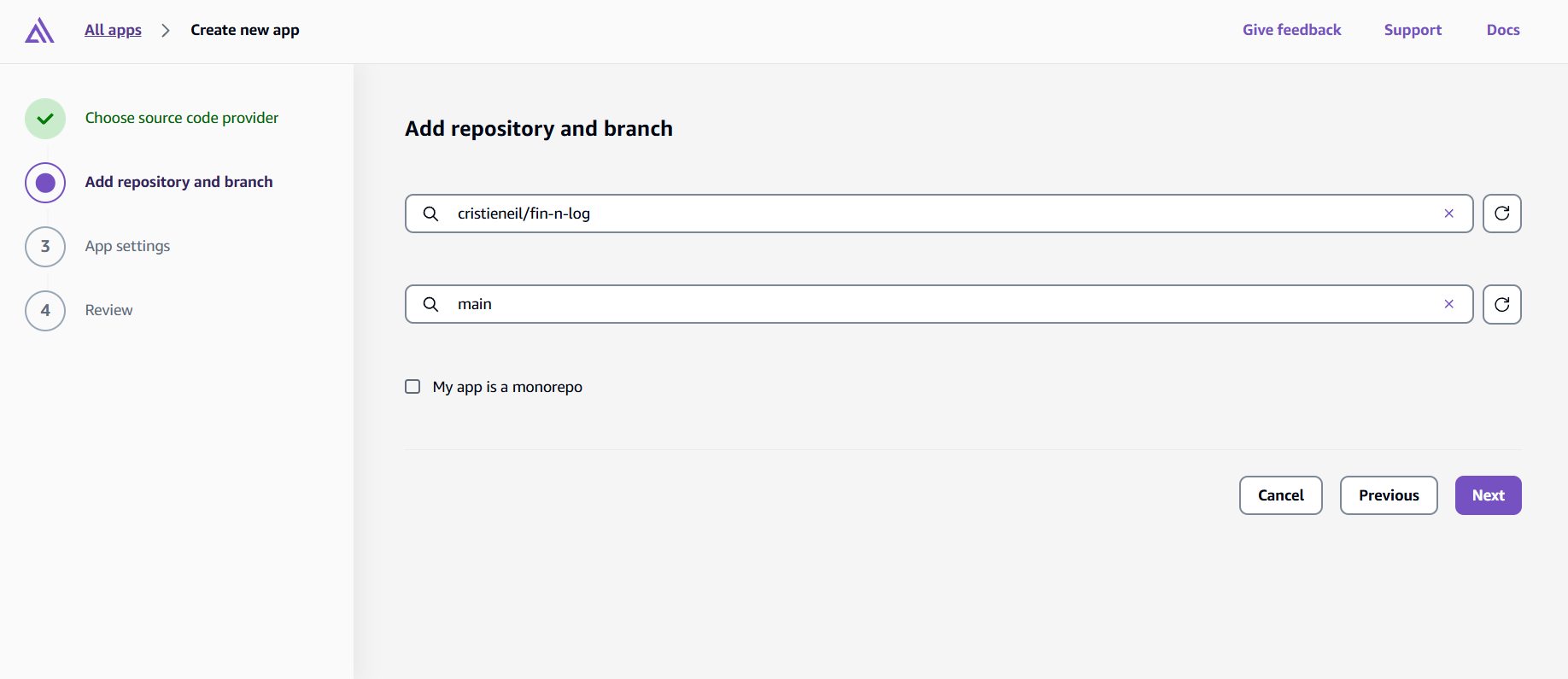
Step A: I selected GitHub as my source provider.
Step B: I authorized Amplify to access my repository and selected the main branch.
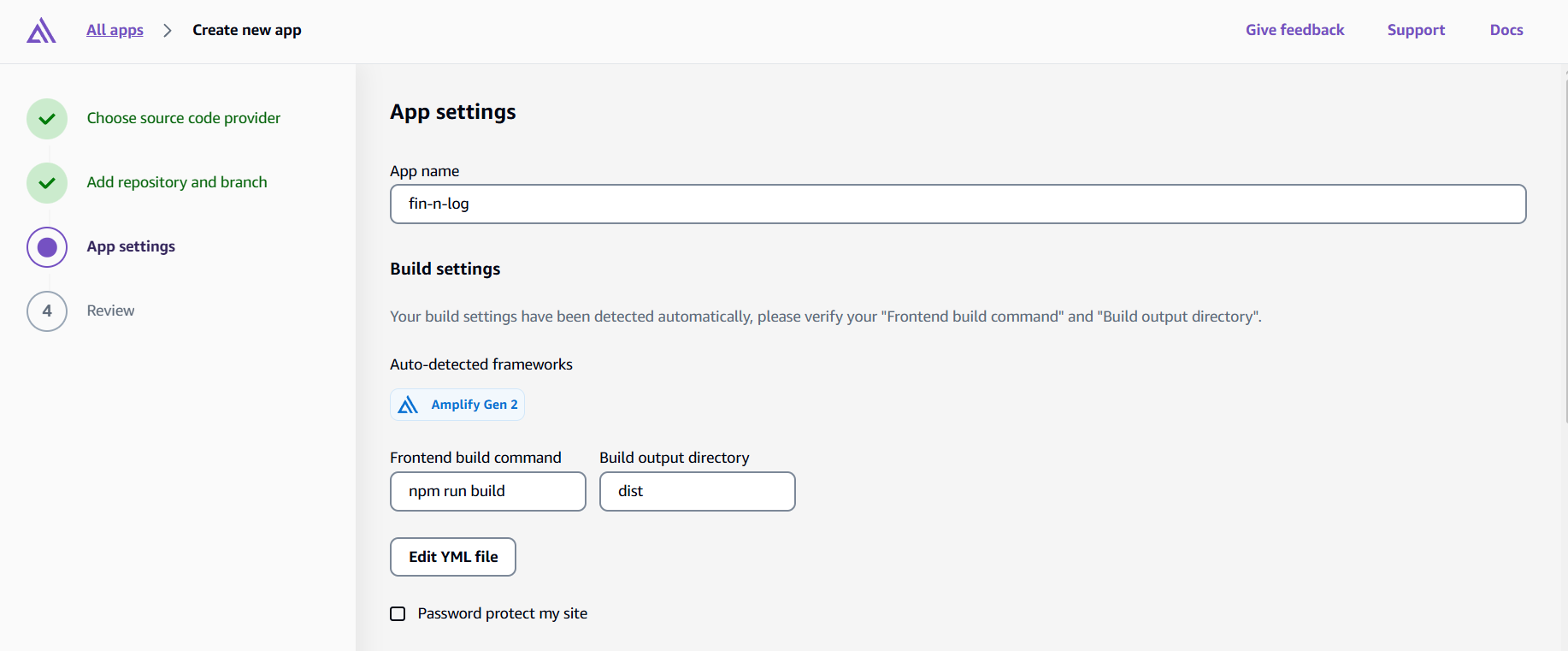
Step C: Automatically amplified my build settings (since it recognized the Vite/React structure). I just clicked Next.
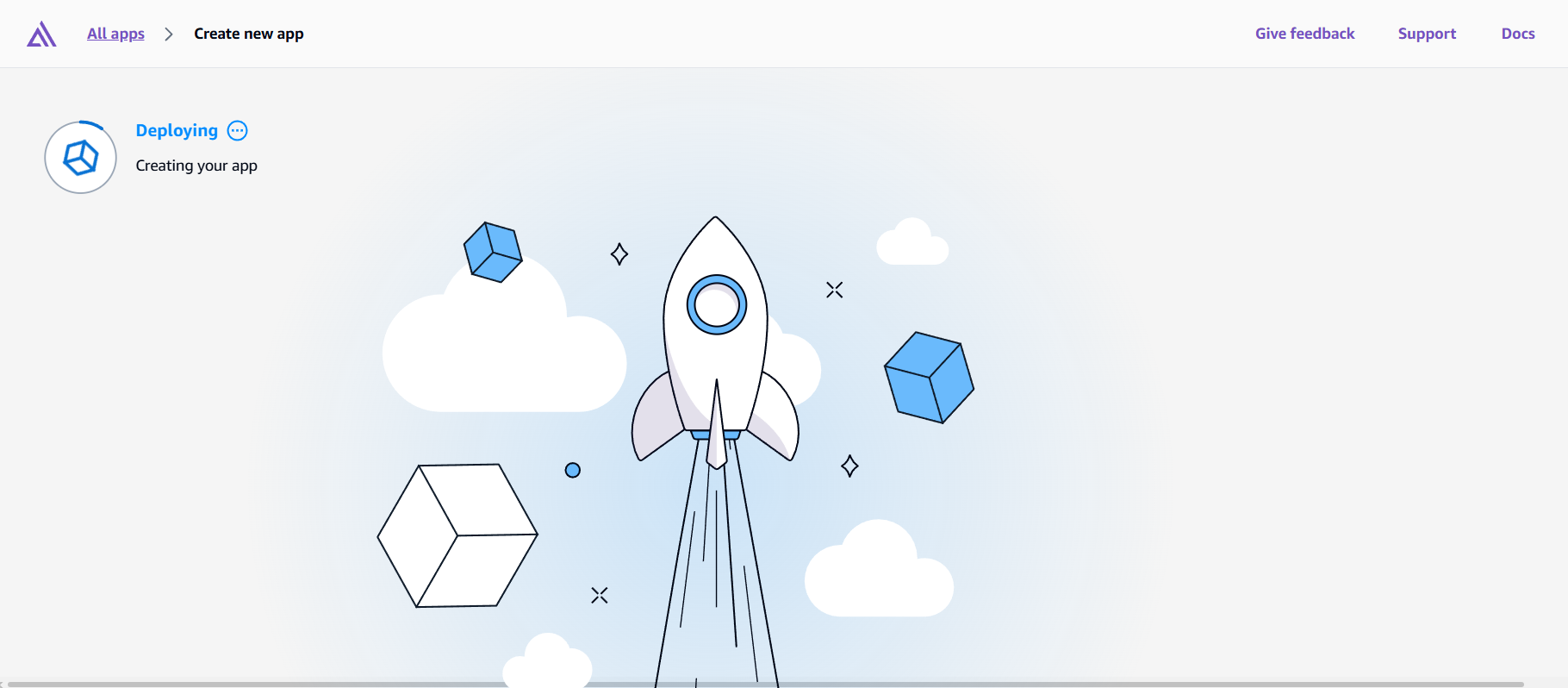
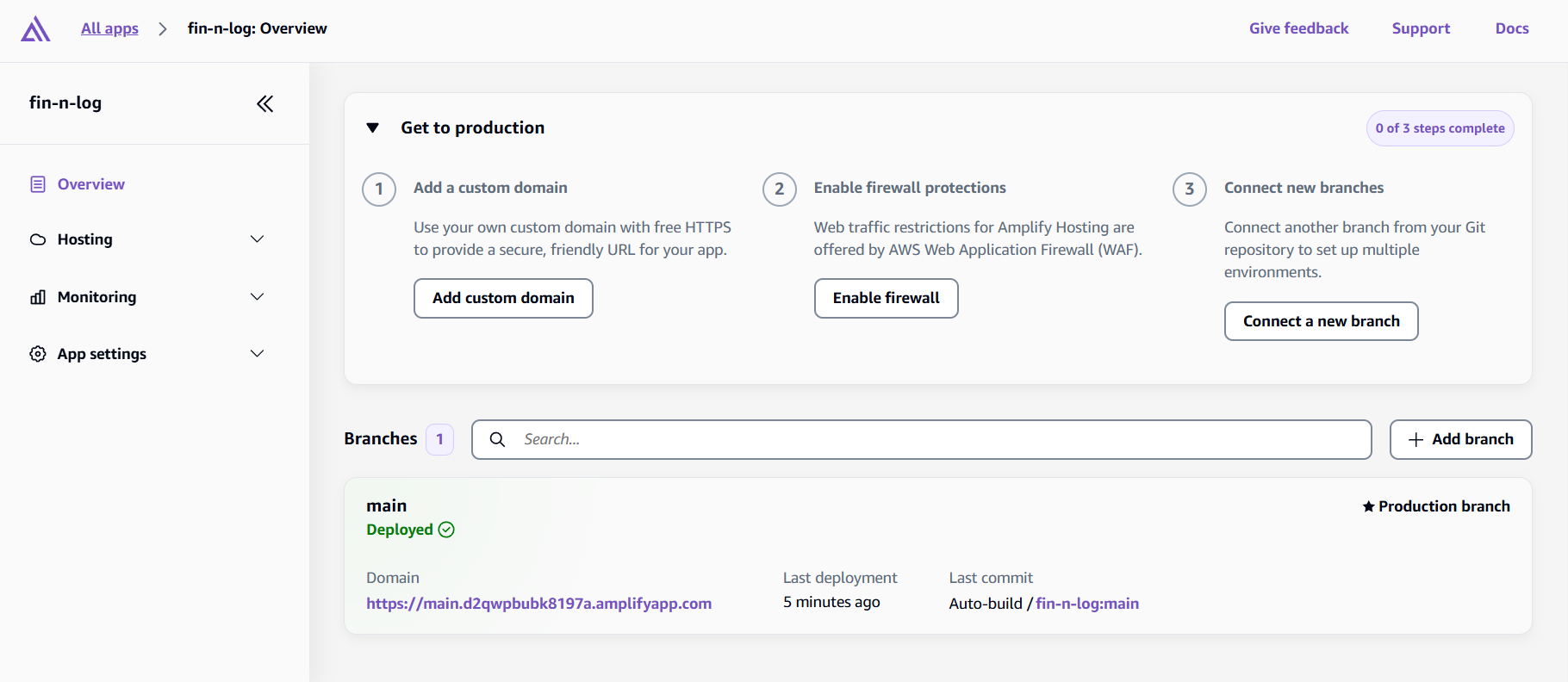
Step D: I clicked Save and Deploy. Within minutes, my app was live!
6. Final Test
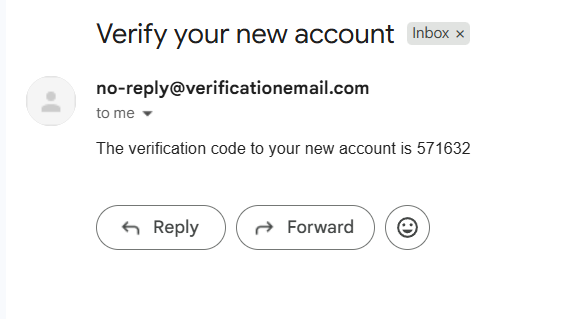
After the deployment finished, I clicked the live URL to test everything in production. I then created a new account to test the authentication flow. Within seconds, Cognito automatically sent a verification email to my inbox.
Once verified, I logged in successfully, and just like that, my app was fully functional and accessible from anywhere in the world. The entire deployment-to-testing process took less than 10 minutes, which still amazes me!
Note: Every new account starts as a basic “User.” To make myself an Admin, I simply went back to the AWS Cognito Console and updated my user manually. Refresh the app, and I have full power!
The Pros and Cons of Using AWS Amplify
Before you jump into AWS Amplify for your next project, let’s be real about what you’re getting into. Like any tool, it has its strengths and weaknesses. Here’s what I’ve learned from building Fin-N-Log and researching other developers’ experiences.
The Pros: Why AWS Amplify Rocks
1. Speed
Time is precious when you’re juggling classes, org work, and coding projects. AWS Amplify lets you go from idea to deployed app in record time. What would normally take days of configuring servers, setting up databases, and writing authentication code can be done in hours. For student developers, this is a game-changer.
2. Authentication
Let’s face it, building secure authentication from scratch is intimidating. Password hashing, email verification, password reset flows… It’s a lot. With AWS Cognito integration, Amplify handles all of this out of the box. You literally wrap your app in an <Authenticator> component, and boom—you have a production-ready login system. No security nightmares, no storing passwords in plain text (we’ve all heard those horror stories).
3. Pay Only for What You Use
As a student, budget matters. Fortunately, AWS Amplify uses a pay-as-you-go pricing model, which means you’re not locked into expensive monthly subscriptions. Better yet, for small projects and prototypes, the costs are minimal—sometimes even free within AWS’s generous free tier limits. Additionally, you scale your spending as your app grows, ensuring you never pay for more than you actually need.
4. Built-in CI/CD
Push your code to GitHub, and Amplify automatically builds and deploys your app. Want to test a new feature? Create a branch, and Amplify gives you a preview URL with its own backend. No manual deployment scripts, no complicated pipelines. It just works.
5. Global Performance
Your app gets deployed to Amazon CloudFront’s CDN with 600+ edge locations worldwide. As a result, users from Manila to New York get fast load times without you configuring anything. In other words, for a simple student project, you get enterprise-level performance that would normally cost thousands of dollars to set up manually.
The Cons: Where Amplify Falls Short
1. The Learning Curve
While Amplify makes things easier, it’s not exactly beginner-friendly if you’ve never touched AWS before. In fact, you still need to understand concepts like IAM roles, regions, and user pools. Unfortunately, the documentation can feel overwhelming, and when something breaks, debugging requires understanding what’s happening behind the scenes. Moreover, troubleshooting often means digging through AWS-specific error messages that aren’t always clear.
2. Customization
Amplify is designed as a one-size-fits-all solution. It works beautifully when your needs align with what it offers. Still, the moment you need something custom, like connecting to an existing database or implementing a specific workflow, things get tricky. You might find yourself fighting against Amplify’s opinionated structure rather than working with it.
3. Not Ideal for Large, Complex Projects
While Amplify handles scalability well, it struggles with large projects that require extensive customization. If you have a complex backend architecture or need fine-grained control over every AWS service, Amplify’s abstraction layer can feel limiting. It’s fantastic for MVPs and small-to-medium apps, but enterprise-level applications might outgrow it.
4. Vendor Lock-In
Once you build with Amplify, migrating away from AWS becomes challenging. Your app is tightly coupled to AWS services, and switching to another cloud provider (or going self-hosted) would require significant refactoring. This isn’t unique to Amplify, but it’s worth considering for long-term projects.
Important Things to Note
If you plan to build this yourself, keep these important tips in mind:
Secure Your Keys: When creating your IAM user for the sandbox, you will get a Secret Access Key. You only see this once. Copy it immediately and never share it publicly (like in a GitHub repo).
Location Matters: Remember which AWS Region (e.g., ap-southeast-1 Singapore) you chose. Your User Pool and your Amplify App must reside in the same region to communicate with each other.
Instant Backend: As soon as you run the Amplify sandbox or deploy, it creates real resources in your AWS account.
Config Alignment: Ensure your local testing configuration matches what you set up in the cloud to avoid “Bad Request” errors.
Building with AWS Amplify
Building a secure, full-stack application used to be intimidating. However, with AWS Amplify Gen 2, I was able to turn a simple idea—a logistics tracker to help student volunteers—into a live, secure web app in no time.
Of course, Amplify has its limitations. The learning curve can be steep, and you might feel locked into the AWS ecosystem. Nevertheless, for student developers, indie builders, and anyone who needs to ship an MVP quickly, the tradeoffs are absolutely worth it. As a result, you get to focus on solving real problems instead of wrestling with server configurations and security implementations.
I encourage you to try it out. Start small, use AI to help with the code, and let Amplify handle the rest.
🌸 25% OFF All Reviewers on our International Women’s Month Sale! Save 10% OFF All Subscriptions Plans & 5% OFF Store Credits/Gift Cards!
Learn AWS with our PlayCloud Hands-On Labs
$2.99 AWS and Azure Exam Study Guide eBooks
New AWS Generative AI Developer Professional Course AIP-C01
Learn GCP By Doing! Try Our GCP PlayCloud
Learn Azure with our Azure PlayCloud
FREE AI and AWS Digital Courses
FREE AWS, Azure, GCP Practice Test Samplers
Subscribe to our YouTube Channel
Follow Us On Linkedin
Written by: Cristieneil Ceballos
Cristieneil Ceballos, “Cris” for short, is a Computer Science student at the University of the Philippines Mindanao and an IT Intern at Tutorials Dojo. Passionate about continuous learning, she volunteers and engages with various tech communities—viewing each experience as both a chance to contribute and an opportunity to explore areas she’s interested in.
AWS, Azure, and GCP Certifications are consistently among the top-paying IT certifications in the world, considering that most companies have now shifted to the cloud. Earn over $150,000 per year with an AWS, Azure, or GCP certification!
Follow us on LinkedIn, YouTube, Facebook, or join our Slack study group. More importantly, answer as many practice exams as you can to help increase your chances of passing your certification exams on your first try!
Around 95-98% of our students pass the AWS Certification exams after training with our courses.
200k+
students
Over 200k enrollees choose Tutorials Dojo in preparing for their AWS Certification exams.
~4.8
ratings
Our courses are highly rated by our enrollees from all over the world.
What our students say about us?
I’m deeply impressed by the quality of the practice tests from Tutorial Dojo. They are extremely well-written, clean and on-par with the real exam questions. Their practice tests and cheat sheets were a huge help for me to achieve 958 / 1000 — 95.8 % on my first try for the AWS Certified Solution Architect Associate exam. Perfect 10/10 material. The best $14 I’ve ever spent!
S. M. Shoaib
Khulna, Bangladesh
Given the enormous number of students and therefore the business success of Jon's courses, I was pleasantly surprised to see that Jon personally responds to many, including often the more technical questions from his students within the forums, showing that when Jon states that teaching is his true passion, he walks, not just talks the talk. I much respect and thank Jon Bonso.
Rowan Williams
Brisbane, Australia
The explanation to the questions are awesome. Lots of gap exposed in my learning. I used the practice tests along with the TD cheat sheets as my main study materials. This is a must training resource for the exam.
Using the practice exam helped me to pass. I think I wouldn't have passed if not for Jon's practice sets.
Jessica Chen
Guangzhou, China
I can say that Tutorials Dojo is a leading and prime resource when it comes to the AWS Certification Practice Tests. I also tried other courses but only Tutorials Dojo was able to give me enough knowledge of Amazon Web Services. My favorite part of this course is explaining the correct and wrong answers as it provides a deep understanding in AWS Cloud Platform. The course I purchased at Tutorials Dojo has been a weapon for me to pass the AWS Certified Solutions Architect - Associate exam and to compete in Cloud World. A Big thank you to Team Tutorials Dojo and Jon Bonso for providing the best practice test around the globe!!!