
Claude Connectors Cheat Sheet
Claude Connectors let Claude work with external apps and data sources. Depending on the connector, Claude can retrieve information or perform supported actions using the connected account’s permissions.
What Are Claude Connectors?
Use Claude’s directory to discover available connectors, or add a supported custom remote Model Context Protocol (MCP) connector. MCP lets a server expose tools Claude can call. The connector defines which operations are available, and the credential determines what those operations can access.
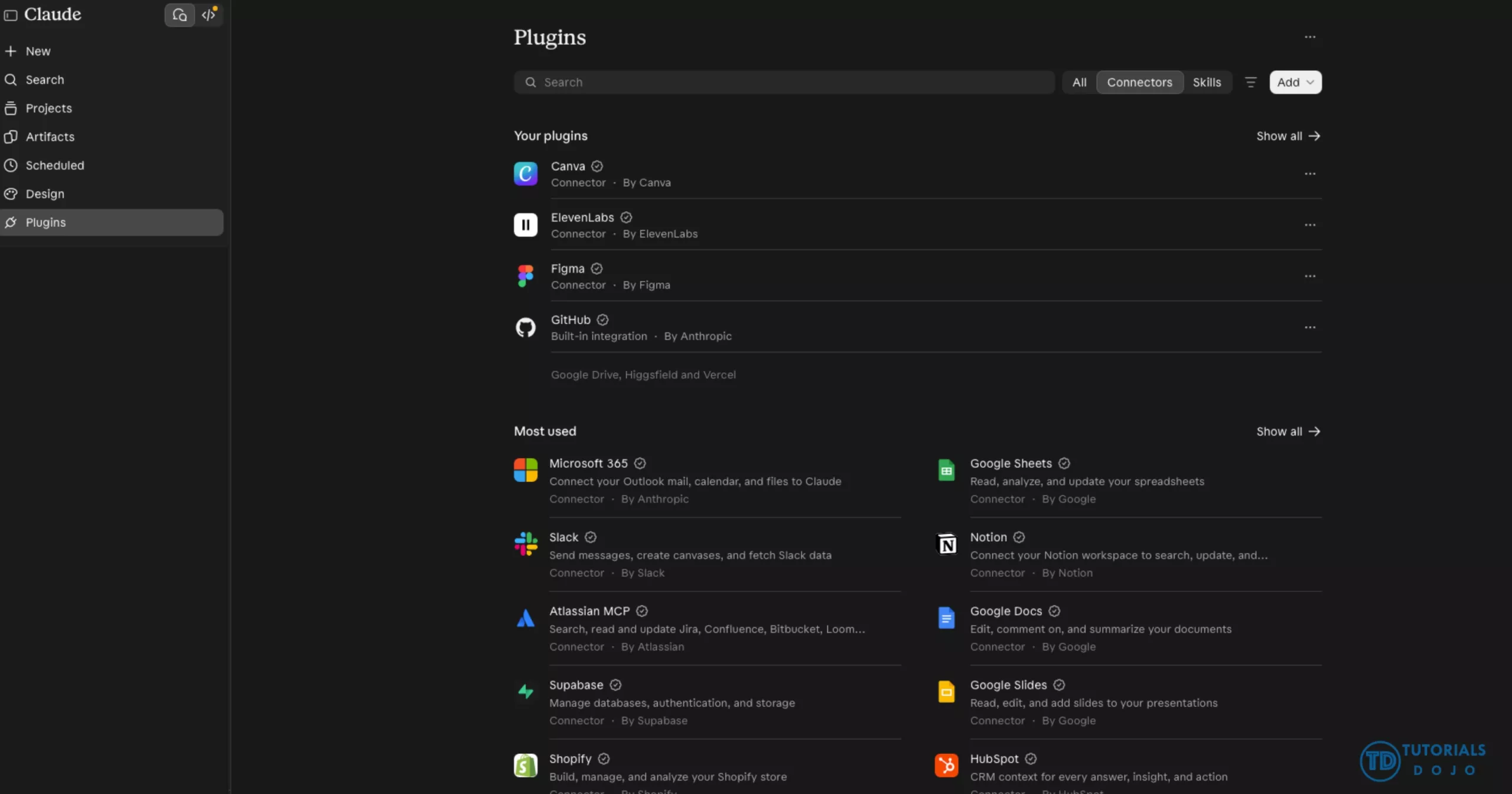
The Core Concept
-
You provide the tool, account authorization, and task scope.
-
The connector provides supported operations for retrieving data or taking actions.
-
Claude uses those operations as needed, subject to permissions and approval settings.
Architecture Overview
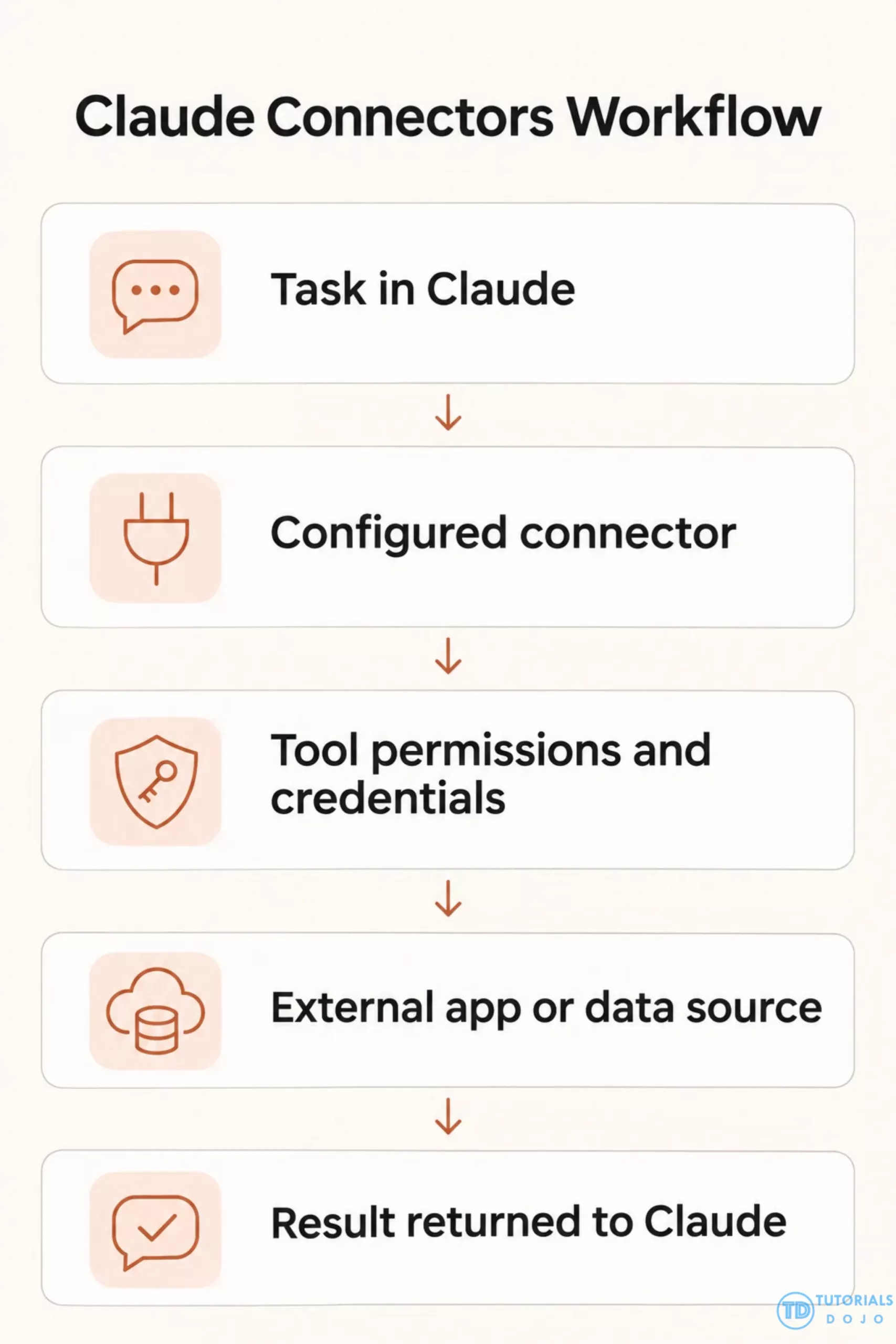
Key Components & Features
| Component | What it does |
|---|---|
| Connector directory | Lets you discover and add supported integrations. |
| Custom remote MCP server | Exposes tools for an integration outside the standard directory. |
| Authentication | Uses an authorized identity or credential, depending on the integration. OAuth can provide user-specific access. |
| Tool permissions | Determine which operations Claude can use and when approval is needed, where the surface exposes those controls. |
Primary Use Cases
-
Retrieve decisions from an authorized project folder and cite the original documents.
-
Pull approved records into a weekly summary.
-
Use a supported write action within the granted permissions.

Key Benefits & Value Proposition
-
Retrieve records from the connected tool during the task.
-
Bring inputs from multiple authorized sources into one workflow.
-
Grant access based on what the task requires.
Deployment Process & Timeline
| Phase | Activities | Estimated duration |
|---|---|---|
| Select | Pick the source and decide whether read or write operations are needed. | Depends on task scope. |
| Connect | Add a directory connector or approved remote MCP endpoint and authorize access. | Depends on account and organization settings. |
| Validate | Verify a known record and check approval behavior before enabling write workflows. | Depends on integrations and permissions. |
| Maintain | Review access when responsibilities change and remove unused connections. | Ongoing. |
Ideal Customer Profile
Teams that regularly need Claude to work with information stored in approved external systems.
Key Considerations & Planning Factors
- Availability. Anthropic documents custom remote MCP connectors on Free, Pro, Max, Ultra, Team, and Enterprise. Free accounts are limited to one custom connector. Check your surface and organization settings.
- Authentication. Prefer narrowly scoped credentials. A shared credential can give users of that connector the access granted to the shared identity.
- Read and write actions. Check what a connector exposes and review approval behavior before allowing changes or external messages.
- External content. Treat documents and messages retrieved from connected tools as source material. Keep action instructions in the user’s request.
- Costs. Review Claude plan limits and any charges from the connected service or MCP host.
Claude Connectors vs. Adjacent Features
| Factor | Connector | Skill | File upload |
|---|---|---|---|
| Main purpose | Access an external service. | Teach a reusable procedure. | Supply a specific file for a task. |
| Weekly report example | Retrieves current project updates. | Defines report sections and source rules. | Supplies a fixed snapshot of this week’s data. |
Conclusion
Use a connector when a task depends on an external service. A connector can retrieve approved updates while a skill applies your reporting format.
Claude Connectors Cheat Sheet References
https://support.claude.com/en/articles/11175166-get-started-with-custom-connectors-using-remote-mcp
🛍️ $0.99 eBooks Are Here and Save Up to 75% on All Practice Exams & Video Courses

Turn Your Team Into Cloud-Ready Professionals Today

Learn AWS with our PlayCloud Hands-On Labs
50% OFF ON OUR YEARLY PLAN

Learn GCP By Doing! Try Our GCP PlayCloud
Learn Azure with our Azure PlayCloud
FREE AI and AWS Digital Courses

FREE AWS, Azure, GCP Practice Test Samplers

Subscribe to our YouTube Channel

Follow Us On Linkedin

Written by: Ace Kenneth Batacandulo